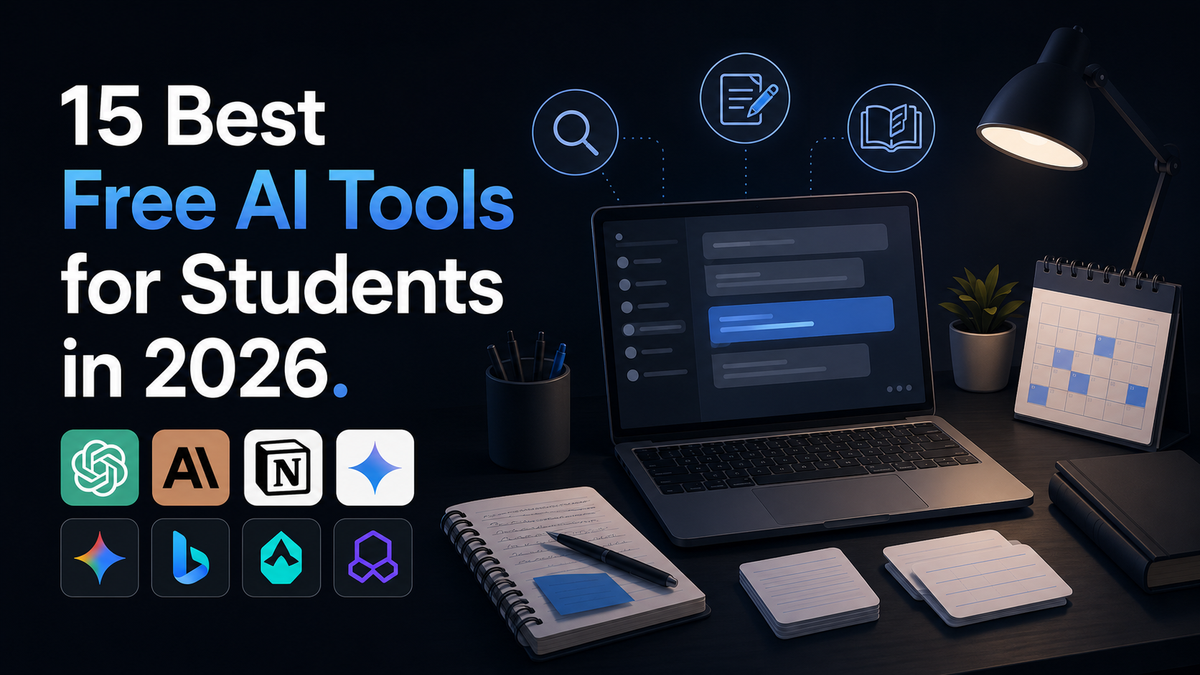
15 Best Free AI Tools for Students in 2026
Studying smarter does not have to cost anything. This guide breaks down the 15 best free AI tools for students in 2026, what each one is actually good for, and how to avoid wasting time on tools that overpromise.
Most students are still paying for tools they do not need or missing free ones that would actually save them hours every week. The AI tool landscape moved fast this year, and the free tiers available right now are genuinely strong enough to cover research, writing, math, presentations, and note taking without spending a cent.
This guide walks through 15 free AI tools worth using in 2026, what each one does best, and where it falls short. You will learn which tool to reach for when you are stuck on a problem set, which one turns a messy pile of lecture slides into something you can actually review, and which ones are simply not worth your time.
This matters because the difference between a student who studies smart and one who studies hard often comes down to knowing which tool fits which task. Picking the wrong tool wastes time. Picking the right one gives you back hours you can spend actually learning, or doing something else entirely.
MAIN BODY:
What Free AI Tools for Students Actually Are
Free AI tools for students are software programs that use artificial intelligence to help with common academic tasks, without requiring a paid subscription. This includes writing assistants, research tools, math solvers, note organizers, and presentation builders.
Most of these tools offer a free tier with real functionality, not just a trial that expires in a week. Some, like Google's NotebookLM, are entirely free with no daily limits on core features. Others offer generous free usage with a paid upgrade for heavier use.
The key thing to understand is that these tools are not interchangeable. A tool built for research citations will not help you with algebra, and a flashcard generator will not help you write a strong essay outline. Matching the tool to the task is what actually makes a difference.
Why This Matters for Students Right Now
AI is no longer optional background noise in student life. It has become part of how research gets done, how notes get organized, and how assignments get drafted and refined.
The gap is widening between students who use these tools well and students who either avoid them entirely or use one tool for everything. Neither extreme works well. Avoiding AI means missing real time savings, while relying on a single chatbot for every task means missing tools that are simply better suited to specific jobs.
There is also a practical financial angle. Subscription fatigue is real, and many students are paying twenty dollars a month for a premium AI plan when a free tool would do the exact same job just as well. Knowing which free tools actually deliver saves real money over a semester.
The 15 Best Free AI Tools for Students in 2026
1. ChatGPT
ChatGPT remains the most versatile general purpose AI tool for students. It handles brainstorming, essay outlines, concept explanations, coding help, and quick study planning without much setup.
The free plan covers casual daily use well, though usage limits can make long cram sessions frustrating. It is the best starting point when you are not yet sure exactly what kind of help you need.
2. Claude
Claude is particularly strong for writing and editing longer documents. Its ability to handle large amounts of text at once means you can paste in a full draft and get real, specific feedback rather than vague praise.
The free tier includes a generous context window, though daily message limits apply. It works well as a second pass tool once you already have a rough draft from your research.
3. Google Gemini
Gemini makes the most sense if your academic life already runs through Google Docs, Drive, and Gmail. It works directly inside the tools you likely already use every day, which matters more than raw model power for quick daily tasks.
Students with a valid school email may also qualify for an extended free student offer that unlocks additional features and storage. It is worth checking eligibility before assuming you need to pay for anything.
4. NotebookLM
NotebookLM is one of the most underused tools available to students right now. You upload your own lecture notes, textbook PDFs, and readings, and it builds an AI assistant that only answers based on what you gave it.
This matters because it cannot make things up about your specific course material. For exam preparation from a particular textbook or lecture set, this focused approach is more reliable than a general chatbot guessing at your syllabus. For a deeper breakdown of how tools like this fit into a full student workflow, see our guide on building a free AI study stack for 2026.
5. Perplexity
Perplexity is a search engine that cites its sources in every answer. Instead of reading through fifteen separate search results, you can ask a research question directly and get a synthesized answer with numbered citations you can trace back to the original source.
This is especially useful for research papers, where you need to verify that a claim is actually supported by a real source rather than trusting an AI's confident tone.
6. Wolfram Alpha
Wolfram Alpha solves complex math, science, and data problems with step by step solutions rather than just a final answer. This makes it genuinely useful for learning, not just for getting past a homework question.
It handles everything from basic algebra to advanced calculus and statistics. If math heavy coursework is your main challenge, our detailed comparison of the best AI math tools for students in 2026 walks through several options beyond just this one.
7. Grammarly
Grammarly remains useful for cleaning up writing, catching grammar mistakes, and improving clarity. The free plan covers core writing checks, with a limited number of AI powered suggestions included.
Use it as a second reader rather than something that rewrites your voice entirely. Sometimes an awkward sentence needs fixing, and sometimes it just sounds like you, which is worth protecting.
8. QuillBot
QuillBot specializes in paraphrasing and summarizing. It is useful when you need to condense a long article into key points or rephrase a sentence that feels clunky without losing the original meaning.
It works well alongside a research tool like Perplexity, helping turn dense source material into notes you can actually study from.
9. Quizlet AI
Quizlet's AI features let you paste in your notes and automatically generate a set of flashcards, saving the time it usually takes to build study material by hand. The free tier includes unlimited flashcard creation and core study modes like spaced repetition.
This is one of the most practical tools for fact heavy subjects like vocabulary, history dates, or biology terms, where active recall genuinely improves retention.
10. ChatPDF
ChatPDF lets you upload a PDF and ask direct questions about it, such as summarizing a specific section or identifying the main argument of a paper. This is especially useful for navigating long academic PDFs without reading every page.
The free plan has some file size limits, and it works best with text based PDFs rather than scanned images, which may need a separate OCR tool first.
11. Canva Magic Studio
Canva's AI features make presentation design accessible even if you have no design background. Smart templates and text to image tools help you build slides quickly without staring at a blank page for an hour.
This is the tool to reach for when an assignment needs to look polished and professional but you do not have time to fight with layout decisions.
12. GitHub Copilot
For students studying computer science or any coding heavy field, GitHub Copilot offers a free individual tier with a capped number of monthly code completions and chat messages. It functions as an autocomplete companion that learns your coding style over time.
It is a genuinely useful way to learn the same tool many professional development teams already rely on, which adds real world relevance beyond just finishing an assignment.
13. Otter.ai
Otter.ai transcribes lectures and meetings into searchable text in real time. Instead of frantically typing notes during a fast talking professor's lecture, you can focus on actually listening and review the transcript afterward.
The free tier includes a set number of transcription minutes per month, which is usually enough for regular class use if you are selective about which lectures you record.
14. Gamma AI
Gamma turns rough notes or an outline into a formatted presentation or document automatically. It handles layout and design decisions so you can focus purely on content.
This overlaps somewhat with Canva but leans more toward turning text into structured slides quickly, which suits last minute presentation prep.
15. Speechify
Speechify converts written text into natural sounding audio, which helps students who learn better by listening or who want to review material while commuting or exercising. It works well for dense readings that are easier to absorb out loud than on a screen.
This is particularly useful for auditory learners or anyone managing a heavy reading load across multiple classes at once.
How to Actually Use These Tools Well
Owning a long list of tools does not help if you never build a routine around them. The most effective approach is assigning each tool a specific job rather than trying to force one tool to do everything.
A simple workflow might look like this. Start research with Perplexity to gather credible sources. Feed those sources plus your lecture notes into NotebookLM to build a focused study assistant. Draft your written work with ChatGPT or Claude, then polish it with Grammarly. Turn your final notes into flashcards with Quizlet for active recall before an exam.
This kind of rotation takes a bit of setup time upfront, but it consistently beats trying to make a single tool handle research, writing, math, and memorization all at once.
Real Benefits Worth Knowing
The time savings are the most obvious benefit. Tasks that used to take hours, like turning scattered notes into an organized study guide, can now take minutes.
These tools also lower the barrier to getting started. A blank page is intimidating, and having an AI generate a rough outline or first draft makes it much easier to begin, even if you end up rewriting most of it yourself.
There is also a skill building angle that often gets overlooked. Learning to prompt clearly, evaluate AI output critically, and combine multiple tools into a workflow is itself a valuable skill that carries directly into most modern workplaces.
Honest Limitations to Keep in Mind
Free tiers come with real limits. Daily message caps, file size restrictions, and feature gating behind paid plans are common across nearly every tool on this list.
AI generated summaries can also flatten nuance. A chatbot might miss the specific argument your professor cares about, or misrepresent a source's actual position. Always check AI output against your own course material, syllabus, and instructor's expectations before relying on it for graded work.
It is also worth understanding what free actually means for each tool, since some services use your data or activity to improve their own models in ways that are not always obvious. Our breakdown of the hidden costs of free AI tools covers this in more detail if privacy and data use are a concern for you.
Who Should Use Which Tools
Students juggling heavy reading loads benefit most from NotebookLM, Speechify, and ChatPDF, since all three are built around processing existing material rather than generating new content from scratch.
Students focused on writing heavy coursework, like essays and research papers, get the most value from combining Perplexity for sourcing, Claude or ChatGPT for drafting, and Grammarly for final polish.
Students in math or science heavy programs should lean on Wolfram Alpha for step by step problem solving, while computer science students will find GitHub Copilot the most directly useful for coursework and side projects alike.
Practical Tips for Getting the Most Out of These Tools
Start with one tool for one task rather than trying to overhaul your entire study routine overnight. Add a second tool once the first one feels natural.
Always verify sources and facts rather than trusting an AI's confident tone at face value, especially for research heavy assignments where accuracy actually matters for your grade.
Keep a simple note of which tool you used for which task each week. This helps you notice patterns in what is actually saving you time versus what is just adding another tab to your browser.
Common Mistakes Students Make
The biggest mistake is trying to use a single chatbot for everything, from math homework to flashcards to presentation design. This usually leads to mediocre results across the board instead of strong results in any one area.
Another common mistake is skipping verification entirely. Copying an AI generated answer directly into an assignment without checking it against your actual course material can introduce errors your instructor will catch immediately.
Students also frequently ignore usage limits until they hit a wall mid semester. Understanding your free tier limits early avoids scrambling for a paid upgrade during finals week when you can least afford the surprise expense.
Where This Is Heading
Free AI tools for students are likely to keep improving rather than disappearing behind paywalls, since competition between major providers keeps free tiers generous. Expect deeper integration with school email systems and learning platforms, along with more tools built specifically around processing a student's own course material rather than generic internet knowledge.
The bigger shift is cultural rather than technical. AI literacy, meaning the ability to prompt well, evaluate output critically, and combine tools effectively, is becoming as important a skill as traditional research or writing ability, both in school and in early career work afterward.
FINAL THOUGHTS
The tools covered here represent a genuinely strong free toolkit for students in 2026, covering research, writing, math, note organization, and presentation design without requiring a single paid subscription. The real skill is not finding more tools, but learning which one fits which task and building a simple routine around that.
Free does not mean unlimited, and no AI tool replaces actually understanding your material. Treat these tools as a fast, capable assistant rather than a replacement for your own thinking, and always check output against your syllabus and instructor's expectations before submitting graded work.
Start small. Pick one tool from this list that matches your biggest current bottleneck, whether that is disorganized notes, slow research, or weak first drafts, and use it consistently for two weeks before adding anything else to your routine.
FREQUENTLY ASKED QUESTIONS
Are these AI tools actually free or just free trials? Most tools on this list, like NotebookLM and Quizlet's core flashcard features, are genuinely free with no expiration date, though some advanced features sit behind an optional paid upgrade. Always check the specific free tier limits before assuming full access.
Which AI tool is best for research papers? Perplexity is the strongest choice for research since it provides cited sources you can verify directly, which matters far more for academic work than a chatbot's confident but unsourced answer.
Can teachers detect AI generated work? Many schools use detection tools, though accuracy varies and policies differ by institution. Always check your school's specific academic integrity guidelines before using AI on graded assignments.
Do I need a school email to access student discounts? Some tools, like Google's extended Gemini student offer, do require verification through a valid school email address, while most tools on this list are free to everyone regardless of student status.
Which tool is best for math and science homework? Wolfram Alpha remains the strongest choice for step by step math and science problem solving, since it shows the full working process rather than just a final answer.
Is it safe to upload my notes and assignments to these tools? Most reputable tools have reasonable privacy practices, but you should avoid uploading anything containing sensitive personal information and review each tool's privacy policy if you have specific concerns about data use.
Comments (0)
Sign in to post a comment.
- Be the first to comment.