5 Real Ways Developers Use Agentic Coding in 2026
gentic coding tools have moved past the demo stage and into real developer workflows. This guide breaks down 5 specific, real ways developers are using them in 2026, from large scale refactoring to debugging issues that used to take hours to trace.
A developer describes a refactor once to AI agents, walks away for coffee, and comes back to find dozens of files updated consistently across the entire codebase, already tested and ready for review. That is not a demo scenario anymore, it is a normal Tuesday for a growing number of developers using agentic coding tools in 2026. In this guide, you will see five specific, real ways developers are actually using these tools right now, from large scale refactoring to debugging issues that used to take hours to trace on their own, without a person babysitting every single step. This matters whether you are still deciding if agentic coding is worth your time or already using it but wondering if you are getting the full value out of it, because knowing exactly how other developers are applying these tools in practice is far more useful than simply knowing the tools exist and hoping they fit somewhere into your workflow.
What Agentic Coding Actually Is
Agentic coding refers to AI tools that go beyond suggesting the next line of code and can actually plan, execute, and complete multi step development tasks with less direct supervision. Instead of finishing a sentence you started typing, an agent can read a codebase, make changes across several files, run tests, and adjust its own approach based on the results.
That shift matters because it changes what developers actually hand off to AI. If you want the full breakdown of what separates this from traditional autocomplete style tools, this piece on what agentic coding really means is worth reading alongside this one.
The five examples below are not hypothetical. They reflect how developers are genuinely using agentic tools inside real codebases right now, not demo scenarios built to look impressive on stage.
Why This Matters for Developers Right Now
Adoption has moved past the experimental phase. What used to be a curiosity a year or two ago is now a normal part of how many developers actually get work done, from solo builders to engineering teams inside larger companies.
This matters because the gap between developers using these tools well and developers ignoring them is starting to show up in real output. Teams that have built solid workflows around agentic coding are shipping faster without sacrificing quality, while teams still doing everything manually are spending time on tasks that increasingly do not require it.
Knowing specifically how other developers are using these tools, rather than just knowing the tools exist, is the difference between experimenting aimlessly and actually building a workflow that saves real time.
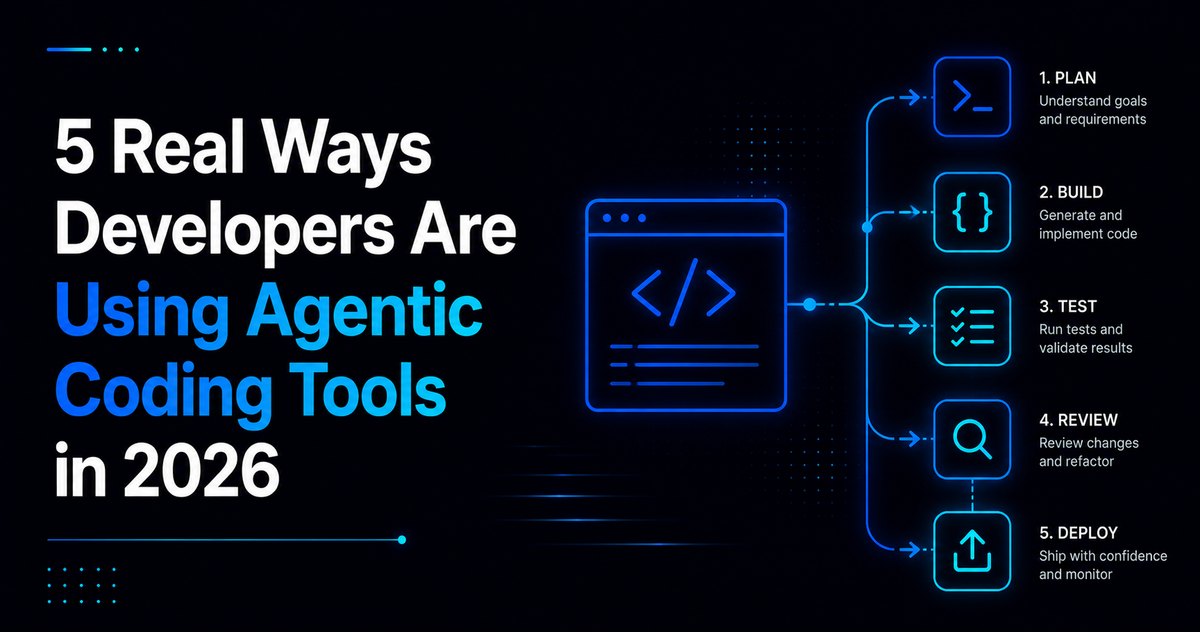
5 Real Ways Developers Are Using Agentic Coding Tools
1. Large Scale Refactoring Across Multiple Files
Refactoring used to mean touching file after file by hand, checking each change did not break something elsewhere. Developers now hand this work to agentic tools, describing the pattern they want applied and letting the agent make consistent changes across dozens of files, then reviewing the full diff before merging.
2. Writing Test Suites for Existing Code
Going back to add tests for code that already works is a task most developers put off indefinitely. Agentic tools are increasingly used to generate thorough test coverage for existing modules, reading the actual logic and producing test cases that reflect real behavior instead of generic boilerplate.
3. Debugging Complex, Hard to Trace Issues
Instead of manually stepping through logs and adding print statements, developers are using agents with strong reasoning capability to investigate a bug directly. The agent can trace through the codebase, form a hypothesis about the cause, test that hypothesis, and explain the root cause in plain language before proposing a fix.
4. Reviewing and Explaining Unfamiliar Codebases
Joining a new project or inheriting legacy code used to mean days of manual reading just to build a mental map of how everything fits together. Developers now use agentic tools to summarize a codebase's structure, explain how key modules connect, and answer specific questions about unfamiliar logic in minutes instead of days.
5. Automating Repetitive Setup and Boilerplate Work
Scaffolding a new feature, setting up a project structure, or writing repetitive configuration files rarely requires much creative judgment, which makes it a natural fit for agentic coding. Developers describe the structure they need once, and the agent handles the repetitive setup work that used to eat the first hour of any new project.
Real Benefits Developers Are Seeing
Time savings show up first and most clearly. Tasks that used to take an afternoon, like a large refactor or a full test suite, can often be completed in a fraction of the time with an agent handling the repetitive parts of the work.
Reduced context switching is a quieter benefit. Developers spend less time jumping between documentation, logs, and code just to gather information an agent can now pull directly while working through a task.
Faster onboarding is another real gain, particularly for developers joining a new codebase. Understanding an unfamiliar project goes from days of manual reading to a much faster, guided process.
Where Agentic Coding Still Falls Short
Agentic tools can produce confident, incorrect code, especially on complex logic or unfamiliar edge cases the agent has not fully considered. That output can look correct on a quick read while still containing a real problem.
Scope can drift too. An agent asked to fix one specific issue can sometimes make broader changes than intended, which is why reviewing the full diff, not just the summary, still matters every time.
Production environments deserve particular caution. The stakes are meaningfully higher when agentic tools touch code that real users depend on, which is why safety and review practices matter more here than in a side project. This guide on whether agentic coding is safe for production code covers exactly what to think through before trusting an agent with anything customer facing.
Best Use Cases by Developer Type
Solo developers and indie builders tend to benefit most from agentic tools handling boilerplate, setup work, and test generation, freeing up limited time for the parts of a project that actually need original thinking.
Developers on larger teams often see the biggest wins in refactoring and codebase onboarding, where the time saved compounds across many contributors working in the same shared project.
Developers debugging unfamiliar or legacy systems get particular value from an agent's reasoning ability, since tracing an unfamiliar bug is exactly the kind of multi step investigation these tools are built to handle well.
Practical Tips for Using These Tools Well
Start with lower risk tasks, like test generation or working inside an internal tool, before trusting an agent with anything customer facing. Building trust gradually beats handing over broad access on day one.
Always review the full diff, not just a summary of what changed. A quick glance is not the same as an actual review, and that distinction matters most on the tasks with the highest stakes.
Pick your tool based on the task, not habit. Different agentic coding tools genuinely have different strengths, and this comparison of Cursor AI, GitHub Copilot, and Claude Code breaks down which tool tends to perform best for refactoring, debugging, and everyday completion work specifically.
Keep strong test coverage in place as a safety net, since a well tested codebase catches far more agent introduced issues automatically than a codebase with minimal testing.
Common Mistakes to Avoid
One common mistake is treating an agentic tool like a finished developer rather than a fast, capable assistant that still needs oversight, which leads to skipped reviews and avoidable mistakes.
Another mistake is using the same tool for every task regardless of fit, when different tools genuinely perform better on different kinds of work, from refactoring to debugging to everyday completion.
Some developers also grant broad access too early, before building enough experience with a specific tool to understand how it tends to fail in their own codebase.
Finally, skipping tests because a task feels routine tends to backfire, since test coverage is exactly what makes agentic coding safer and more reliable across every one of these five use cases.
Where This Is Headed
Agentic coding tools are getting better at reasoning through edge cases and catching their own mistakes before presenting a final answer, which should gradually build more warranted trust across riskier tasks.
Expect these five use cases to keep expanding in scope, particularly refactoring and debugging, as tools get better at holding larger amounts of context about an entire project at once.
The developers getting the most value going forward will likely be the ones who keep matching the right tool to the right task, rather than treating agentic coding as a single, one size fits all solution.
Final Thoughts
Agentic coding tools have moved well past the novelty stage. The five use cases covered here, refactoring, test generation, debugging, codebase onboarding, and boilerplate automation, reflect how developers are genuinely applying these tools inside real projects, not how they perform in a polished demo.
The developers getting the most value are not necessarily using the most advanced tool available. They are the ones who understand which task fits which tool, review output carefully rather than assuming it is correct, and build trust gradually instead of handing over broad access all at once.
If you take one step from this, pick the use case here that matches your biggest current time drain, whether that is a messy refactor or a test suite you keep putting off, and try applying an agentic tool to that specific task this week.
Frequently Asked Questions
What is agentic coding in simple terms? It refers to AI tools that plan and complete multi step development tasks with less direct supervision, rather than just suggesting the next line of code as you type.
Is agentic coding only useful for large teams? No. Solo developers and indie builders often see significant benefit too, particularly for boilerplate setup, test generation, and freeing up limited time for more original work.
Which agentic coding tool is best for debugging? It depends on the tool and the task, but tools built around deeper reasoning tend to perform especially well on complex debugging work, since tracing a bug is a multi step investigation rather than a single suggestion.
Do I need to review everything an agentic coding tool produces? Yes, especially for anything touching production or customer facing code. Reviewing the full diff, not just a summary, remains an important safeguard regardless of how capable the tool appears.
Can agentic coding tools replace manual testing? No. They can generate test cases quickly, but strong test coverage still needs human oversight to confirm the tests actually reflect the behavior that matters for your specific application.
How do I start using agentic coding tools if I have never tried them? Start with a lower risk task, like generating tests for existing code or exploring an unfamiliar codebase, before trusting an agent with anything customer facing or high stakes.
Comments (0)
Sign in to post a comment.
- Be the first to comment.