
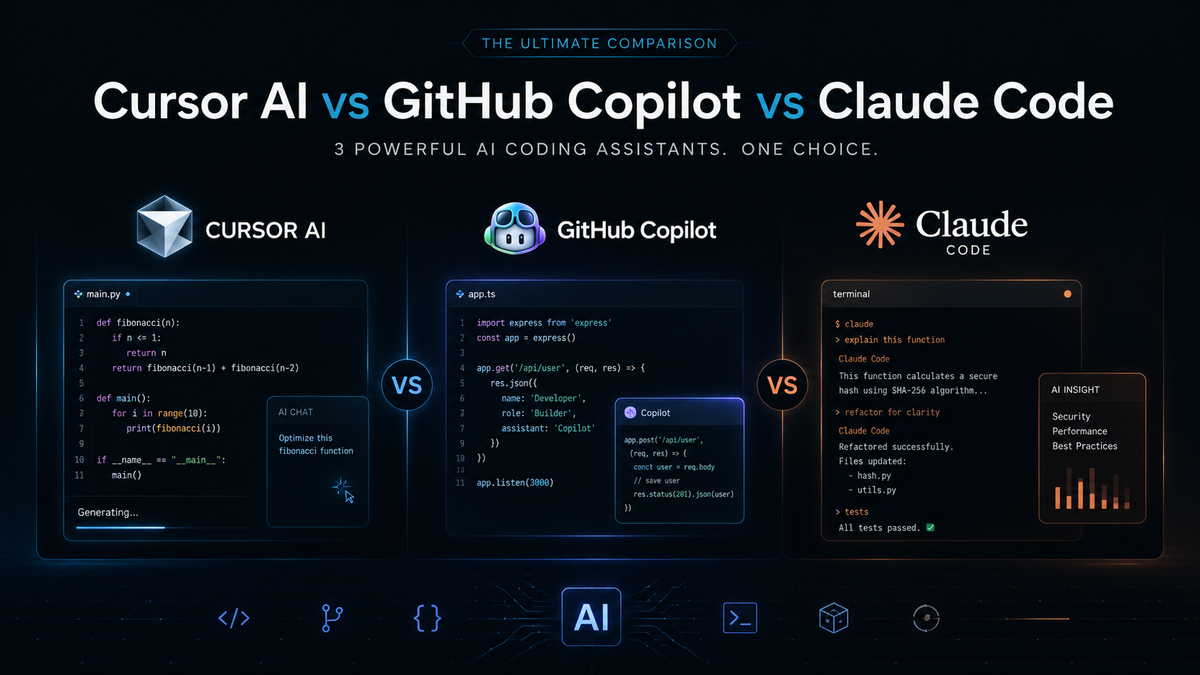
Cursor AI vs GitHub Copilot vs Claude Code: Which Coding Assistant Wins in 2026?
Cursor AI, GitHub Copilot, and Claude Code all promise to speed up your coding, but they solve very different problems. This guide breaks down what each one actually does well, where each one falls short, and which one fits your workflow in 2026.
Choosing an AI coding assistant in 2026 feels a lot like choosing a car. They all get you from point A to point B, but the ride, the fuel efficiency, and the extra features are wildly different depending on which one you pick. In this guide, you will learn exactly how Cursor AI, GitHub Copilot, and Claude Code compare on the things that actually matter day to day, from code completion speed to deep debugging power, so you are not left guessing which one fits your workflow. This matters to you because picking the wrong tool can quietly waste hours every week, while picking the right one can genuinely change how fast you ship and how much you learn along the way. Whether you are a student learning to code, a solo developer building side projects, or a founder trying to move faster with a small team, this breakdown will help you choose with confidence instead of relying on hype or guesswork.
What Is Each Tool
Cursor AI
Cursor AI is a full code editor built on top of Visual Studio Code. Instead of adding AI as a plugin, Cursor rebuilds the entire editing experience around it. That means the assistant has access to your whole project, not just the file you happen to have open.
Developers get project wide code generation, an AI chat panel built directly into the editor, multi file editing, and a terminal that understands what the AI is doing. It feels less like a helper bolted onto your workflow and more like the workflow itself.
GitHub Copilot
GitHub Copilot is the most widely used AI coding assistant in the world right now. Built by GitHub with OpenAI, it plugs directly into editors people already use, including VS Code, JetBrains tools, and Neovim.
It focuses on fast inline suggestions, full function generation from a comment, chat support, and automatic test generation. You do not need to change your setup at all. Copilot simply joins the editor you already know.
Claude Code
Claude Code, built by Anthropic, takes a different approach. Rather than optimizing purely for speed, it is built around reasoning, long context, and genuine back and forth conversation about your code.
If you want a deeper look at what this style of assistant can actually do, this piece on what agentic coding really means explains how tools like Claude Code go beyond simple suggestions and start acting more like an active collaborator in your workflow.
Why It Matters
The AI coding assistant market moved fast in the last two years. What used to be a nice bonus feature is now something most professional teams expect to have in place. Developers who use these tools well are shipping features faster, catching bugs earlier, and spending less time on repetitive work.
For students and beginners, the right assistant can shorten the learning curve dramatically. Instead of getting stuck on a cryptic error for an hour, you get an explanation that actually teaches you something. For freelancers and small teams, it can mean taking on more clients without burning out, because the AI handles a chunk of the grunt work.
The catch is that not every tool fits every workflow. Picking based on hype instead of your actual needs is one of the most common and costly mistakes developers make right now.
How It Works
Each of these tools works differently under the hood, even though the end goal looks similar on the surface.
Cursor AI indexes your entire codebase so it can pull relevant context from files across your project, not just the one you are editing. When you ask it a question, it searches that index first, then generates an answer grounded in your actual code.
GitHub Copilot mostly works in real time as you type, predicting the next few lines based on the current file and recent context. Its chat mode adds a layer of conversation on top, but its core strength is still fast, in the moment suggestions.
Claude Code leans on a large context window and a reasoning heavy approach. Instead of just predicting the next line, it works through the logic of a problem step by step, which is why it tends to shine on harder debugging tasks and architecture discussions.
Some developers now combine these tools with external services through protocols that connect AI assistants to other apps and data sources. If you are curious how that setup actually works in practice, this guide on how developers are using MCP servers with Claude Code and Cursor AI walks through real examples.
Benefits
Cursor AI gives you strong project wide awareness, so you spend less time explaining context the AI should already understand. It also handles multi file edits smoothly, which saves real time on larger refactors.
GitHub Copilot offers unmatched speed for everyday coding. The suggestions arrive quickly and often match your style closely enough that you barely have to edit them.
Claude Code gives you genuinely useful explanations, not just fixes. When something breaks, it tends to explain why it broke, which builds your own understanding over time instead of just patching the symptom.
Across all three, the biggest overall benefit is time. Developers using these tools well report shipping tasks noticeably faster than doing everything manually, especially on repetitive or boilerplate heavy work.
Limitations
No tool here is perfect, and pretending otherwise would not help you make a good decision.
Cursor AI requires you to leave your current editor and adopt a new one entirely. That switch has a learning curve, and some developers simply prefer to stay where they are comfortable.
GitHub Copilot can struggle with anything beyond the current file. Ask it a question about your overall architecture and it often gives a shallow answer because it was not built to hold that much context at once.
Claude Code is not built for rapid fire autocomplete. If you want instant inline suggestions as you type, it will feel slower than Copilot, because its strength lies in thinking through problems rather than predicting the next few characters.
All three tools can also produce confident sounding answers that are wrong, especially on unusual edge cases. Human review still matters, no matter which assistant you choose.
Best Use Cases
Cursor AI fits developers working on large, sprawling codebases who want an editor built around AI from the ground up. Full stack developers and teams managing complex applications tend to get the most value here.
GitHub Copilot fits developers who mainly want fast, reliable completions without changing their setup. Beginners and teams already living inside the GitHub ecosystem tend to adopt it easily.
Claude Code fits senior developers, architects, and anyone dealing with a genuinely tricky bug that needs real reasoning rather than a quick guess. It also works well for developers who want a thinking partner during planning and design conversations.
Many experienced developers now mix tools depending on the task. A good example of this in action is documented in this walkthrough on taking an idea to a deployed app in a single weekend using AI pair programming, which shows how switching tools at different stages of a build can actually speed things up rather than slow them down.
Practical Tips
Start by identifying your biggest bottleneck. If you lose the most time to slow autocomplete, prioritize speed. If you lose the most time debugging, prioritize reasoning power.
Try each tool on a real project instead of a toy example. A short trial on your actual codebase reveals far more than a five minute demo ever will.
Do not abandon your existing workflow just because a new tool is trending. Test it alongside what you already use before fully switching over.
Keep your prompts specific. Vague requests like fix this produce vague results. Explaining exactly what you expect, including edge cases, consistently produces better output across every one of these tools.
Common Mistakes
One common mistake is picking a tool based purely on what is popular online instead of what fits your actual workflow. Popularity does not always match your specific needs.
Another mistake is trusting generated code without reviewing it carefully. Even strong reasoning models make mistakes, especially with unusual logic or newer libraries.
Many developers also skip learning the tool properly. Spending even thirty minutes reading documentation or watching a real workflow demo can dramatically improve how well you use any of these assistants.
Finally, some developers try to force one tool to do everything instead of combining strengths. Using Copilot for quick completions while reaching for Claude Code on harder debugging tasks often beats forcing a single tool to cover every situation.
Future Outlook
AI coding assistants are only going to get more capable at holding context, reasoning through complex systems, and acting semi independently on larger tasks. The gap between simple autocomplete and genuine reasoning partners will likely keep widening.
Expect deeper integration between these tools and other parts of the development pipeline, including testing, deployment, and monitoring. The line between writing code and shipping a finished product is already starting to blur.
For developers who stay curious and keep experimenting with new workflows, this shift represents a real opportunity rather than a threat.
Final Thoughts
Cursor AI, GitHub Copilot, and Claude Code all solve the same broad problem in different ways. Cursor gives you the deepest sense of your whole project. Copilot gives you the fastest, most frictionless completions. Claude Code gives you the strongest reasoning when something genuinely breaks or when you need to think through a design decision out loud.
None of these tools is objectively the best. The right pick depends entirely on where your time actually goes each week. A developer drowning in small bugs needs something different than a founder trying to ship an MVP fast, and both need something different than a student still learning the fundamentals.
If you take one action away from this, spend a week paying attention to what actually slows you down while coding. Once you know that, testing the matching tool on a real project for a few days will tell you more than any comparison article ever could.
Frequently Asked Questions
Is Cursor AI better than GitHub Copilot? It depends on what you need most. Cursor AI gives you stronger project wide understanding, while GitHub Copilot is faster for everyday inline completions. Try both on a real project before deciding.
Is Claude Code good for beginners? It can be, especially because it explains its reasoning clearly, which helps you actually learn while coding. That said, GitHub Copilot is usually a gentler starting point because it requires no change in editor or workflow.
Can I use more than one AI coding assistant at the same time? Yes, and many developers already do exactly that. A common setup is using Copilot for quick completions while switching to Claude Code for harder debugging or architecture questions.
Which tool handles large codebases best? Cursor AI generally performs best here because it indexes your entire project and can pull context from files you are not even looking at. Claude Code also handles large context well thanks to its extended context window.
Do these tools replace the need to learn to code? No, and treating them that way tends to backfire. They speed up experienced developers and help beginners learn faster, but understanding the fundamentals still matters for spotting mistakes and making good decisions.
Which AI coding assistant is worth paying for first? Start with whichever tool solves your biggest current bottleneck. If speed is the issue, try Copilot first. If debugging complex problems eats most of your time, Claude Code is usually worth testing first instead.
Comments (0)
Sign in to post a comment.
- Be the first to comment.