How to Write AGENTS.md So Coding Agents Work Better
Learn how to write AGENTS.md and CLAUDE.md files that give AI coding agents the right context: commands, conventions, guardrails and a template to copy.
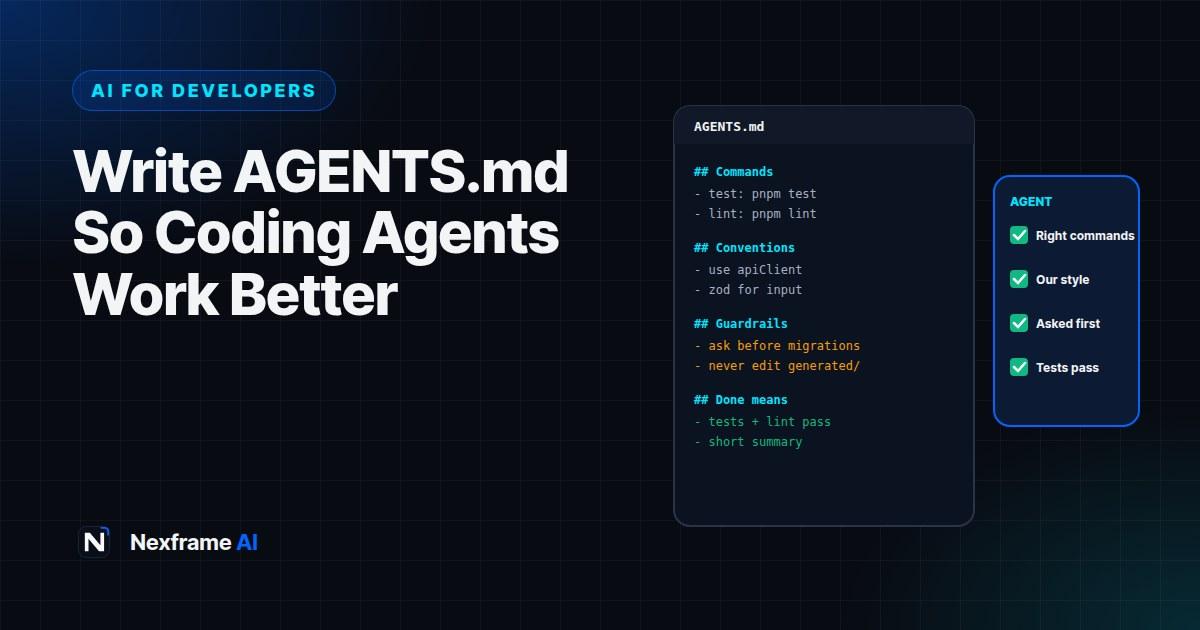
You give a coding agent a simple task. It writes the code in a style that doesn't match the rest of your project, uses npm when you use pnpm, skips the tests because it can't find the command, and edits a generated file that gets overwritten on the next build. Technically, it did what you asked. Practically, you spend 20 minutes cleaning up.
Most of these problems aren't about the AI being weak. They're about missing context. A new human developer would spend their first week learning how your project works. A coding agent starts every session from scratch.
That's what AGENTS.md and similar instruction files fix. They're short documents in your repository that tell coding agents how your project works: how to install, build and test, which conventions to follow and what never to touch. This guide shows you how to write AGENTS.md and CLAUDE.md files that make agents noticeably more reliable, with a complete template you can copy.
What AGENTS.md Is
AGENTS.md is a plain Markdown file, usually at the root of a repository, written for AI coding agents rather than humans. When an agent starts work in your project, it reads the file and uses it as standing instructions.
Several tools read AGENTS.md, including OpenAI's Codex, Cursor and open-source agents such as OpenCode. Claude Code reads a file called CLAUDE.md, and GitHub Copilot supports its own instructions file. Support changes over time, so check each tool's documentation, but the content you write is largely the same.
If your team uses more than one agent, a common approach is to keep the main instructions in AGENTS.md and have CLAUDE.md point to it, or keep the two files in sync, so you maintain one source of truth.
Why It Makes Such a Difference
Agents stop guessing. Without instructions, agents infer conventions from whatever files they read first, which may be old or unusual.
Tests actually run. If the agent knows the exact test command, it can check its own work and fix failures.
Fewer dangerous mistakes. Clear guardrails, such as "never edit migrations that have been applied" or "never commit .env files", prevent costly errors.
Consistency across the team. Everyone's agent follows the same rules, so code reviews focus on logic rather than style.
Faster onboarding for humans too. A good AGENTS.md often doubles as a concise guide for new developers.
What to Include
Keep it focused. Agents work best with clear, specific instructions, and very long files can bury the important points. Most good files cover these sections.
1. Project overview
Two or three sentences on what the project is, who uses it and the main technologies. For example: "A job board web app for Nigerian graduates. Next.js frontend, Node API, PostgreSQL database."
2. Setup and commands
The exact commands for installing dependencies, running the app, running tests, linting and type-checking. This is the most valuable section, because it lets the agent verify its work.
3. Project structure
Where the important things live: which folders contain the API, the UI components, shared utilities, tests and configuration. Mention generated files or folders the agent shouldn't edit.
4. Coding conventions
The rules a reviewer would enforce: naming, file organisation, error handling, preferred libraries, formatting and patterns to follow or avoid. Be specific: "Use the existing apiClient for all HTTP requests" is better than "follow best practices".
5. Testing expectations
What tests should accompany changes, where they go and how to run a single test file.
6. Guardrails
Things the agent must never do, or must ask before doing: changing database schemas, editing applied migrations, upgrading major dependencies, touching payment code, committing secrets or deleting files.
7. Definition of done
What "finished" means: tests pass, linting passes, types check, no unrelated changes and a short summary of what changed.
A Template You Can Copy
Adapt this to your project. Replace everything in brackets and delete what doesn't apply.
# AGENTS.md

## Project overview
[Project name] is [one sentence on what it does] for [users].
Stack: [frontend], [backend], [database], [hosting].

## Setup and commands
- Install: `[pnpm install]`
- Run locally: `[pnpm dev]` (app at http://localhost:3000)
- Run all tests: `[pnpm test]`
- Run one test file: `[pnpm test path/to/file.test.ts]`
- Lint: `[pnpm lint]`
- Type-check: `[pnpm typecheck]`
Always run tests, lint and type-check before saying a task is done.

## Project structure
- `[src/app]`: pages and routes
- `[src/components]`: shared UI components
- `[src/server]`: API handlers and business logic
- `[src/lib]`: utilities and API clients
- `[tests]`: test files, mirroring the src structure
- `[src/generated]`: generated code, DO NOT EDIT

## Conventions
- Use TypeScript strict mode; avoid `any`.
- Use `[apiClient]` from `[src/lib/api]` for HTTP requests.
- Validate all user input with `[zod]` schemas in `[src/server/schemas]`.
- Components: function components, named exports, one per file.
- Handle errors with `[AppError]`; never swallow errors silently.
- Follow existing patterns in nearby files before introducing new ones.

## Testing
- Add or update tests for every behaviour change.
- Put unit tests next to the code they test as `*.test.ts`.
- Don't delete or skip failing tests to make the suite pass.

## Guardrails
- Ask before: changing the database schema, adding new dependencies,
  upgrading major versions, or changing authentication or payment code.
- Never: edit applied migrations, commit secrets or `.env` files,
  or change files in `[src/generated]`.
- Keep changes focused on the task; don't refactor unrelated code.

## Definition of done
- All tests, lint and type-checks pass.
- No unrelated changes.
- Finish with a short summary: what changed, why, and anything to review.
Tips for Writing Instructions That Work
Be concrete. Name the actual files, functions and commands. Agents follow specific instructions far better than general advice.
Explain the why for important rules. "Don't edit applied migrations, because production databases already ran them" helps the agent handle edge cases sensibly.
Keep it current. Out-of-date commands are worse than none. Update AGENTS.md whenever your tooling changes.
Keep it short. Aim for one or two screens. Move detailed documentation elsewhere and link to it.
Use nested files for big repos. In monorepos, add an AGENTS.md in each package with package-specific commands and rules. Many agents use the nearest file to the code they're editing.
Learn from mistakes. When an agent makes the same mistake twice, add a rule. Over time, the file becomes a record of your team's lessons.
Let an Agent Draft It
You don't have to start from scratch. Ask your coding agent to draft the file:
Explore this repository and draft an AGENTS.md file. Include: a short project overview,
exact commands to install, run, test, lint and type-check (verify them by running them),
the project structure, coding conventions you observe in the existing code, testing
expectations, and guardrails for risky areas like migrations, auth and generated files.
Keep it under 120 lines and flag anything you're unsure about.
Then review it carefully. The agent may describe patterns that exist but that your team wants to move away from. Edit the conventions to reflect how you want code written, not just how it was written before.
A Worked Example: Before and After
A small team builds a fintech dashboard. Their agent keeps making the same mistakes.
Before AGENTS.md: The agent uses fetch directly instead of the team's API client, writes tests in the wrong folder, runs npm test (the project uses pnpm), and once edits a generated API types file that gets overwritten.
After AGENTS.md: The team adds a 70-line file with exact pnpm commands, the API client rule, test locations, a note that src/generated must never be edited and a guardrail to ask before touching payment logic.
Result: The next ten tasks need far fewer corrections. Reviews focus on business logic instead of style, and the agent runs the right tests every time. When the agent later suggests a schema change, it stops and asks first, exactly as instructed.
Beyond AGENTS.md: Other Ways to Guide Agents
Task-level instructions. Each task still needs a clear description, acceptance criteria and constraints. AGENTS.md covers the standing rules; your prompt covers the specific job.
Tests as instructions. Good tests tell an agent exactly what correct behaviour looks like. Writing a failing test first, then asking the agent to make it pass, is a powerful pattern.
Linters and formatters. Automated rules enforce style better than written instructions. Let tools handle formatting so AGENTS.md can focus on judgement.
Reusable skills and commands. Some agents support saved commands or skills for repeated workflows, such as "create a new API endpoint". These pair well with AGENTS.md.
Code review checklists. Keep a short checklist for reviewing agent pull requests: tests, security, unrelated changes and edge cases.
For broader routines, our Coding Workflows show how to plan, build and review with AI in the loop.
Common Mistakes to Avoid
Writing an essay. Long, vague files hide the important rules. Be brief and specific.
Outdated commands. If the test command is wrong, the agent can't check its work.
Generic advice. "Write clean code" adds nothing. Name your actual patterns and tools.
No guardrails. Without them, agents may touch risky code without asking.
Copying another project's file. Templates help, but your file must describe your project.
Never updating it. Treat AGENTS.md like code: review and update it as the project changes.
A Second Example: A Python Project
The template above uses a JavaScript project. Here's a shorter example for a Python web app, to show how the same structure adapts.
# AGENTS.md

## Overview
Django app for managing school fees and payments. Python 3.12, Django, PostgreSQL.

## Commands
- Install: `uv sync`
- Run: `uv run python manage.py runserver`
- Test all: `uv run pytest`
- Test one: `uv run pytest apps/billing/tests/test_invoices.py`
- Lint and format: `uv run ruff check . && uv run ruff format .`
Run tests and ruff before finishing any task.

## Structure
- `apps/billing`: invoices and payments (sensitive, see guardrails)
- `apps/schools`: schools, classes and students
- `templates/`: Django templates

## Conventions
- Business logic lives in `services.py`, not in views.
- Use Django ORM; no raw SQL unless already used nearby.
- Money uses `Decimal`, never float. Amounts are stored in kobo as integers.

## Guardrails
- Ask before creating or changing migrations.
- Ask before changing anything in `apps/billing/payments.py`.
- Never print or log student personal data.

## Done means
Tests and ruff pass, no unrelated changes, and a short summary of what changed.
Notice how specific the conventions are. A rule like "money uses Decimal, never float" prevents a whole category of subtle, expensive bugs that an agent might otherwise introduce. Rules about logging personal data matter just as much: they protect users and help you stay within data protection laws.
Whatever your stack, the pattern is the same: exact commands, where things live, the rules a reviewer would enforce and the areas where mistakes are costly.
Final Thoughts
Writing AGENTS.md takes an hour and pays off on every task an agent does afterwards. Clear commands, concrete conventions and firm guardrails turn a capable but clueless agent into something closer to a teammate who knows how your project works.
Start with the template, let an agent draft the details, review it carefully and keep improving it whenever an agent makes a mistake you don't want repeated.
If you're still choosing an agent, read our guide to choosing an AI coding agent. And for the bigger picture of where this is heading, see our AI News explainer on agentic coding.
Frequently Asked Questions
What is AGENTS.md?
A Markdown file in your repository that gives AI coding agents standing instructions: how to build and test the project, conventions to follow and things to avoid.
What's the difference between AGENTS.md and CLAUDE.md?
They serve the same purpose. Claude Code reads CLAUDE.md, while tools like Codex and Cursor read AGENTS.md. Many teams keep one main file and point the other to it.
Where should AGENTS.md go?
At the root of your repository. Large projects can add more files in sub-folders with package-specific instructions.
How long should AGENTS.md be?
Short enough to read in a few minutes, often 50 to 150 lines. Focus on commands, conventions and guardrails, and link to longer documentation.
Can an AI write my AGENTS.md?
Yes, as a first draft. Ask your agent to explore the repository and verify commands, then review and edit the conventions to match how your team wants code written.
Does AGENTS.md work with GitHub Copilot?
Copilot supports its own repository instructions file, and support for shared formats is growing. Check Copilot's current documentation for which files it reads.
Should AGENTS.md include secrets?
Never. Don't put API keys, passwords or private URLs in it. Reference environment variable names instead.
How often should I update it?
Whenever commands, tooling or conventions change, and whenever an agent repeats a mistake you want to prevent.
Comments (0)
Sign in to post a comment.
- Be the first to comment.