Customer Support Upgrade Pack | Macros & Tone Guide
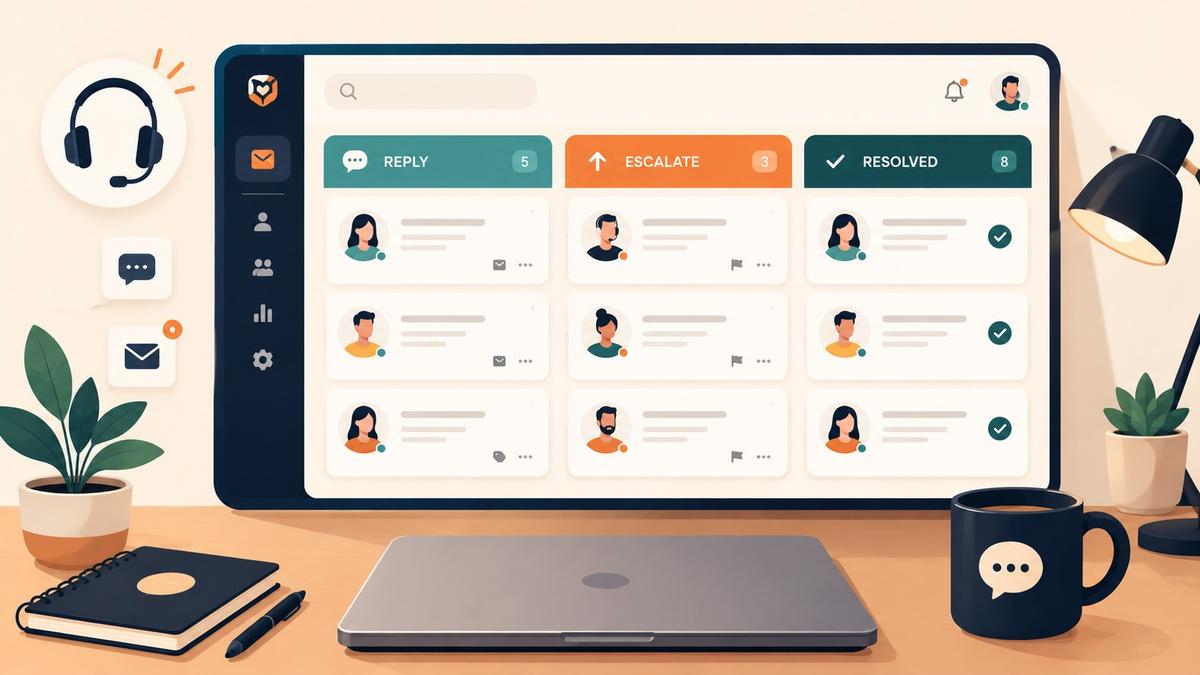
A ready to use support kit with 19 fillable reply macros, an escalation decision tool and a tone guide, so small teams reply faster and sound human.
What's inside
- 01Set it up in one day
- 02Macro library
- 03Escalation rules
- 04Tone guide
- 05QA checklist
- 06Keep going
Everything a small support team needs to reply faster, sound more human and stop dropping the ball. You can roll it out in a single day. There are no tools to buy and no process to rewrite.
Inside you will find a library of ready to send macros you can fill in and copy, clear escalation rules with a decision tool, a tone guide with real before and after rewrites, and a quick checklist to run before every reply.
Set it up in one day
Your setup plan
Five steps, about two and a half hours in total. Tick each one off as you go.
0 of 5 done
Macro library
Nineteen macros for the situations that fill most support inboxes. Search or filter by type, press Fill in to add your details, and copy the finished message. Anything you fill in is shared by every macro, so you only type your name and links once.
Support macros
Unexpected charge explanation
Billing
When to use: The customer sees a charge they do not recognise.
Subject: About the charge on {charge_date}
Hi {name},

Thanks for reaching out about this. I completely understand how a surprise charge can be alarming.

The charge of {charge_amount} on {charge_date} is for your {plan_name} subscription. It renews automatically on the {renewal_day} of each month, which is probably why it caught you off guard.

If it helps, I can send a full invoice breakdown or walk you through how billing works on your plan. Just let me know.

Happy to help,
{agent_name}Updating billing details
Billing
When to use: The customer needs to change their payment method or billing details.
Subject: How to update your billing details
Hi {name},

No problem at all. Here is the quickest way to update your billing details:

1. Log in at {billing_url}
2. Open Billing, then Payment method
3. Enter your new details and press Save

The change takes effect straight away. If you run into any trouble, just reply here and I will sort it out for you.

{agent_name}Invoice or receipt request
Billing
When to use: The customer needs an invoice for their accounts or expenses.
Subject: Your invoice for {invoice_period}
Hi {name},

Your invoice for {invoice_period} is attached to this email. You can also download all your past invoices from your account at any time:

{billing_url}

If you need a different format or extra details added for your accounts team, just let me know and I will take care of it.

{agent_name}Refund approved
Refunds
When to use: You have approved a refund and want to confirm it.
Subject: Your refund of {refund_amount} is on its way
Hi {name},

Good news. I have processed a refund of {refund_amount} to your {payment_method} ending in {card_last4}.

Depending on your bank, it usually takes 5 to 10 working days to appear. If you have not seen it by {refund_expected_date}, please reply here and I will chase it for you.

Sorry again for the trouble, and thank you for your patience.

{agent_name}Refund outside the policy, credit offered
Refunds
When to use: The request is outside your refund window, but you want to keep the customer.
Subject: About your refund request
Hi {name},

Thank you for writing in. I have looked at your account, and I am sorry to say the request falls outside our {refund_window} day refund window.

I do not want to leave you stuck, so I would like to offer you a {credit_amount} account credit, applied to your next billing cycle.

Would that work for you? If you would rather talk through your options, I am happy to jump on a quick call too.

{agent_name}Cannot access a feature
Access and shipping
When to use: The customer cannot see or use a feature they should have.
Subject: Getting {feature_name} working for you
Hi {name},

That does not sound right at all. {feature_name} should be available on your plan, so let me look into it now.

Could you tell me:
1. What happens when you try to open it? (an error message, a blank screen or something else)
2. Which browser and device are you using?

I will get this unblocked for you as quickly as I can.

{agent_name}Order shipped, with tracking
Access and shipping
When to use: The customer asks where their order is.
Subject: Your order {order_id} is on its way
Hi {name},

Good news. Your order {order_id} shipped on {ship_date} and is on its way.

Tracking number: {tracking_number}
Carrier: {carrier}
Estimated delivery: {delivery_date}

You can follow it here: {tracking_url}

If anything looks wrong, or it has not arrived by {delivery_date}, reply here and we will sort it out quickly.

{agent_name}Bug acknowledged, investigating
Bugs
When to use: The customer reports a bug and you need to investigate before it can be fixed.
Subject: We are looking into this
Hi {name},

Thanks for flagging this, and I am sorry you ran into it. What you describe does not look right, and I want to get to the bottom of it.

I have passed this to our engineering team as a priority. In the meantime, could you try the following?
1. Clear your browser cache (Ctrl+Shift+Delete on Windows, Cmd+Shift+Delete on Mac)
2. Try again in a private or incognito window
3. Repeat the steps that caused the problem

Does it happen every time, or only now and then?

I will update you within {update_hours} hours.

{agent_name}Bug fixed
Bugs
When to use: Engineering has released a fix for the bug the customer reported.
Subject: The issue you reported is fixed
Hi {name},

Quick update: our team found and fixed the issue you reported. The fix went live at {fix_time} today.

Could you do a hard refresh (Ctrl+Shift+R on Windows, Cmd+Shift+R on Mac) and let me know if everything is working normally now?

We are sorry for the disruption. As a thank you for your patience, I have added a {goodwill_credit} credit to your account.

{agent_name}Feature request logged
Feature requests
When to use: The customer asks for a feature you do not have yet.
Subject: Thanks for the idea
Hi {name},

I am glad you brought this up. {requested_feature} is something other customers have asked about too, and feedback like yours helps us decide what to build next.

I have added your vote to our product roadmap. I cannot promise a timeline yet, but if and when it ships, I will follow up with you personally.

Are you using a workaround in the meantime? I might be able to suggest something that helps right now.

{agent_name}Feature already on the roadmap
Feature requests
When to use: The feature they asked for is confirmed for a future release.
Subject: {requested_feature} is on the way
Hi {name},

Good news. {requested_feature} is already on our roadmap. I cannot share an exact launch date yet, but it is actively being built.

I have added you to the early access list, so you will be among the first to try it when it is ready.

Thanks for the nudge. Requests like yours keep us focused on the right things.

{agent_name}Password reset instructions
Account and login
When to use: The customer cannot log in or has forgotten their password.
Subject: Resetting your password
Hi {name},

Not to worry. Resetting your password takes about 30 seconds:

1. Go to {login_url}
2. Click "Forgot password"
3. Enter your email ({customer_email}) and check your inbox for the reset link

The link expires after 24 hours. If the email does not arrive, check your spam folder or let me know and I will send it again.

{agent_name}Changing the account owner or login email
Account and login
When to use: The customer wants to transfer the account or change their login email.
Subject: Changing your login email
Hi {name},

Happy to help with that. To keep your account secure, I need to verify a couple of things first:

1. The email address currently on the account
2. A confirmation from that address (I will send a verification email)

Once that is confirmed, I can change the login email to {new_email} within a few minutes. Does that work for you?

{agent_name}Angry customer, first reply
Angry customer
When to use: The customer is clearly frustrated or upset and this is your first reply.
Subject: I am sorry, and here is what I am doing about it
Hi {name},

I can hear how frustrated you are, and honestly, I understand. What you have experienced is not okay, and I am sorry.

I want to put this right. Here is what I am doing right now: {immediate_action}.

I will come back to you with a full resolution no later than {resolution_time}. You have my word.

If you need anything from me in the meantime, just reply to this email.

{agent_name}Offering a call
Angry customer
When to use: The situation is heated and email is not resolving it fast enough.
Subject: Can we talk this through?
Hi {name},

I can see this has been a really frustrating experience, and I do not want to keep going back and forth by email when a short conversation would be much quicker.

Would you be open to a 15 minute call? You can book a time that suits you here: {booking_link}

I will come prepared with everything I need to resolve this on the call.

{agent_name}Telling a customer about a delay
Delays
When to use: You are warning a customer about a delay before they have to ask.
Subject: An update on your {delayed_item}
Hi {name},

I want to be upfront with you: {delayed_work} is taking longer than we expected, so your {delayed_item} will be delayed by about {delay_length}.

The new estimated date is {new_date}.

I know this is not ideal. Here is what we are doing to move it forward: {action_taken}.

Thank you for your patience. I will keep you updated at every step.

{agent_name}SLA breach apology
Delays
When to use: Your team missed the response or resolution time you promised.
Subject: I owe you an apology
Hi {name},

I owe you an apology. We promised to get back to you within {sla_target} and we did not. That is on us.

Your issue is now my top priority. Here is where things stand: {current_status}.

I expect to have it resolved by {new_deadline}. If that changes for any reason, I will tell you straight away, so there are no more surprises.

Thank you for your patience. I mean it.

{agent_name}Need more info to diagnose
Clarifying
When to use: The issue is unclear and you need details before you can help.
Subject: A few quick questions so I can help
Hi {name},

Thanks for getting in touch. I want to give you the right answer, so I have a few quick questions:

1. {question_1}
2. {question_2}
3. {question_3}

Once I have those, I should be able to sort this out quickly.

{agent_name}Confirming before you act
Clarifying
When to use: You want to check you have understood before making a change that cannot be undone.
Subject: Quick check before I make this change
Hi {name},

Just to make sure I do exactly what you need: you would like me to {intended_action}.

Once I do this, {consequence}. Is that right?

If so, just reply "Confirmed" and I will take care of it straight away.

{agent_name}Escalation rules
Escalate too late and urgent issues stall. Escalate everything and your specialists drown. These rules give every rep the same answer. VIP and enterprise customers get faster targets.
Escalation decision tool
Enter the ticket details to get the recommended action, a target response time and the next steps.
Choose an issue type to see the recommended action.
See all the rules
- Billing or refund, critical or high severity, or any VIP customer: escalate to the billing team. Target 4 hours, or 1 hour for VIP.
- Billing or refund, medium or low severity: handle it directly. Target 8 hours.
- Bug or access, critical: escalate to engineering as P0. Target 1 hour, or 30 minutes for VIP.
- Bug or access, high: escalate to engineering as P1. Target 4 hours, or 1 hour for VIP.
- Bug or access, medium or low: gather information, then escalate. Target 8 hours.
- Angry complaint: calm things down, then pass to a senior rep if it is still unresolved. Target 2 hours, or 30 minutes for VIP.
- Shipping or delivery: check with operations or fulfilment. Target 4 hours.
- Feature request: log it and reply. No severity needed. Target 24 hours.
- Account change or general question: reply directly. Target 8 hours, or 2 hours for VIP.
SLA at risk: after 8 hours without a reply (2 hours for VIP), reply within the next hour. SLA breached: after 24 hours (6 hours for VIP), start with an apology and a new deadline you can keep.
Tone guide
Customers forgive a lot when a reply sounds like it came from a real person who cares. Use these lists to check your own replies and to coach new team members.
Do
- Use the customer's first name.
- Acknowledge the frustration before you solve the problem.
- Give one clear next step.
- Offer a specific time, not "soon".
- End with an open door.
- Use contractions where they fit. They sound human.
- Own the problem, even when it is not your fault.
Don't
- Start with "Dear valued customer".
- Write "per my last email".
- Send walls of text with no structure.
- Say "Unfortunately, we are unable to..."
- Promise something you cannot deliver.
- Use jargon the customer will not know.
- Apologise more than once in the same reply.
Robotic versus human: six rewrites
The same message, written two ways. The human version comes first, because that is the one to copy.
Apologising for an outage
Human: We're really sorry about yesterday's outage. We know how disruptive that is. Our team worked through the night to fix it, and we've put steps in place to make sure it doesn't happen again.
Robotic: We apologize for any inconvenience caused by the recent service disruption. Our team has been working to resolve the issue.
Turning down a refund
Human: I wish I could process a full refund here, but your request is just past our 30 day window, so I'm not able to. What I can do is add a credit to your account. Would that help?
Robotic: Unfortunately, your request for a refund cannot be processed as it falls outside our 30 day refund policy window.
Asking for more information
Human: To get this sorted quickly, I just need two things from you: which browser you're using, and whether the error shows a code or message. That will point me straight to the fix.
Robotic: In order to assist you further, we require additional information regarding your issue. Please provide the requested details.
Closing a resolved ticket
Human: Glad we got that sorted! I'm going to close this ticket, but if anything else comes up, just reply and I'll pick it straight back up.
Robotic: As per our discussion, the issue has been resolved. This ticket will now be closed. Please do not hesitate to contact us if you require further assistance.
Announcing a feature delay
Human: Heads up: the feature I mentioned is running a little behind because of some tricky technical work. The new target is the end of next month, and I'll drop you a note the moment it's live.
Robotic: Please be advised that the feature you requested will not be available within the previously communicated timeframe due to unforeseen technical complexities.
Following up on an open issue
Human: Just checking in on the login issue from last week. Did the reset link do the trick, or is it still giving you trouble? Happy to dig deeper if needed.
Robotic: This is a follow up regarding your previously submitted support ticket #12345. Please confirm whether your issue has been resolved.
QA checklist
Before you press Send
Run through this before every reply. It should take under a minute.
0 of 12 done
Keep going
Want replies that sound human outside the support inbox too? The Human Email Library has 50 natural email templates for clients, managers and everyday work. You can also browse more free resources and free tools.
Newsletter
Get new free resources every two weeks
Join 500+ people getting AI tips, prompts, and templates.