AI YouTube Thumbnails and Titles: How to Test Them
Use AI for YouTube thumbnails and titles that get clicks without clickbait: prompts, design rules, YouTube's built-in testing and what to measure after.
You can make the best video of your life, and if the thumbnail and title don't make someone stop scrolling, almost nobody will see it. On YouTube, the packaging is the first thing every viewer judges, often in less than a second, on a small phone screen, surrounded by other videos competing for the same click.
That's why top creators spend hours on thumbnails and titles, sometimes more than on parts of the edit. AI can now do much of the heavy lifting: brainstorming dozens of title angles, generating thumbnail concepts and backgrounds, and helping you analyse what works. YouTube also has a free built-in tool to test up to three thumbnails or titles against each other.
This guide shows you how to use AI for YouTube thumbnails and titles the right way: what makes packaging work, prompts for titles and thumbnail ideas, design rules for small screens, how to run proper tests with YouTube's Test and Compare, and how to avoid the clickbait trap that wrecks watch time.
Why Packaging Matters So Much
YouTube recommends videos that viewers click on and then keep watching. Your thumbnail and title control the first part: whether someone clicks. Your video controls the second: whether they stay.
The two have to work together. A thumbnail that promises something the video doesn't deliver gets clicks but loses viewers fast, and YouTube notices. That's why YouTube's own testing tool picks winners based on watch time, not just clicks. The goal isn't the most clicks. It's the most clicks from people who will actually enjoy the video.
What Makes a Good Title
Strong YouTube titles usually do one or more of these:
Promise a clear outcome. "How I Got 3 Interviews in One Week With a Free AI Tool"
Create curiosity without lying. "The CV Mistake 90% of Graduates Make" works only if the video shows a real, common mistake.
Speak to a specific person. "Free AI Tools Every Nigerian Student Should Use" is stronger than "Best Free AI Tools".
Stay short. Long titles get cut off on mobile. Put the most important words first and aim for roughly 40 to 60 characters.
Complement the thumbnail. The title and thumbnail should add to each other, not repeat the same words.
Using AI to Write Better Titles
AI is excellent at generating many options quickly, which is exactly what title writing needs. Give it real context, not just a topic.
I'm making a YouTube video for [audience] about [topic]. The video shows [what actually
happens or what viewers learn]. Write 20 title options under 60 characters. Mix these angles:
clear outcome, curiosity, mistake to avoid, personal story and number-based. Don't promise
anything the video doesn't deliver. Mark your top three and explain why.
Then apply your own judgement:
Cut anything misleading. If the video doesn't deliver it, don't use it.
Say it out loud. Would a friend understand what the video is about?
Check search terms. If people search for your topic, include the words they'd use. Our guide to ChatGPT features most users don't know covers search features that help with this kind of research.
Keep two or three finalists to test later.
What Makes a Good Thumbnail
Thumbnails are seen tiny, so simplicity wins. The strongest share a few traits:
One clear focal point. A face, an object or a single bold image. Clutter becomes mush at small sizes.
Strong emotion or contrast. Expressive faces, surprising visuals and before-and-after comparisons draw the eye.
Very few words. Three or four words at most, in big, bold type. Many great thumbnails use no text at all.
High contrast colours. Bright subjects on darker or simpler backgrounds stand out in a busy feed.
A consistent style. Recognisable colours, fonts or layouts help returning viewers spot your videos instantly.
Always check your thumbnail at phone size. Shrink it on your screen or view it on your phone next to other videos in your niche. If you can't understand it in a second, simplify.
Using AI for Thumbnails
AI can help with thumbnails in three main ways.
1. Concepts and ideas
Before designing anything, use an AI assistant to brainstorm concepts.
My video is titled "[title]" and shows [what happens]. Suggest five thumbnail concepts that
complement the title without repeating it. For each, describe the main image, facial
expression or object, background, colours and up to three words of text.
2. Backgrounds, objects and edits
AI image tools can generate backgrounds, objects and scenes, remove backgrounds from photos of you, extend images to fit the 16:9 frame and clean up distractions. Design tools like Canva and editors with AI features handle these well, and many have free tiers.
3. Generating variations to test
Once you have a design, AI makes it fast to create two or three distinct variations, such as a different expression, background colour or text, so you can test them properly.
A word of caution: Use AI images honestly. Don't generate fake screenshots, fake results or realistic images of real people doing things they didn't do. Misleading thumbnails can break YouTube's policies, and they destroy trust even when they don't.
How to Test With YouTube's Test and Compare
YouTube Studio includes a free tool called Test and Compare. It lets you test up to three thumbnails, up to three titles, or up to three title and thumbnail combinations on a single video. You'll find it in YouTube Studio on desktop, and title testing requires your channel to have advanced features enabled.
Here's how it works:
Upload your variants when publishing or editing a video, using the Test and Compare option.
YouTube shows them evenly to different viewers at the same time.
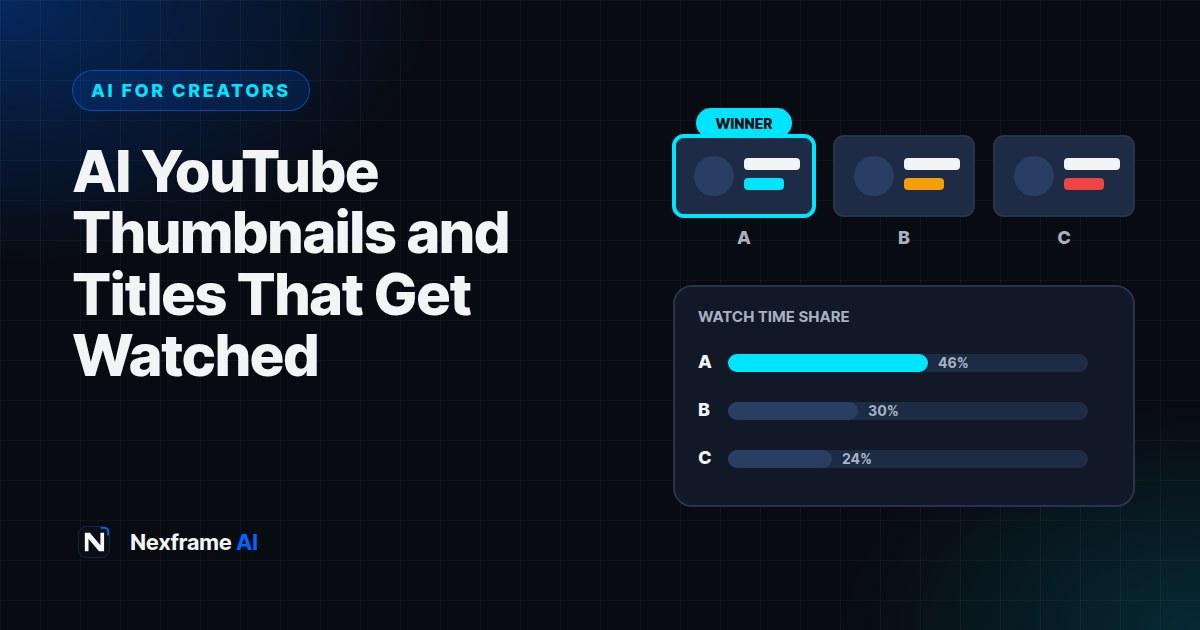
After enough data, usually within about two weeks, YouTube picks a winner based on watch time share: the version that produced the most total watch time.
The winning version becomes the default. You can also see the results and learn from them.
Because the winner is chosen by watch time, the tool rewards packaging that attracts the right viewers, not just the most clicks.
Rules for useful tests
Test one big difference at a time. Two nearly identical thumbnails teach you nothing. Test a face versus no face, text versus no text, or two different concepts.
Test on videos with enough views. Tests need impressions to reach a result. Brand-new channels with very few views may not get a clear winner.
Test titles and thumbnails separately when you can. If you change both at once, you won't know which made the difference, unless you deliberately test combinations.
Start with older videos. Testing new packaging on older videos that still get views is a low-risk way to learn what your audience prefers.
Keep a testing log. Record what you tested, the winner and your guess about why. After 10 to 20 tests, you'll have a playbook built on your own audience, not someone else's.
A Worked Example: One Video, Three Thumbnails
A creator makes a video titled "I Tested 5 Free AI Tools for Students for a Week".
AI brainstorm: An AI assistant suggests five thumbnail concepts. The creator picks three distinct ones.
Variant A: The creator's surprised face on the left, five app icons on the right, no text.
Variant B: A laptop screen with a big green tick and the words "Actually free".
Variant C: The creator holding up one finger, with "#1 surprised me" in bold.
Test: All three run in Test and Compare. After about two weeks, Variant A wins on watch time share, even though Variant C had a slightly higher click rate. The creator's interpretation: Variant C attracted curious clicks that didn't stay as long, while A set accurate expectations.
Lesson logged: "Faces plus clear subject outperform teaser text for this audience." The next video starts from that insight.
What to Measure After Publishing
In YouTube Studio analytics, watch these together:
Impressions click-through rate: How often people click when they see your thumbnail. Compare it to your own channel average, not other creators.
Average view duration and retention: Whether the packaging set the right expectations. A big drop in the first 30 seconds often means the title or thumbnail promised something different.
Traffic sources: Whether views come from browse, suggested videos or search. Search-heavy videos may need clearer, keyword-focused titles.
If click rate is low, improve the packaging. If click rate is good but viewers leave early, improve the opening of the video or make the packaging more accurate.
Common Mistakes to Avoid
Clickbait that the video doesn't deliver. It may win clicks, but it loses watch time and trust.
Too much text on thumbnails. If it reads like a paragraph, it won't be read at all.
Repeating the title in the thumbnail. Use the thumbnail to add something new.
Testing tiny changes. Test meaningfully different options so results teach you something.
Using AI images of real people deceptively. It can break platform rules and damage your reputation.
Copying big creators exactly. What works for a huge channel's audience may not work for yours. Test with your viewers.
Title and Thumbnail Formulas That Work
Formulas aren't rules, but they're a useful starting point when you're stuck. Use them with honest promises.
The outcome: "How I [achieved result] in [time] with [method]". Thumbnail: the result itself, like an interview invitation on screen.
The mistake: "The [topic] Mistake Most [audience] Make". Thumbnail: a big red cross over the mistake, or your face reacting.
The comparison: "[Option A] vs [Option B]: Which Is Actually Better?" Thumbnail: the two options side by side, with a question mark or tick.
The test: "I Tried [thing] for [time]. Here's What Happened". Thumbnail: you with the thing, showing a clear emotion.
The list: "[Number] Free [tools or tips] for [audience]". Thumbnail: three or four recognisable icons, no text needed.
The warning: "Don't [action] Until You Watch This". Use sparingly, and only when the warning is real and important.
Ask AI to generate options using a formula, then adapt them to your style:
Using the "mistake" formula, write 10 YouTube titles under 60 characters for a video about
[topic] for [audience]. Then suggest a matching thumbnail idea for my top 3 that adds
new information instead of repeating the title.
Over time, your testing log will show which formulas your audience responds to. Lean into those, and retire the ones that don't work for you.
Final Thoughts
AI YouTube thumbnails and titles work best when AI handles the volume and you handle the judgement. Let AI brainstorm dozens of titles and concepts, use AI design tools to create variations fast, then let YouTube's Test and Compare tell you what your audience actually prefers.
Keep your packaging honest, design for a phone screen, test one meaningful difference at a time and log what you learn. Over a few months, you'll build a packaging style that brings in viewers who stay.
For turning those long videos into short clips that drive viewers back, see our guide to turning one long video into shorts with AI. And for repeatable publishing routines, browse the Content Creation Workflows.
Frequently Asked Questions
Can AI make YouTube thumbnails?
AI can help generate concepts, backgrounds, objects and variations, and remove or replace backgrounds. Most creators still finish the design themselves to keep it clear and consistent with their style.
How does YouTube's Test and Compare work?
You upload up to three thumbnails, titles or combinations. YouTube shows them evenly to viewers and picks a winner based on watch time share, usually after about two weeks.
Is Test and Compare available to all channels?
Thumbnail testing is available in YouTube Studio on desktop. Title testing requires your channel to have advanced features enabled. Availability can change, so check YouTube Studio.
Why didn't the thumbnail with the highest click rate win?
YouTube picks winners by watch time share, not clicks. A thumbnail that attracts viewers who stay longer can win even with fewer clicks.
How long should a YouTube title be?
Aim for roughly 40 to 60 characters, with the most important words first, so it isn't cut off on mobile.
Should I put text on my thumbnail?
Keep it to three or four words at most, or none. Test text versus no text with your own audience to see what works.
Can I use AI-generated images of real people in thumbnails?
Avoid realistic AI images of real people, especially doing or saying things they didn't. They can be misleading, break platform policies and damage trust.
How many thumbnails should I test?
Up to three per video in Test and Compare. Make them meaningfully different so the result teaches you something useful.
Comments (0)
Sign in to post a comment.
- Be the first to comment.