AI Found Two 20-Year-Old PHP Flaws: Why Your Website Needs an Update Now
AI tools uncovered two critical PHP flaws hidden since 2004. Here is what they mean for WordPress and small-business sites, and how to do a PHP update safely.
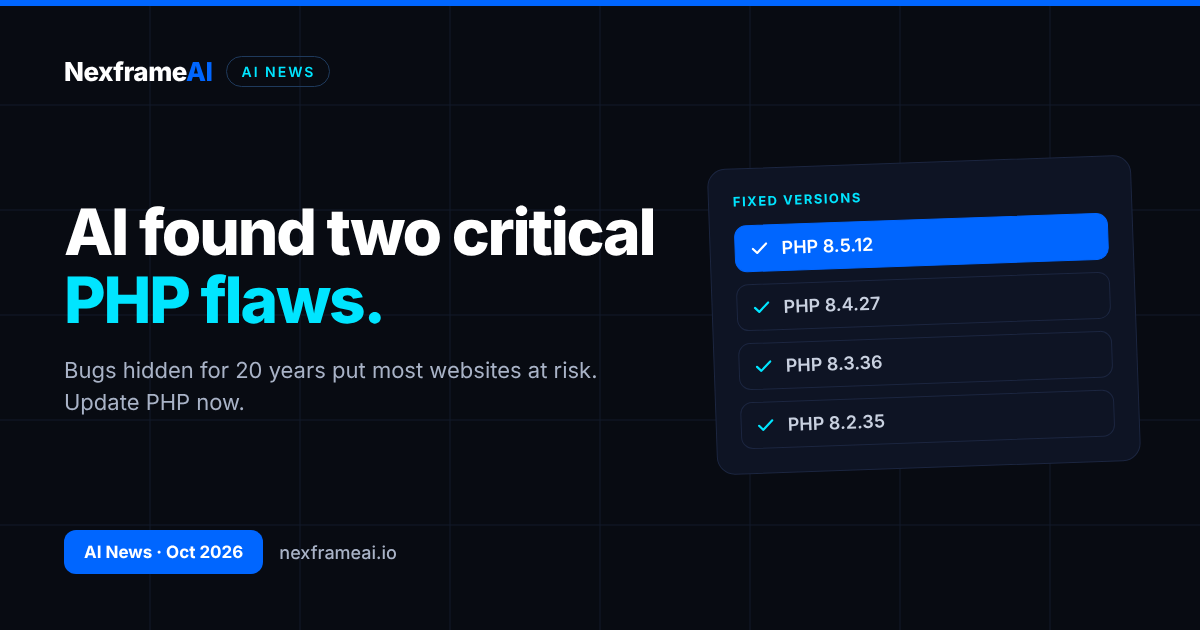
Two critical security flaws that sat unnoticed in PHP for about 20 years have been found with the help of AI, and fixes are now available. Here is what happened, why it matters for anyone running a WordPress or PHP website, and the PHP update steps to take today.
Between 20 and 23 October 2026, the PHP project published security advisories for two critical vulnerabilities, with fixed versions released on 21 October at 14:00 UTC. The same day, OpenAI published a post on the "coordinated disclosure of critical vulnerabilities", saying frontier AI models had helped researchers find the bugs. If your website runs on PHP, which includes almost every WordPress site, your server needs patching.
What Happened
PHP is the programming language that powers a huge share of the web, including WordPress, many online shops and countless custom business sites. The two flaws, tracked as CVE-2026-109618 and CVE-2026-109619, both allow remote code execution. In plain English, that means an attacker could potentially run their own commands on a vulnerable server.
Both flaws have existed since PHP 5, which dates back to 2004. Both carry a severity score of 9.2 under CVSS v4.0, the standard scale for rating vulnerabilities, which places them firmly in the critical range. Both can be exploited without the attacker logging in.
The discovery story is what makes this news unusual. According to OpenAI, security firm Calif found one of the flaws using GPT-5.6 Sol through OpenAI's "Patch the Planet" programme. Separately, cloud security firm Wiz, which is owned by Google, independently found both. TechCrunch reported that Wiz used its own Wiz Atlas agent, running on Gemini 4 Argon and GPT-5.6 Sol. Gemini 4 Argon is the Google model we covered when it arrived in the Gemini app.
OpenAI said: "To our knowledge, frontier AI found these vulnerabilities before attackers did."
The Details
Item | Details |
|---|---|
Flaw 1 | CVE-2026-109618: remote code execution via memory corruption |
Flaw 2 | CVE-2026-109619: remote code execution via stale global state |
Severity | Both rated 9.2 (CVSS v4.0), critical |
Login needed? | No, both are unauthenticated |
Present since | PHP 5 (2004) |
Highest risk | Servers using mod_php |
Fixed versions | PHP 8.5.12, 8.4.27, 8.3.36, 8.2.35 |
Released | 21 October 2026, 14:00 UTC |
Workaround | None complete; updating is the only full fix |
Older versions | PHP 8.1 and older receive no official fixes |
Who is most at risk
The PHP project said the risk is highest for setups using mod_php, a way of running PHP directly inside the Apache web server. Many shared hosting plans use other arrangements, but you should not assume you are safe. Your host can tell you exactly how your site runs.
No workaround, only updates
The PHP project said there is no complete workaround. The only full fix is moving to one of the patched versions. If your site is on PHP 8.1 or older, there will be no official fix at all, so you need to move to a supported version. PHP 8.2 also reaches end of life on 31 December 2026, so even sites on 8.2 should plan their next upgrade soon.
A third, lower-risk advisory
On 23 October, PHP issued a separate, lower-risk advisory, CVE-2026-115560. For now, it recommends setting session.upload_progress.enabled=0. Your host or developer can change this setting if it applies to your server.
How the disclosure was coordinated
Cloudflare and Wiz helped coordinate the disclosure, and the US Cybersecurity and Infrastructure Security Agency (CISA) was involved. Coordinated disclosure means the people who find a bug tell the maintainers privately first, so fixes are ready before details become public.
OpenAI also announced several measures alongside the disclosure:
$1 billion in subsidised security access, called "Daybreak for Frontline Defenders", for under-resourced organisations protecting essential services.
A free PHP version checker, released on GitHub, to help people see whether they are running an affected version.
Codex for OSS, offered to open-source maintainers to help them find and fix problems in their own projects.
OpenAI's advice was blunt: "For organizations using PHP, the priority now is applying the fixes."
What others reported
Several secondary reports added context, though we have not independently confirmed them. Reports said some government websites in Europe went offline as a precaution. WordPress reportedly said the flaws are not specific to WordPress, but that WordPress sites still need their servers patched. Internet scanning firm Censys reportedly counted about 1.5 million unpatched hosts.
Why It Matters
What "remote code execution" actually means
Most website security problems are limited in scope. A weak password might let someone into one account; a buggy form might leak some data. Remote code execution is different. It means an attacker on the internet can make your server run instructions of their choosing. Depending on how the server is set up, that could allow them to change your pages, plant malicious code that attacks your visitors, steal customer details from your database or use your server to attack others.
The fact that no login is needed makes it worse. An attacker does not have to guess a password or trick anyone first. Automated tools can scan large parts of the internet for vulnerable servers, which is why the number of unpatched hosts matters so much.
Why a 20-year-old bug matters
It may seem strange that flaws could hide in such widely used software for two decades. But PHP is a large, complex project, and some code paths are rarely examined closely because they have "always worked". Old code is often trusted precisely because it is old. That is exactly the kind of place where patient, systematic searching, the kind AI tools are now good at, can find something humans missed.
For small-business websites
Most small-business websites in Nigeria and across Africa are built on WordPress, which runs on PHP. Many also use WooCommerce for online shops, or PHP-based booking and school management systems. Whether your site is a simple brochure page or a busy online store, the PHP version on the server is what matters here, not just your WordPress version.
The tricky part is that PHP sits underneath everything. You do not see it in your dashboard every day, and many site owners have never checked which version they use. A site built five years ago and never touched may still be running PHP 7 or early PHP 8, which will not get these fixes.
Why AI-found bugs cut both ways
This is one of the clearest examples so far of AI helping defenders. Bugs that survived about two decades of human review were found by AI-assisted researchers and fixed before, as far as OpenAI knows, attackers used them.
But the same capability is available to attackers. Wiz put it simply, as quoted by TechCrunch: "With AI this is no longer a barrier." Finding deep bugs in old, widely used code used to take rare expertise and lots of time. If AI lowers that barrier for defenders, it lowers it for criminals too. The practical lesson is that the gap between a bug being found and being exploited is likely to shrink, so updating quickly matters more than ever.
AI security tools are not perfect either. They can produce false alarms or confident but wrong explanations, for the same reasons covered in our guide to what AI hallucination is. In this case, the findings were confirmed by the PHP project and fixes were shipped, but anyone using AI to check their own code should still verify what it reports.
For developers
If you build or maintain PHP applications, this is a reminder to treat AI as a second pair of eyes on your code, not a replacement for review and testing. Our workflow for AI code review before you push shows how to use AI to catch problems early, and our guide to securing AI features in your app covers the security basics when you add AI to your own products.
What It Means for You: A PHP Update Checklist
What to do today
If you own or manage a website, work through this short PHP update checklist:
Back up first. Make a full backup of your site files and database before changing anything. Most hosts offer one-click backups in cPanel or their own dashboard. Download a copy to your own computer or cloud storage.
Ask your host. Send a short message to your hosting provider's support team asking which PHP version your site uses, whether it has been updated to a fixed version, and whether your server uses mod_php.
Check your PHP version yourself. In cPanel, look for "Select PHP Version" or "MultiPHP Manager". WordPress users can also check under Tools, then Site Health, then Info, then Server.
Update to a fixed version. You need PHP 8.5.12, 8.4.27, 8.3.36 or 8.2.35 or later in the same series. If you are on 8.1 or older, move to a supported version. Because 8.2 ends on 31 December 2026, 8.3 or newer is the safer choice if your site supports it.
Update plugins and themes. Older plugins and themes sometimes break on newer PHP versions. Update them before or straight after the PHP update, and remove any you no longer use.
Test your site. Check your home page, contact forms, checkout and login. If something breaks, switch back to the previous PHP version, restore from backup if needed, and ask your developer to fix the incompatible plugin.
Here is a short message you can send to your host:
Hello, following the PHP security advisories for CVE-2026-109618 and
CVE-2026-109619 released on 21 October 2026, please confirm:
1. Which PHP version is my site [your domain] currently running?
2. Has the server been updated to a patched version (8.5.12, 8.4.27,
   8.3.36 or 8.2.35)?
3. Does my hosting use mod_php?
4. Has session.upload_progress.enabled been set to 0 as recommended
   in CVE-2026-115560?
Thank you.
If you use a developer or agency
Many Nigerian businesses had their site built by a freelancer or agency and have not spoken to them since. Now is the time to get in touch. Ask them to confirm the PHP version, update it, and test the site. If you no longer have a developer, your host's support team is your best first stop.
Also make sure you still have the login details for your hosting account and domain. It is common for a developer to have set everything up under their own email address. If that is your situation, ask for access to be transferred to you, so you are never locked out of your own site in an emergency.
If you host with a local or reseller provider
Some smaller hosting companies resell space on larger providers' servers and may take longer to apply updates. If your host cannot confirm within a day or two that your server is on a fixed version, consider escalating, or ask whether you can switch PHP versions yourself from the control panel. Keep a copy of their reply in case you need it later.
If you use AI coding tools
Developers increasingly use AI agents to write and change code. That can speed up updates, but it also creates risks if changes are pushed without review. Our guide on whether agentic coding is safe for production code explains how to keep a human in control of what goes live.
What to Watch Next
Exploitation reports. Watch for news of attacks using these flaws now that details are public. The faster you update, the less this matters to you.
Host updates. Major hosting providers are likely to announce whether they have patched their servers. Check your host's status page or emails.
Further PHP advisories. The 23 October advisory shows that follow-up issues can appear. Keep an eye on your host's notices.
More AI-found bugs. With OpenAI, Wiz and others using AI to hunt for vulnerabilities in widely used software, more disclosures like this seem likely.
Daybreak access. It is not yet clear how organisations outside the US, including in Africa, will be able to apply for OpenAI's Daybreak programme.
It has been a busy week for OpenAI in Africa more broadly: the company also confirmed that ads in ChatGPT are coming to Nigeria and South Africa.
Final Thoughts
This story has a reassuring side and a warning. The reassuring part is that AI helped find serious, long-hidden bugs before attackers did, and fixes were ready quickly. The warning is that the same tools make it easier for attackers to find the next one.
For small-business owners, the action is simple: back up, check your PHP version, ask your host and run the PHP update. It takes less time than recovering from a hacked website, and it protects your customers as well as your business.
Frequently Asked Questions
What are the new PHP vulnerabilities?
Two critical flaws, CVE-2026-109618 and CVE-2026-109619, which allow remote code execution without logging in. Both have existed since PHP 5 in 2004 and are rated 9.2 on the CVSS v4.0 scale.
Which PHP versions fix the flaws?
PHP 8.5.12, 8.4.27, 8.3.36 and 8.2.35, released on 21 October 2026. PHP 8.1 and older will not get official fixes.
Does this affect WordPress sites?
The flaws are in PHP, not WordPress itself, but WordPress runs on PHP. Reports said WordPress noted that WordPress sites still need their servers patched.
How do I check my PHP version?
In cPanel, look for "Select PHP Version" or "MultiPHP Manager". In WordPress, go to Tools, then Site Health, then Info, then Server. You can also ask your host.
Is there a workaround if I cannot update?
The PHP project said there is no complete workaround. Updating to a fixed version is the only full fix.
How did AI find these bugs?
OpenAI said security firm Calif found one flaw using GPT-5.6 Sol. Wiz independently found both, and TechCrunch reported that Wiz used its Wiz Atlas agent with Gemini 4 Argon and GPT-5.6 Sol.
Will updating PHP break my site?
It can if old plugins or themes are not compatible. Back up first, update plugins, then test. If something breaks, switch back and ask your developer to fix it.
Comments (0)
Sign in to post a comment.
- Be the first to comment.