What Is AI Hallucination? Why AI Makes Things Up
What is AI hallucination? Learn why ChatGPT, Claude and Gemini make things up, the warning signs to look for, and simple checks that catch errors early.
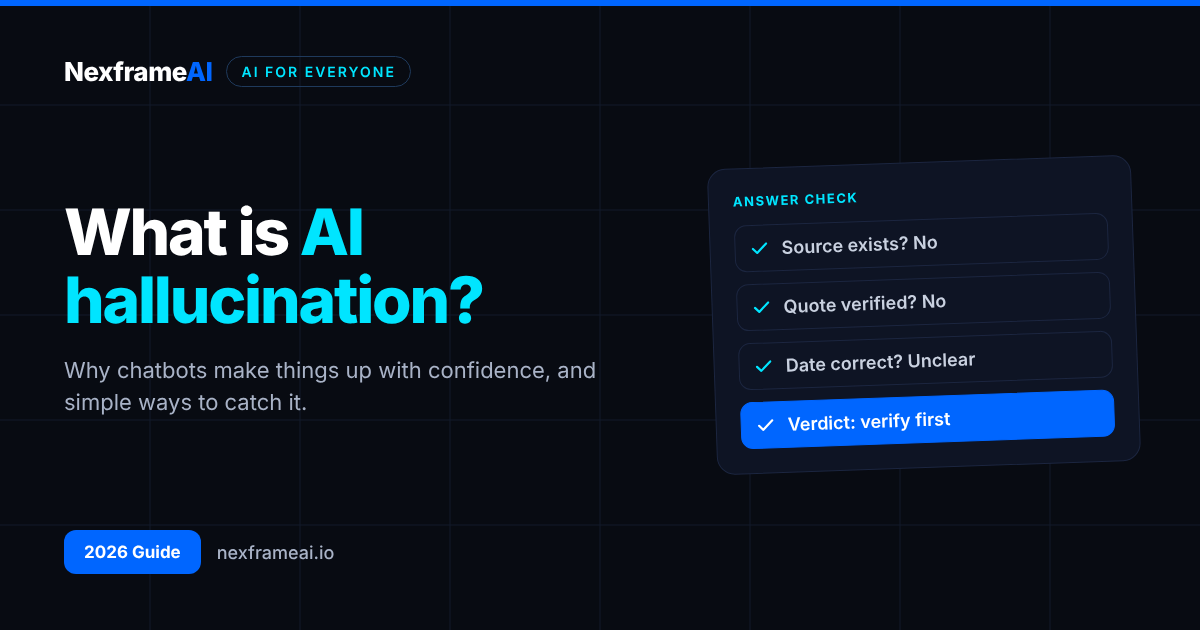
You asked an AI chatbot for sources for your assignment, and it gave you five neat references with authors, years and journal names. Then you searched for them and could not find a single one. Or you asked about a government policy and got a confident, detailed answer that turned out to be completely wrong.
That is AI hallucination: when an AI tool produces information that sounds right but is false, made up or unsupported. It happens with ChatGPT, Claude, Gemini and every other large language model, including the newest ones released this month.
This guide explains what it is in plain English, why it happens, where it shows up most, how to spot it and what you can do to reduce it. We also include a worked example from Ibadan and Lagos, the mistakes people make when checking AI answers, and a quick FAQ.
What Is AI Hallucination?
A hallucination, in AI terms, is any output from an AI system that is presented as fact but is not supported by reality or by the information the AI was given.
It can be small, such as a wrong date or a slightly misquoted statistic. It can also be large, such as an invented court case, a non-existent research paper, a fake quote from a real person or a product feature that does not exist.
The word "hallucination" is a metaphor. The AI is not seeing things or confused in a human sense. It is generating text that fits the pattern of a good answer without any reliable link to the truth.
Common Types of Hallucination
Fabricated sources: references, links, book titles or legal cases that do not exist.
Wrong facts: incorrect dates, names, figures or locations.
Invented quotes: words attributed to real people who never said them.
False summaries: a summary of a document that adds claims the document never made.
Made-up features or policies: describing how an app, law or company rule works, incorrectly.
Faulty reasoning: a maths or logic answer where each step looks reasonable but the conclusion is wrong.
Real Examples You May Have Heard Of
Hallucinations are not just a student problem. In 2023, lawyers in a US case known as Mata v. Avianca were sanctioned by a federal judge after filing a brief that cited court cases ChatGPT had invented. In 2024, a Canadian tribunal ordered Air Canada to honour a refund policy that its website chatbot had described incorrectly. And Google's first public demonstration of its Bard chatbot in 2023 included a wrong claim about the James Webb Space Telescope.
The pattern is the same each time: a fluent, confident answer that nobody checked.
Why AI Hallucination Happens
To understand the problem, it helps to know what a language model actually does.
Models Predict Text, Not Truth
A large language model is trained on huge amounts of text to predict which words are likely to come next. When you ask a question, it generates an answer one piece at a time, choosing words that fit the pattern of a good response.
Most of the time, the most likely answer is also the correct one, because the training data contains lots of correct information. But when the model lacks reliable information, it does not naturally stop. It keeps producing text that looks like an answer.
Training Rewards Confident Guessing
OpenAI researchers argued in a 2025 paper that the way models are trained and tested can encourage guessing. If a test only rewards correct answers, a model that guesses scores better than one that says "I don't know". Over time, that pushes models towards confident answers even when they are unsure. AI companies are now working to reward honest uncertainty, but the problem has not disappeared.
Gaps and Out-of-Date Knowledge
Every model has a training cut-off. Ask about something recent, local or niche, such as a new Nigerian regulation or a small business in Enugu, and the model may simply not know. Without web search or documents to draw on, it may fill the gap with something plausible.
Ambiguous or Leading Prompts
If your question assumes something false ("Why did the CBN ban crypto again last month?"), the model may go along with your assumption rather than challenge it. Vague prompts also give the model more room to invent.
Long Conversations and Long Documents
In very long chats or documents, models can lose track of details, mix up names or attribute a point to the wrong section.
Where Hallucinations Show Up Most
You should be extra careful with:
Citations and references, especially academic papers and legal cases.
Numbers: statistics, prices, exchange rates, dates and percentages.
Recent events after the model's training cut-off.
Local information: Nigerian laws, state policies, local businesses, addresses and phone numbers.
Health, legal and financial advice, where a wrong answer can hurt you. Our guide to using AI for health questions safely covers this in more detail.
Quotes and claims about what a specific person said.
Niche technical details, such as obscure software settings or API functions.
How to Spot a Hallucination
You will not catch every error by reading alone, but these warning signs should make you slow down.
Very specific details with no source. Exact figures, page numbers and names delivered without any way to check them.
References you cannot find. If a paper, book or case does not show up in a search engine, library database or the publisher's site, assume it is fake until proven otherwise.
Too-perfect answers. A source that says exactly what you hoped, in exactly the words you needed, deserves a second look.
Inconsistency. Ask the same question again in a new chat, or rephrase it. If the details change, at least one version is wrong.
Confident claims about recent events. If the tool did not search the web, it cannot know what happened last week.
Links that do not open. A broken or unrelated link is a strong sign the reference was invented.
How to Catch and Reduce Hallucinations
You cannot eliminate hallucinations completely, but you can make it much less likely and much easier to catch.
1. Give the AI the Source Material
The most reliable way to reduce hallucinations is to give the model the documents it should use, then tell it to answer only from them. Upload the PDF, paste the policy or use a tool designed for your own sources. This is the idea behind retrieval-augmented generation, which our explainer on what RAG is covers in depth.
2. Ask for Sources and Permission to Say "I Don't Know"
Add instructions such as:
Answer using only the information in [document or source]. Quote the exact sentence that supports each claim. If the answer is not in the source, say "Not found in the source" instead of guessing.Our guide to writing better prompts for better AI results has more techniques like this.
3. Use Search-Grounded Tools for Current Facts
For recent events or fast-changing facts, use a tool that searches the web and shows its sources, then open those sources yourself. Our comparison of Perplexity vs Google Search explains when an AI answer engine helps and when a normal search is better.
4. Verify Anything That Matters
Treat AI output as a first draft from a fast but unreliable assistant. Check names, numbers, dates, quotes and references against original sources: official websites, the original paper, the actual law or the company's own help pages. The routine below makes this quicker.
5. Ask the Model to Check Itself, Carefully
You can ask a model to list the claims in its answer and rate its confidence in each. This sometimes surfaces weak points, but it is not proof: a model can be confidently wrong about its own mistakes. Use it as a filter, not as verification.
6. Cross-Check With a Second Tool
Asking a different model the same question can reveal disagreements worth investigating. Agreement between two tools is reassuring but still not proof, since they can share the same errors.
A Five-Minute Checking Routine
When an AI answer matters, for an assignment, a client report or a business decision, run this short routine before you use it.
Step 1: Pull out the claims. Ask the AI to list every factual claim in its answer, separately. This turns a smooth paragraph into a checklist.
List every factual claim in your previous answer as a numbered list. For each one, say what kind of source would confirm it (for example, an official website, a published paper or a news report). Do not add new claims.Step 2: Sort by risk. Mark the claims that would cause real harm if wrong: numbers, deadlines, legal or health points, references and quotes. Check those first.
Step 3: Find an original source for each high-risk claim. Not another chatbot, and not a blog repeating the claim. Go to the organisation, author or document that would actually know.
Step 4: Label each claim. Confirmed, corrected or removed. If you cannot confirm it, leave it out or clearly say it is unverified.
Step 5: Keep a note. Write down where you confirmed each key fact. If anyone questions your work later, you can show your sources in seconds.
Worked Example: Checking AI Answers in Ibadan and Lagos
Chiamaka is a final-year sociology student in Ibadan. She asks an AI chatbot for "five recent academic sources on youth unemployment in Nigeria". It returns five references with authors, journals and years.
She checks each one in Google Scholar and her university library database. Two are real. One is a real author but a made-up title. Two do not exist at all. She deletes the three fake references, keeps the two real ones, and reads the actual papers before citing them. Then she uses the free Nexframe citation generator to format her verified sources correctly. Our guide to using AI for a literature review shows how to build a proper search process from the start.
Ibrahim runs a small online electronics shop in Lagos. He asks an AI tool to explain a new tax rule that applies to small businesses and to calculate what he owes. The answer is detailed and confident, citing a specific percentage and deadline.
Instead of acting on it, he asks the tool where the information came from. It cannot give an official source. He checks the relevant government agency's website and speaks to his accountant, who confirms that the deadline the AI gave was wrong. Paying late penalties would have cost him far more than the accountant's fee. Even a small mistake on, say, a ₦500,000 tax bill could add charges he could easily have avoided.
The lesson: both used AI to save time, but neither let it have the final word on facts that mattered.
Common Mistakes to Avoid
Trusting confidence. AI tools sound equally sure whether they are right or wrong. Tone tells you nothing.
Checking only the first claim. If the first fact checks out, people relax. Check every claim that matters, not just a sample.
Asking the same chatbot "Are you sure?" Models often apologise and change their answer, or double down. Neither tells you which version is true. Check an outside source instead.
Assuming newer or paid models never hallucinate. Newer models such as GPT-6, Claude Opus 5.5 and Gemini 4 generally make fewer mistakes, but none is error-free.
Copying references straight into your work. Fake references in an assignment or report can lead to failed grades, academic misconduct cases or lost clients.
Using AI as the only source for health, legal or money decisions. Use it to understand the topic and prepare questions, then confirm with a qualified professional.
Final Thoughts
AI hallucination is not a rare glitch. It is a natural side effect of how language models work: they generate likely text, not guaranteed truth. That does not make AI useless. It means you should use it the way you would use a quick, well-read assistant who sometimes bluffs.
Give AI tools good source material, ask them to cite and to admit uncertainty, and verify anything that matters before you act on it or hand it in. If you build AI products yourself, designing against hallucinations is a core skill, and our roadmap on how to become an AI engineer explains how evaluation fits in. For everyday checking, start with our AI fact-checker workflow and make it a habit.
Frequently Asked Questions
What is AI hallucination in simple terms?
It is when an AI tool states something false or made up as if it were true, such as a fake reference, a wrong date or an invented quote.
Why do chatbots like ChatGPT hallucinate?
They are trained to predict likely text, not to check facts. When they lack reliable information, they can still produce a fluent answer that fits the pattern of a correct one. Training methods that reward confident guessing make this worse.
Do newer AI models still hallucinate?
Yes. Newer models generally hallucinate less, especially when they can search the web or use your documents, but no current model is free of errors.
How can I tell if an AI reference is fake?
Search for the exact title in a search engine, Google Scholar or your library database. Check that the authors, journal and year match. If you cannot find it, do not use it.
Does giving the AI my own documents stop hallucinations?
It reduces them significantly, especially if you tell the AI to answer only from those documents and quote its sources. It does not eliminate them, so still check important claims.
Can hallucinations be dangerous?
They can be when people act on false information about health, law, money or safety without checking. For low-stakes tasks such as brainstorming, a hallucination is usually just an inconvenience.
Can I use AI for research if it hallucinates?
Yes, as long as you treat it as a starting point. Use it to find leads, summarise material you provide and suggest search terms, then verify everything against original sources.
Comments (0)
Sign in to post a comment.
- Be the first to comment.