Gemini Can Now Create and Edit PDFs and Docs Inside Cha
Gemini is now a free AI PDF editor inside chat. Create and edit PDFs, Docs, Sheets and slides in one place. What changed, how it works and tips for Nigeria.
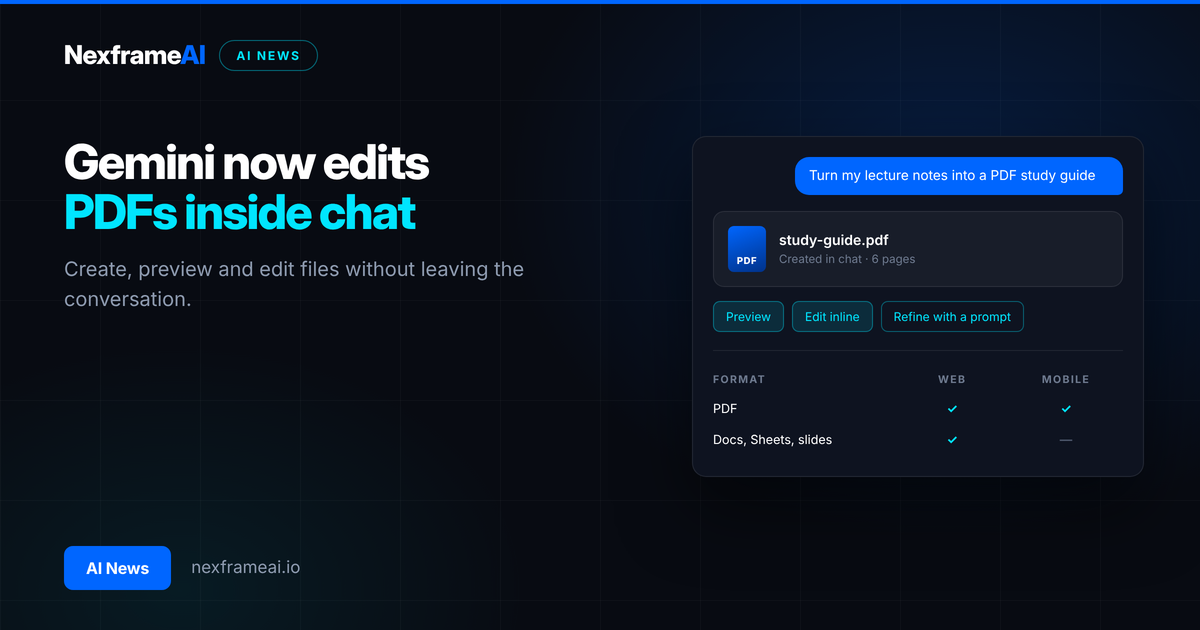
On 29 October 2026, Google announced that the Gemini app can now create, preview and edit files directly inside a chat, including PDFs, Google Docs, Google Sheets and slide decks. Google says the feature is available to all Gemini users in every language the app supports, which turns Gemini into a handy AI PDF editor without a separate tool.
The update landed in the same week as "immersive explorations", a new set of interactive visual explainers for students, and both were bundled into Google's October Gemini Drop. Here's what changed, how to use it, what's still unclear and what it means if you study, work or run a small business in Nigeria.
What Happened
Google published the news on its Gemini app blog on 29 October. Until now, Gemini could already generate files in a chat (that ability was announced in April 2026, according to reports), but you had to download them and open another app to make changes. Now the whole loop happens in one place: you ask Gemini for a file, it appears in the chat, and you edit it right there.
According to Google, you can:
Generate a file in the chat, from a prompt or from something you upload.
Preview it without leaving Gemini.
Open it full screen and type your own edits directly.
Highlight text to ask Gemini a question about that part, or ask it to rewrite or change it.
Ask Gemini to refine the whole file with a follow-up message.
The supported formats are PDFs, Google Docs, Google Sheets, slide decks, Markdown, plain text (TXT) and code files. There's one important split:
Format | Web | Mobile app |
|---|---|---|
PDF (preview and editing) | Yes | Yes |
Google Docs, Sheets, slide decks | Yes | Not yet |
Markdown, TXT, code | Yes | Not yet |
So if you mostly use Gemini on your phone, PDFs are the format that works everywhere today. Everything else needs the web version at gemini.google.com for now.
Google's own example is a good one for students. You upload a photo of handwritten lecture notes, ask Gemini to turn them into a PDF study guide, then fix any mistakes by typing, highlight a section to ask Gemini to change the wording or visuals, and ask follow-up questions about the content.
Why It Matters
Most people don't need a fancy document suite. They need to fix a typo in a PDF, tidy up a handout, or turn rough notes into something they can print. Until now, that usually meant a paid AI PDF editor, a free tool full of watermarks, or a long round trip between apps.
Putting editing inside the chat removes that friction. It also changes how you work with AI. Instead of asking for a whole new version every time you want a small change (and hoping nothing else breaks), you can point at the exact sentence and say "make this clearer". That's faster and it's less likely to introduce errors elsewhere.
There's a wider trend here too. Google has been pulling more work into the Gemini chat: Canvas for drafting and coding (see our guide to Google Gemini Canvas), Gemini Notebook for studying your own sources, and now proper file editing. The chat window is slowly becoming a workspace, not just a question box.
The Details: How Gemini Works as an AI PDF Editor
Let's go through the parts that matter in practice.
Who gets it
Google's exact words: "These capabilities are now available to all users in all languages where Gemini app is available." Google doesn't say anywhere in the post that you need a paid plan. Nigeria is one of the countries where the Gemini app is available, so on Google's wording the feature should work here, though we'd still describe that as our reading rather than a Nigeria-specific confirmation.
What Google hasn't said is how many files free users can create or edit per day. Limits on the free tier (currently running Gemini 3.5 Flash Lite) could be lower than for Google AI Pro and Ultra subscribers, who are on Gemini 4 Argon. If you want to know what Argon changes, read our explainer on what Gemini 4 Argon means for the Gemini app.
How editing works
Think of it as three tools in one:
Manual editing. Open the file full screen and type, just like a normal editor.
Targeted AI edits. Highlight a phrase or paragraph, then ask Gemini to explain, shorten, translate or rewrite only that part.
Whole-file refinement. Ask in the chat for wider changes, such as "add a summary table at the end" or "make the headings consistent".
The second option is the real upgrade. It keeps Gemini focused on the bit you care about.
Gemini versus a dedicated AI PDF editor
Should you drop your usual PDF app? Probably not yet. A dedicated AI PDF editor usually does things a chat window doesn't promise, such as filling in forms, adding signatures, merging and splitting files, compressing large scans or redacting sensitive text. Google's announcement doesn't mention any of those.
Where Gemini wins is the writing itself. If the job is "turn my messy notes into a clean document" or "rewrite this section so it's easier to read", the chat is quicker than any menu. You describe what you want, Gemini drafts it, and you fix the details by hand.
A simple rule of thumb:
Use Gemini when the content needs creating, explaining, restructuring or rewording.
Use a dedicated PDF tool when the file needs signing, form filling, merging, compressing or redacting.
Use both for bigger jobs: draft and refine in Gemini, then finish the file in your PDF tool.
One more tip. Keep your original file somewhere safe before you start. AI edits can change a figure or a name you didn't ask it to touch, and it's much easier to compare against an untouched copy.
Immersive explorations
Announced a day earlier, on 28 October, immersive explorations are a library of interactive visual explainers. You move through a topic layer by layer: Google's examples include tracing Silk Road trade routes, looking inside a jet engine and studying the physics of lightning. You tap labels to go deeper, from planets down to molecules and atoms.
To find them, open the Gemini student hub (gemini.google.com/students) and click "Try immersive explorations". Google says they'll come directly to the chat "soon", along with audio narration that guides you through each layer. There's no date for either.
Full language support covers English, Indonesian, Hindi, Brazilian Portuguese, French and Simplified Chinese. Everyone else, including users in Nigeria who prefer Yoruba, Igbo or Hausa, gets the English version for now. If you like studying in a Nigerian language, our guide to using AI in Yoruba, Igbo, Hausa and Pidgin shows what works today.
The rest of the October Gemini Drop
Google's monthly "Gemini Drop" bundled several other changes. Briefly, according to Google and to reports covering the drop:
Skills replace Gems. Creating and editing Gems stopped on 13 October, and existing Gems migrate to Skills on 17 November 2026. Back up any custom instructions you care about before then.
"@Gemini Notebook" in chat. You can pull your Gemini Notebook sources into a Gemini conversation. Reports say it's rolling out globally but is off by default in the European Economic Area. (Gemini Notebook is the new name for NotebookLM; see Google renames NotebookLM to Gemini Notebook.)
Lyria 3.5 music generation for all users worldwide, according to reports.
More connectors, over 40 apps, though reports say most are US and English only for now.
What It Means for You
Here's the practical side, depending on who you are.
Students
This is the group that benefits most. You can photograph your handwritten notes after a lecture, ask Gemini for a clean PDF study guide, then correct anything it misread. Pair it with immersive explorations for topics that are hard to picture, like how a jet engine works or how lightning forms.
Just remember that AI can still misread handwriting or invent details. Check names, dates, formulas and figures against your original notes or textbook. Our guide to what AI hallucination is explains why this happens. For a full routine, our new workflow on how to turn any chapter into revision notes with AI walks you through it step by step, and you can then turn those notes into flashcards and quizzes.
Small business owners
If you run a shop, salon or consultancy, you produce a lot of small documents: price lists, invoices, simple proposals, staff rotas. Now you can ask Gemini to draft a price list as a PDF, fix a price by typing, and send it on WhatsApp, all from your phone. For anything more complex than a PDF, use the web version on a laptop.
Be careful with private information. Don't upload customer bank details, ID numbers or anything you'd be uncomfortable seeing leaked. Check your Gemini activity settings before you upload sensitive files.
Job seekers and workers
You can turn rough meeting notes into a tidy Google Doc, or clean up a spreadsheet in Sheets, without switching apps. It's useful for reports and handouts. For your CV, though, a dedicated tool that checks formatting for applicant tracking systems will still do a better job than a general chat. Our free ATS resume checker is one option: draft and polish your wording in Gemini, then check the final file there before you apply.
Cost and data in Nigeria
Google hasn't said the feature needs a paid plan, so on current information it's free to try. Your main cost is mobile data. Uploading photos of notes and opening full-screen previews uses more data than plain text chat, so do heavy sessions on Wi-Fi where you can. If you're weighing whether to pay for Google AI Pro, check the current price in the Google One section of your Play Store or Google account, because it changes and differs by country.
Worked example: Tolu prepares for exams in Ibadan
Tolu is a 300-level microbiology student at the University of Ibadan. She has two weeks until exams and a notebook full of handwritten lecture notes.
Snap and upload. After each lecture, she takes clear photos of her notes in good light and uploads them to Gemini on her phone.
Ask for a study guide. She types:
Turn these handwritten lecture notes into a PDF study guide for [course code and topic].
Use clear headings, short bullet points and a key terms table at the end.
Mark anything you couldn't read with [CHECK] instead of guessing.
Fix errors by hand. She opens the PDF full screen and corrects two misread enzyme names marked [CHECK].
Targeted edits. She highlights a dense paragraph on bacterial growth curves and asks Gemini to explain it in simpler words with one example.
Explore visually. On her laptop, she tries an immersive exploration to see a topic layer by layer, then returns to her notes.
Revise. She asks Gemini for ten practice questions based only on the PDF.
Her cost: no subscription, and roughly 300MB to 500MB of data for a week of uploads and previews (our rough estimate; it depends on photo size). On a typical Nigerian data plan, that's a small part of a monthly bundle.
What to Watch Next
Limits for free users. Watch for Google support pages or in-app messages that set daily caps.
Mobile editing for Docs, Sheets and slides. Right now only PDFs work on mobile.
Immersive explorations in chat, with audio narration. Google says "soon" but gives no date.
More languages. Yoruba, Igbo, Hausa and Swahili aren't on the full-support list yet.
The Gems to Skills switch on 17 November. Expect some teething problems as Gems are migrated.
Privacy controls for uploaded files. As more people upload lecture notes, receipts and work documents, watch for clearer settings on how long Google keeps those files and whether they're used to improve its models. Check your Gemini Apps Activity settings now so you know where you stand.
Final Thoughts
This is a quietly useful update. Gemini didn't become a full desktop publishing suite overnight, but it did become a practical, free-to-try AI PDF editor and a lighter Docs and Sheets editor that you can use without leaving the chat. For students in particular, going from handwritten notes to an editable study guide in a few minutes is a real time saver.
Try it on something low-stakes first, like your notes from one lecture. Check the output carefully, keep private data out of it, and you'll quickly see where it fits into your week.
Frequently Asked Questions
Is Gemini's file editing free?
Google says the features are "available to all users" and doesn't mention a paid plan. Free users may face lower usage limits, but Google hasn't published them.
Does it work in Nigeria?
Gemini is available in Nigeria, and Google says the feature is available to all users in all languages where the Gemini app is available. On that wording, it should work for Nigerian users.
Can I edit PDFs on my phone?
Yes. PDF preview and editing work on both web and mobile. Google Docs, Sheets, slide decks, Markdown, TXT and code files are web only for now.
Can Gemini edit a PDF I already have?
Google's announcement focuses on files you upload or generate in the chat and then edit there, including turning uploaded notes into a PDF. Try uploading your PDF and asking for changes, but keep the original as a backup.
Is Gemini a good AI PDF editor for official documents?
For drafts, handouts and study guides, yes. For contracts, certificates or anything legal, use a proper PDF tool and check every word yourself, because AI can change details without you noticing.
What are immersive explorations?
They're interactive visual explainers for students, such as a look inside a jet engine or the physics of lightning. Open the Gemini student hub and choose "Try immersive explorations".
Comments (0)
Sign in to post a comment.
- Be the first to comment.