What Is RAG? Retrieval Augmented Generation Explained Simply
RAG, or retrieval augmented generation, lets an AI search trusted documents before it answers, so replies can be current, private and backed by sources. Here is what RAG means in AI, how it works step by step, how it compares with fine tuning and long context, and the main types.
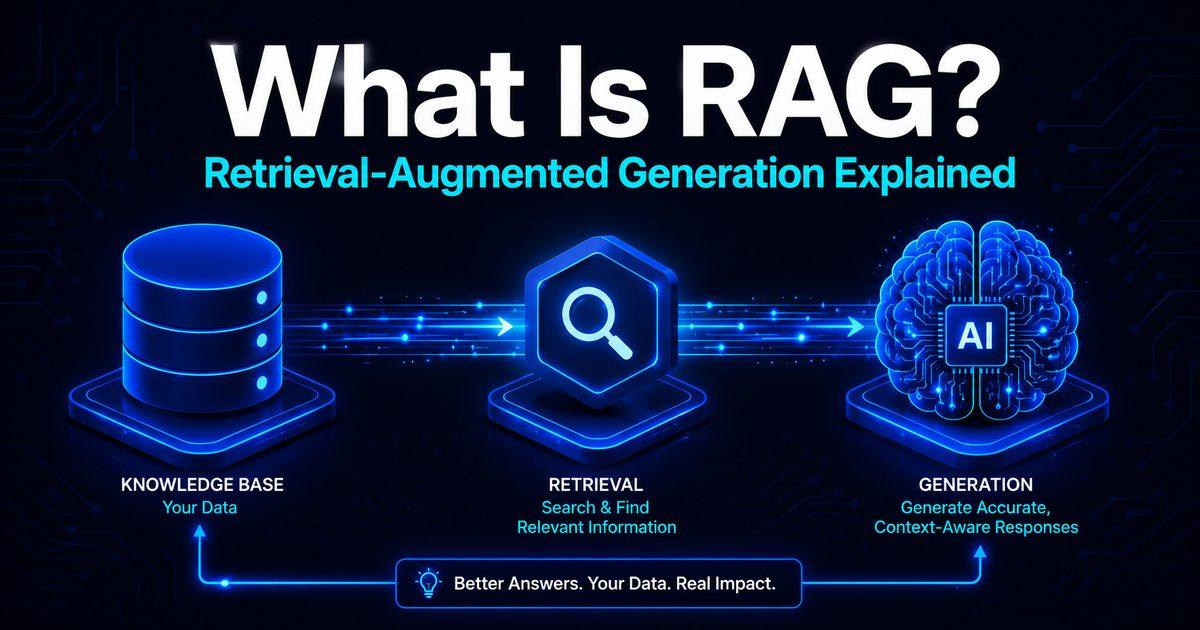
RAG, short for retrieval augmented generation, is a way of making an AI model answer from trusted information instead of only from what it memorised during training. Before the AI replies, a RAG system searches a set of documents, such as a company's help pages, a school handbook or your own notes, finds the most relevant passages and adds them to the prompt. The AI then writes its answer from those passages, ideally with links to the sources.
That simple idea is behind many AI tools you already use, from chatbots that answer from your uploaded files to customer support assistants. This guide explains what RAG means in AI, how it works step by step, how it compares with fine tuning and long context windows, the main types of RAG, and how to try it yourself.
RAG at a glance
AI without RAG | AI with RAG | |
|---|---|---|
Where answers come from | Only what the model learned in training | Your documents or the web, searched at the moment you ask |
Up to date? | Only up to its training cutoff | As fresh as the documents you give it |
Private information | Knows nothing about your files | Can answer from your files, with permissions |
Sources | Usually none | Can quote and link the passages it used |
Updating knowledge | Train or fine tune the model again | Add or change documents |
Main risk | Confident made up answers | Wrong answers if the search finds the wrong passages |
RAG meaning: what does RAG stand for?
RAG stands for retrieval augmented generation:
Retrieval: search for relevant information.
Augmented: add that information to the request.
Generation: let the large language model (LLM) write the answer.
So a RAG LLM setup is simply a language model that looks things up before it speaks.
The term comes from a 2020 research paper, "Retrieval-Augmented Generation for Knowledge-Intensive NLP Tasks", by Patrick Lewis and colleagues at Facebook AI Research, University College London and New York University, presented at the NeurIPS conference. The paper combined a language model with a searchable index of Wikipedia and set new records on several question answering tests.
The name was never meant to stick. In an interview with NVIDIA, Lewis said the team would have put more thought into the name had they known the work would become so widespread.
How does RAG work?
Most RAG systems follow the same steps. The first two happen ahead of time; the rest happen every time someone asks a question.
Collect and split the documents. The system gathers the content it should answer from, such as PDFs, web pages or help articles, and splits it into small chunks of a few paragraphs each.
Turn each chunk into an embedding. An embedding is a list of numbers that captures what a piece of text means. The chunks and their embeddings are stored in a vector database, so similar meanings can be found quickly. Our guide to vector databases explains this part in detail.
Search for the question. When you ask something, your question is turned into an embedding too, and the system finds the chunks closest in meaning. Many systems combine this with ordinary keyword search, called hybrid search, so exact names and numbers are not missed.
Pick the best results. A reranking step often sorts the results again and keeps only the top few.
Add them to the prompt. The chosen chunks are placed in the prompt along with your question and an instruction such as "answer only from these sources".
Generate the answer. The model writes a reply based on those passages and, in a good system, cites which ones it used.
When the documents change, the system indexes them again so answers stay current.
A simple example
Imagine a university builds a chatbot for its student handbook. A student asks, "What is the deadline for course registration this semester?"
Without RAG, a general AI model would guess, or say it does not know. With RAG, the system searches the handbook, finds the registration section, passes it to the model, and the model replies with the actual date and a link to the page. When the university updates the handbook next semester, the chatbot's answers update too, without retraining anything.
Getting the search right matters a lot. In tests published by Anthropic, a standard search setup failed to find the relevant chunk 5.7% of the time; adding context to each chunk and keyword search cut those misses by 49%, and adding reranking cut them by 67%.
RAG examples you already use
You have probably used RAG without knowing it:
ChatGPT uses search with citations when it looks things up online, and Projects let you upload files that it searches when you ask questions.
Gemini Notebook, the tool formerly called NotebookLM, answers questions only from the sources you add and shows where each answer came from. Google renamed it in July 2026. Our comparison of NotebookLM and ChatGPT for research shows how students use it.
Claude Projects switch on RAG automatically when a project's documents grow too large to read all at once.
Microsoft Copilot in Microsoft 365 answers from your work emails, files and meetings, limited to what you are allowed to see.
Perplexity searches the live web and answers with numbered citations.
Customer support chatbots on many websites answer from the company's help centre.
Why RAG matters
RAG became popular because it fixes some of the biggest problems with AI models:
Fresh information. Models stop learning at a training cutoff. RAG lets them answer about this week's news or last night's policy change.
Private knowledge. A model knows nothing about your company or your notes. RAG lets it use them without sending them into training.
Sources you can check. Because the answer is built from specific passages, the system can show them, so you can verify the claim.
Lower cost. Updating documents is far cheaper and faster than retraining a model.
Access control. A RAG system can search only the documents each user is allowed to see.
RAG reduces made up answers, but it does not end them. A 2024 Stanford study of legal research tools built on RAG found they still gave wrong or misleading answers between 17% and 33% of the time, which was better than a general chatbot but far from perfect. Always check the cited sources on anything important.
RAG vs fine tuning
Fine tuning means training an existing model further on your own examples, which changes the model itself. RAG leaves the model unchanged and feeds it information at the moment you ask.
RAG | Fine tuning | |
|---|---|---|
What changes | The information given to the model | The model's internal settings |
Best for | Facts that change often, private documents, answers with sources | A consistent style, format or specialised behaviour |
Updating | Add or edit documents | Train again |
Cost | Lower to set up and maintain | Higher, needs training runs and examples |
Shows sources | Yes | No |
They are not rivals. Many teams fine tune a model to follow their style and use RAG to give it the facts.
Do we still need RAG with long context windows?
Modern models can read a huge amount at once. In October 2026, Claude's latest models, OpenAI's GPT-6 models and Google's Gemini 4 Argon all accept around one million tokens, more than half a million words, in a single request.
So for small collections you can skip RAG. Anthropic's own advice is that if your knowledge base is under about 200,000 tokens, roughly 500 pages, you can simply include all of it in the prompt.
RAG is still the better choice when:
your documents are far larger than the context window, or change often;
you want answers to be fast and cheap, since sending a million tokens with every question is slow and costly;
different users may only see different documents;
you need precise citations to specific passages.
Research also suggests models become less reliable as their input grows very long, so giving them the right few passages often beats giving them everything.
Types of RAG
The basic pattern has several popular variations:
Agentic RAG. An AI agent decides what to search for, checks whether the results are good enough, and searches again or uses other tools if not. It handles complex questions better, at the cost of more steps. If agents are new to you, see what agentic coding is for how AI agents work.
GraphRAG. Developed by Microsoft Research, it builds a knowledge graph of the people, places and ideas in your documents, which helps with big picture questions like "what are the main themes across these reports?" that ordinary search handles poorly.
Hybrid search. Combines meaning based search with keyword search, then reranks the results. Many production systems use this by default.
Multimodal RAG. Searches images, tables, audio and video as well as text.
Limits and risks of RAG
Bad chunks, bad answers. If documents are split in awkward places, a chunk can lose the context that makes it meaningful.
Search misses. If the right passage is never retrieved, the model cannot use it, and it may answer from a similar but wrong passage.
Stale indexes. If documents change but the index is not updated, answers go out of date.
Prompt injection. A document can contain hidden instructions that try to steer the AI. The OWASP security project lists this as the top risk for AI applications and notes that RAG does not fully prevent it. Our guide on how to secure AI features in your app covers the defences.
Privacy leaks. A careless setup can show people documents they should not see. Retrieval must respect the same permissions as the original files.
Tools to build RAG
If you want to build your own RAG system, these are the common building blocks in 2026:
Tool | What it is | Free option |
|---|---|---|
LangChain and LangGraph | Open source frameworks for building AI apps and agents, including RAG | Yes, open source |
LlamaIndex | Open source framework for loading, indexing and searching your data | Yes, open source |
pgvector and Supabase | Vector search inside a Postgres database | Yes, pgvector is open source |
Chroma | Open source vector database | Yes, open source |
Weaviate | Vector database with built in hybrid search | Yes, you can host it yourself |
Pinecone | Managed vector database | Yes, a free Starter plan |
OpenAI file search | Hosted search over your files for OpenAI apps | Pay as you go |
Amazon Bedrock Knowledge Bases | Managed RAG pipeline on AWS | Pay as you go |
Google Vertex AI RAG Engine | Managed RAG service on Google Cloud | Pay as you go |
Ready to build one? Follow our step by step guide, RAG for beginners: build a chatbot on your own docs.
How to try RAG without writing code
You do not need to be a developer to see RAG in action:
Open Gemini Notebook, a ChatGPT Project or a Claude Project.
Upload a few documents you know well, such as lecture notes, a course outline or a work policy.
Ask questions you already know the answers to, and check whether the replies match and cite the right page.
Ask something that is not in your documents, and see whether the tool admits it does not know.
This is also the quickest way to learn the strengths and limits of RAG before you trust it with anything important.
Frequently asked questions
What is RAG in AI?
RAG, or retrieval augmented generation, is a technique where an AI system searches a set of documents for relevant information and adds it to the prompt before the model answers. This lets the AI give answers based on current or private information, often with sources you can check.
What does RAG stand for?
RAG stands for retrieval augmented generation. The term comes from a 2020 research paper by Patrick Lewis and colleagues at Facebook AI Research, University College London and New York University.
What is the difference between RAG and fine tuning?
RAG gives the model relevant information at the moment you ask, without changing the model. Fine tuning trains the model further so its behaviour or style changes. RAG is better for facts that change and for showing sources; fine tuning is better for a consistent format or specialised tasks.
Does RAG stop AI hallucinations?
It reduces them but does not stop them. If the search finds the wrong passages, or the model misreads them, it can still give wrong answers. A Stanford study found legal RAG tools were still wrong 17% to 33% of the time, so always check the sources.
Do I need a vector database for RAG?
Not always. Small projects can use simple keyword search, or put all their documents straight into a model with a long context window. Vector databases help when you have many documents and want to search by meaning.
What is agentic RAG?
Agentic RAG uses an AI agent to run the search. The agent decides what to look up, checks whether the results answer the question, and searches again or uses other tools when they do not. It handles harder questions than basic RAG.
What is GraphRAG?
GraphRAG is a type of RAG from Microsoft Research that builds a knowledge graph of the entities and relationships in your documents. It is good at summarising themes across a large collection, which ordinary passage search struggles with.
Is ChatGPT a RAG system?
ChatGPT itself is a language model, but it uses RAG when it searches the web or answers from files you upload to a Project. When you see citations to web pages or your files, retrieval is at work.
Comments (0)
Sign in to post a comment.
- Be the first to comment.