AI Tutor Modes: Learn Maths and Coding Step by Step
ChatGPT Study Mode, Gemini Guided Learning and Claude's Learning mode teach instead of giving answers. Learn how to use AI tutor modes for maths and coding.
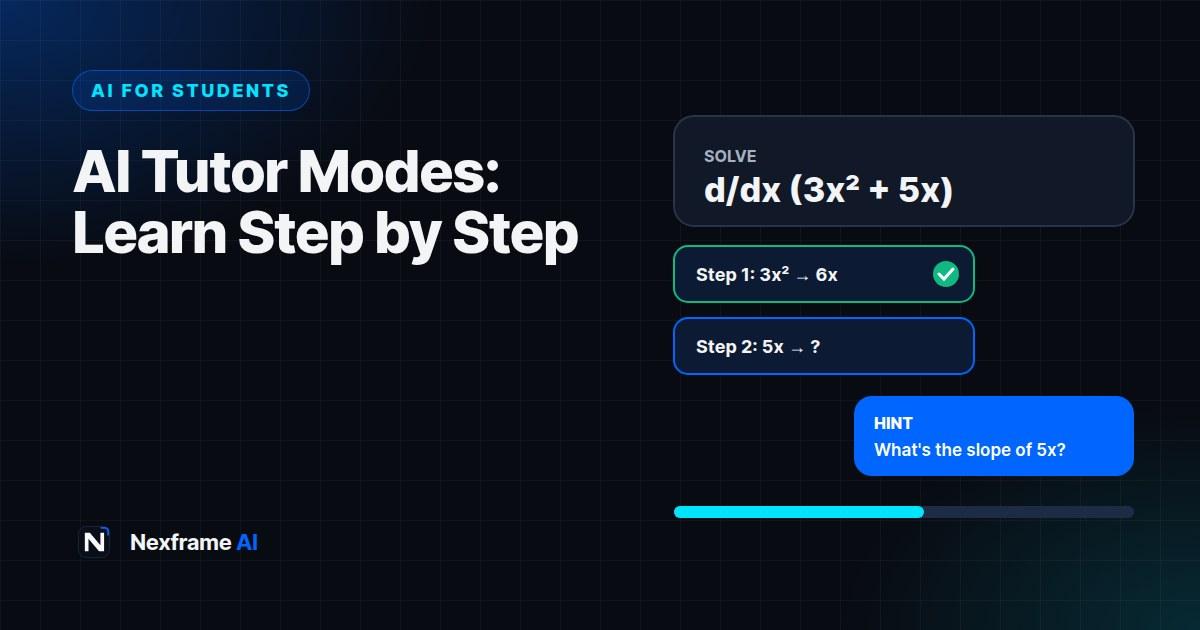
You paste a calculus problem into ChatGPT and get the full solution in five seconds. It looks right, you copy it down and move on. A week later, in the exam hall, you can't do a single step.
That's the trap of using AI as an answer machine. It feels like learning, but nothing sticks, because you never did the thinking yourself.
AI tutor modes fix that. ChatGPT, Gemini and Claude now each have a mode that teaches instead of answering: it asks you questions, gives hints and makes you work through each step. This guide explains how each one works, which to use for maths and coding, and how to get real learning out of them.
What AI Tutor Modes Are
AI tutor modes are settings that change how a chatbot responds. Instead of handing you the answer, the AI acts like a patient tutor: it checks what you already know, breaks the problem into steps, asks you to attempt each one and corrects you along the way.
This approach works because of how memory works. Research on learning consistently shows that recalling and working things out yourself builds stronger memory than reading a finished answer. Tutor modes are designed to keep you doing that work.
There are three main options in 2026:
ChatGPT Study Mode. Free on all ChatGPT plans. It asks guiding questions, gives layered hints and checks your understanding before moving on. You switch it on from the tools menu in the message box.
Gemini Guided Learning. Free with a Google account. It breaks topics into steps and adds diagrams, images, embedded videos and quizzes. In the Gemini web app it appears as a "Learn" option in the message box.
Claude Learning mode. Designed to guide you with questions rather than answers. It's offered mainly to universities through Claude for Education, so check whether your institution provides it. On a personal account, you can ask Claude to tutor you this way with a prompt (below).
How to Learn Maths Step by Step
Switch on the tutor mode first. In ChatGPT, turn on Study Mode before you paste the problem. In Gemini, choose Guided Learning.
Tell it your level and goal. For example: "I'm a first-year engineering student. I understand basic derivatives but not the chain rule. I have an exam in two weeks."
Paste one problem, not the whole sheet. Work through it fully before moving on.
Attempt every step. When it asks a question, answer it, even if you're unsure. Wrong answers are where the learning happens.
Ask for a similar problem. Once you've solved it, ask for a new problem of the same type and solve it without help.
Check with a calculator tool. For important numerical answers, check the final result with a tool like Wolfram Alpha or your scientific calculator. AI can make arithmetic slips.
If you're on a plan without a tutor mode, this prompt gets the same behaviour from any assistant:
Act as my maths tutor. Don't give me the answer. Ask me one guiding question at a time,
wait for my reply, tell me if I'm on the right track, and give a hint only if I'm stuck
twice. When I finish, give me one similar problem to try on my own.
How to Learn Coding Step by Step
Coding is where answer-machine habits do the most damage. If AI writes all your code, you can't debug it, explain it in an interview or build anything new.
Learn concepts before syntax. Ask the tutor to explain what a loop or a function is for, then ask you to predict what a short piece of code does before running it.
Write the code yourself first. Attempt the exercise, then ask the AI to review your code and point out problems without rewriting it.
Debug with questions. When you hit an error, paste the error message and your code, and ask: "Don't fix it. Help me find the bug with questions."
Explain it back. After solving something, explain your solution to the AI in your own words and ask it to find gaps in your understanding.
Once you're comfortable with the basics, our explainer on agentic coding shows how professional developers work with AI, and the Coding Workflows take you through planning, building and debugging with AI in the loop.
Get More Out of Any Tutor Mode
Don't push for the answer. All three modes will eventually give in if you insist. That defeats the point. If you're truly stuck, ask for a bigger hint instead.
Study in short sessions. Twenty to thirty minutes per topic, then a short quiz, works better than a three-hour marathon.
Use your own course materials. Upload your lecture notes or past questions so the tutor works at your course's level. For revising from your own materials, Gemini Notebook is built for exactly that.
Keep a mistakes log. Write down every error you made and why. Review it before the exam.
Check your course rules. Using AI to learn is widely accepted. Submitting AI-written work usually isn't. Our guide on using AI to study without getting flagged for cheating explains the difference.
Common Mistakes to Avoid
Switching modes off when it gets hard. The moment you feel frustrated is usually the moment you're learning most.
Pasting a whole assignment. Tutor modes work best one problem at a time.
Trusting every number. AI is better at explaining methods than doing arithmetic. Check final answers.
Skipping the practice problem. Solving a similar problem alone is the real test of whether you learned it.
Never asking why. "Why does this step work?" is the most valuable question you can ask a tutor, human or AI.
What a Tutor Session Looks Like: Maths
Here's a shortened example of a good tutor-mode session on the chain rule. Notice who does the thinking.
Student: I need to differentiate y = (3x + 2)⁴.
Tutor: Good choice of problem. Before we start, what do you notice about the structure? Is it one simple function, or a function inside another function?
Student: A function inside another? 3x + 2 is inside the power of 4.
Tutor: Exactly. Call the inside part u. What is u, and what does y look like in terms of u?
Student: u = 3x + 2, so y = u⁴.
Tutor: Great. Now, what's dy/du, and what's du/dx?
Student: dy/du = 4u³ and du/dx = 3.
Tutor: Correct. The chain rule says dy/dx = dy/du × du/dx. Put it together and substitute u back.
Student: 4(3x + 2)³ × 3 = 12(3x + 2)³.
Tutor: That's right. Try this one on your own: y = (5x − 1)³.
The tutor never gave the answer. It asked questions that led the student to each step, then set a new problem to check the learning stuck. If your tutor starts giving full solutions, remind it: "Please don't solve it. Ask me questions instead."
What a Tutor Session Looks Like: Coding
The same approach works for debugging. Say this Python code should average a list of scores, but it crashes:
scores = [72, 85, 90]
total = 0
for s in scores:
    total = total + s
average = total / len(score)
print(average)
Instead of asking "fix my code", ask: "This crashes with a NameError. Don't fix it. Help me find the bug with questions."
A good tutor responds with something like: "Read the error message again. Which name does Python say isn't defined? Now compare it, letter by letter, with the variable you created on the first line." You spot that len(score) should be len(scores), and you'll remember to check variable names next time.
Tutor Modes for Essay Subjects
Tutor modes aren't only for maths and coding. In subjects like history, law, economics or literature, use them to build understanding and arguments, not to write essays.
Understand a concept. "Teach me the causes of the Nigerian Civil War by asking me questions about what I already know."
Test an argument. "Here's my thesis statement. Ask me the three toughest questions a lecturer might ask about it."
Practise exam answers. "Give me a past-paper-style question on contract law, then ask me to outline my answer and challenge any weak points."
Claude is particularly good at questioning your reasoning without taking over. Whatever tool you use, keep the writing your own, and check your course rules on AI use.
How to Tell If You're Actually Learning
It's easy to feel productive with an AI tutor while learning very little. Use these checks every week.
Can you solve a new problem cold? Close the chat, take a fresh problem of the same type and solve it without help. If you can't start it, you haven't learned it yet.
Can you explain it simply? Try explaining the concept out loud, as if to a younger student. Gaps in your explanation show you exactly where to go back.
Are your hints getting smaller? Early on, you might need several hints per problem. If you still need the same number after a week, slow down and revisit the basics.
Do you remember it a week later? Test yourself on last week's topic before starting a new one. If it's gone, add it back into your weekly plan.
Are your mistakes changing? Look at your mistakes log. If you keep making the same error, ask the tutor to focus a whole session on it.
These checks matter more than how long you study or how many problems you see. Learning is what you can do without the tutor, not with it.
Final Thoughts
AI tutor modes turn chatbots from answer machines into patient teachers that are available at 2am before your exam. They're free, and they work best when you do the thinking.
Pick the mode that fits your subject, attempt every step, and finish each session by solving a problem on your own. Do that consistently and you'll walk into the exam able to do the work, not just recognise it.
For more ways to study with AI, browse our AI for Students guides and the Study & Learning Workflows.
Frequently Asked Questions
Is ChatGPT Study Mode free?
Yes. Study Mode is available on all ChatGPT plans, including the free plan. Free accounts have usage limits on the most capable models.
Does Gemini have a study mode?
Yes, it's called Guided Learning. It's free with a Google account and adds diagrams, videos and quizzes to step-by-step explanations.
Does Claude have a learning mode?
Claude has a Learning mode designed to guide you with questions, offered mainly through Claude for Education at universities. On a personal account, you can ask Claude to tutor you Socratically with a prompt.
Which AI tutor is best for maths?
Many students find ChatGPT Study Mode most reliable for step-by-step maths problem sets, while Gemini Guided Learning is strong at explaining the concept visually. Try both on the same problem and see which works for you.
Can I use AI tutor modes for coding?
Yes. Ask the tutor to explain concepts, review your code without rewriting it and help you debug with questions. Writing the code yourself is what builds the skill.
Will using AI tutors count as cheating?
Using AI to learn and practise is generally allowed. Submitting AI-generated answers as your own work usually isn't. Always check your course's AI policy.
How do I turn on ChatGPT Study Mode?
In the ChatGPT message box, open the tools menu and choose Study Mode before you send your question. You can turn it off the same way.
Can AI tutors help with past exam papers?
Yes. Upload or paste a past question, switch on a tutor mode and ask it to guide you through the answer step by step. Then attempt a similar question on your own.
Are AI tutor modes good for secondary school students?
They can be, with supervision. Age rules differ by provider, and some let parents turn on study modes by default. Check each tool's age requirements first.
Comments (0)
Sign in to post a comment.
- Be the first to comment.