How to Use Gemini Notebook to Study (Formerly NotebookLM)
Learn how to use Gemini Notebook, formerly NotebookLM, to turn lecture notes and PDFs into study guides, quizzes, flashcards and podcasts you can revise from.
You have three PDFs from your lecturer, a set of handwritten notes, two YouTube lectures and an exam in ten days. Reading everything again from the start isn't going to happen.
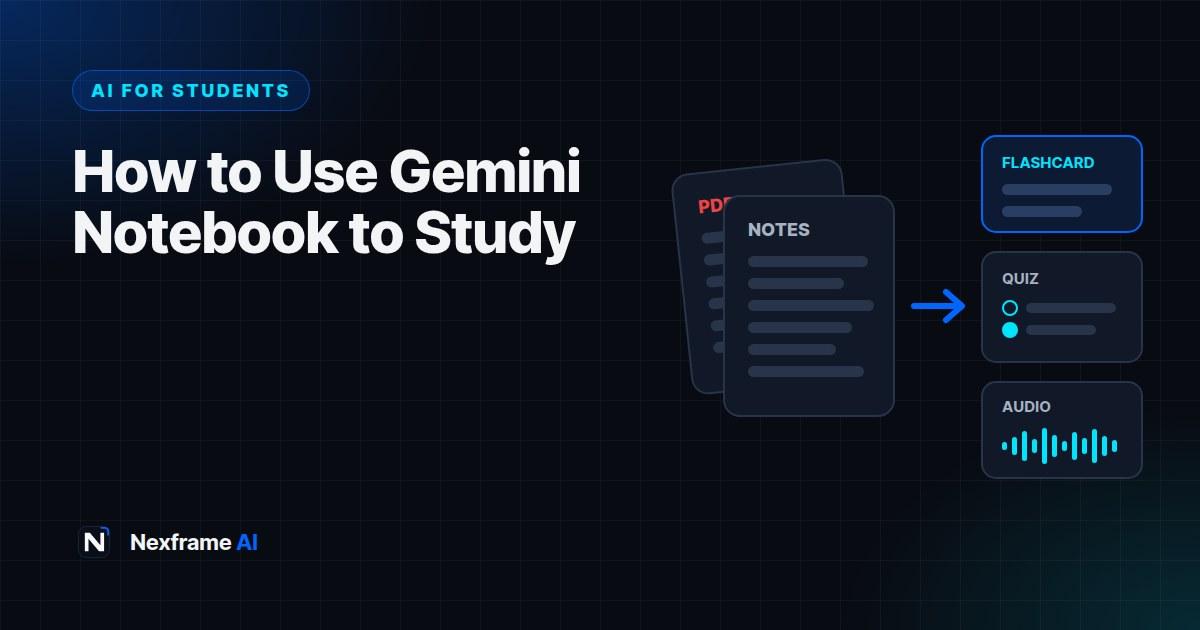
This is the problem Gemini Notebook was built for. Formerly called NotebookLM, it's Google's free study and research tool that reads only the materials you give it, then turns them into study guides, flashcards, quizzes, mind maps and even podcast-style audio you can listen to on the bus.
This guide shows you how to use Gemini Notebook to study from your own course materials, the features worth using, a study routine that works, and the limits you need to know about.
What Is Gemini Notebook?
Gemini Notebook is a free AI notebook from Google that answers questions using only the sources you upload. Google renamed it from NotebookLM on 16 July 2026. It's the same product with the same features, and old notebooklm.google links now redirect to its new home.
The key difference from a general chatbot is that it's source-grounded. When you ask ChatGPT or Gemini a question, they draw on everything they learned in training, which is why they sometimes invent facts. Gemini Notebook answers from your lecture slides, readings and notes, and it shows citations that point to the exact passage it used.
For students, that matters. Your exam is set on your course materials, not on the whole internet.
What You Can Add as Sources
You build a notebook for each course or topic, then add sources to it. You can add:
PDFs, Word documents and Google Docs, such as lecture notes, handouts and readings
Google Slides and Sheets
Web pages and YouTube videos, such as recorded lectures
Audio files
Photos of handwritten notes and worksheets, taken with the mobile app
As of September 2026, the mobile app can also record a lecture with its built-in audio recorder, so the recording goes straight into your notebook.
The Features Worth Using
Most of Gemini Notebook's study tools live in a panel called Studio. Each output cites your sources, so you can check anything that looks wrong.
Chat with your sources. Ask questions like "What are the three causes of inflation in Chapter 4?" and get an answer with citations.
Study guides and reports. A summary of key concepts, likely questions and a glossary, built from your materials.
Flashcards and quizzes. Generated from your sources, with an "explain" option that shows why an answer is right, with citations. Google has added short-answer, multiple-select and fill-in-the-blank quiz formats, and you can edit or add your own questions.
Audio Overviews. A podcast-style conversation between two AI hosts about your materials. You can choose formats such as a brief summary, a critique or a debate, and download the audio for offline listening.
Video Overviews, mind maps and slide decks. Visual summaries for topics that are easier to see than read.
Learning Overviews. New in September 2026, these combine a summary with infographics, quizzes and flashcards in one interactive report.
Voice conversations. On the mobile app, you can talk through a topic with your notebook in real time, in nearly 100 languages, and interrupt it with questions.
How to Set Up a Notebook for a Course
Create one notebook per course. Mixing courses confuses the answers. Name it clearly, for example "ECO 201: Macroeconomics".
Add your core sources first. Start with the lecture slides and the main readings your lecturer has said matter for the exam.
Add your own notes. Upload or photograph your handwritten notes. They often contain the lecturer's hints about what's examinable.
Generate a study guide. Read it as a map of the course, not as a replacement for your materials.
Check the citations. Click a few to confirm the notebook is reading your sources correctly.
A Study Routine That Works
The biggest mistake is using Gemini Notebook only to summarise. Summaries feel productive but don't build memory. Use it to test yourself instead.
Week before the exam
Day 1: Build the notebook, generate a study guide and a mind map for each topic. Note which topics feel weakest.
Days 2 to 5: Take one topic a day. Listen to an Audio Overview of it on your commute, then take a quiz and review every wrong answer with "explain".
Day 6: Generate a mixed quiz across all topics. Ask your notebook chat to analyse your results and tell you where to focus.
Day 7: Light review with flashcards, then rest.
During the semester
Add each week's lecture straight after class and generate flashcards that day. Ten minutes of review a day beats ten hours the night before.
For more systems like this, see the Study & Learning Workflows.
Prompts That Get Better Results
The default outputs are good, but specific requests are better. Try these in the chat:
Using only my sources, list the 10 concepts most likely to be examined, and for each one
give a one-sentence definition and the page or slide it comes from.
Quiz me one question at a time on Chapter 3. Wait for my answer, tell me if I'm right,
explain why with a citation, then ask the next question.Explain the difference between [concept A] and [concept B] as if I'm a first-year student,
then give me one exam-style question that tests the difference.The free AI Prompt Improver can help you turn a rough question into a sharper one.
Limits to Know About
It's only as good as your sources. If a topic isn't in your uploads, the answers will be thin or wrong. Add the missing material.
It can still misread. Source grounding reduces mistakes but doesn't remove them. Check citations for anything you plan to rely on.
Audio Overviews simplify. They're great for an overview, but the hosts can skip detail or over-simplify. Don't use them as your only revision.
Free plan limits apply. There are caps on notebooks, sources and some outputs on the free plan. Google is offering eligible college students a free year of a paid Google AI plan, AI Pro in the US and AI Plus in many other countries, which raises the limits. Our guide to free AI tools for students covers offers like this.
Mind your course rules. Using your own materials to revise is fine almost everywhere. Submitting AI-generated work as your own is not. Our guide to using AI to study without getting flagged for cheating explains where the lines are.
Worked Example: One Topic, One Hour
Here's what a focused session looks like. Say you're revising "Market Structures" for a first-year economics course.
Minutes 0 to 10: Load and orient. Add the lecture slides on market structures, the relevant textbook chapter as a PDF and photos of your notes. Ask: "Using only my sources, list the four market structures and the three features that distinguish each one."
Minutes 10 to 25: Listen or read. Generate a short Audio Overview on the topic and listen while you make tea, or read the study guide if you prefer text. Note anything that surprises you.
Minutes 25 to 45: Test yourself. Generate a 10-question quiz. Answer without looking at your notes. For every wrong answer, tap "explain" and read the cited passage in your original source.
Minutes 45 to 55: Fix the gaps. Ask the chat to explain your weakest concept in a different way, for example: "Explain monopolistic competition using examples from Nigerian markets." Then ask for two exam-style questions on it.
Minutes 55 to 60: Make flashcards. Generate flashcards for the terms you got wrong and review them again tomorrow.
One hour, one topic, and you finish knowing exactly what you can and can't do.
Getting the Best From Messy Sources
Real course materials are rarely tidy. A few habits help.
Scanned PDFs. If your lecturer shares scanned pages, check that the notebook can read them by asking a question about a specific page. If answers are vague, the scan may be too poor; try a clearer copy.
Handwritten notes. Photograph each page flat, in good light, with no shadows. Neat headings help the notebook organise your notes.
Long textbooks. Upload the chapters on your syllabus rather than the whole book. Smaller, focused sources give sharper answers.
Duplicate material. If slides and handouts repeat the same content, that's fine, but remove outdated versions so the notebook doesn't mix old and new information.
Studying on Your Phone
The Gemini Notebook mobile app makes it easy to revise on the go, which helps if you commute or study between lectures.
Download Audio Overviews on Wi-Fi. Then listen offline on the bus without using mobile data.
Photograph notes straight after class. Add them to the right notebook while the lecture is fresh.
Use quick quizzes in short gaps. Five questions while you wait for a lecture to start adds up across a week.
Try voice conversations. Talking through a topic out loud is a powerful way to test your understanding, and you can do it in English or another language you're comfortable with.
Studying as a Group
You can share a notebook with classmates, so everyone works from the same materials. It works well for group revision before exams.
Agree on which sources go in, so the notebook stays focused. Then split topics: each person generates a quiz on their topic and the group takes them together. Discussing why an answer is wrong is often where the real learning happens.
Just remember that a shared notebook is only as good as its sources. Don't add materials you're not allowed to share, such as paid textbooks, outside your course.
Common Mistakes to Avoid
Treating summaries as revision. Reading a study guide feels productive, but recognising information isn't the same as remembering it. Always follow a summary with a quiz.
Uploading everything at once. A notebook stuffed with every file from the semester gives vaguer answers. Keep one notebook per course and only the sources that matter.
Skipping the citations. The citations are the main advantage over a general chatbot. If you never click them, you won't notice when the notebook misreads a source.
Using only Audio Overviews. They're great for an introduction or a commute, but listening is passive. Pair them with active practice.
Leaving it to exam week. Gemini Notebook is most powerful when you add materials as the semester goes. A notebook built over twelve weeks is far more useful than one built the night before.
Forgetting your lecturer's emphasis. If your lecturer said a topic is important, tell the notebook: "My lecturer emphasised supply chains. Prioritise questions on that topic."
Final Thoughts
Gemini Notebook is one of the most useful free study tools available right now, because it works from your course materials rather than the whole internet. Used well, it turns a pile of PDFs into a revision system you can carry in your pocket.
The trick is to use it to test yourself, not just to summarise. Build a notebook per course, quiz yourself on every topic and check the citations on anything important.
If you'd like to learn a subject step by step rather than revise it, see our guide to AI tutor modes for maths and coding. And for how Gemini Notebook fits into Google's wider plans, read our AI News post on why Google renamed NotebookLM.
Frequently Asked Questions
Is NotebookLM the same as Gemini Notebook?
Yes. Google renamed NotebookLM to Gemini Notebook on 16 July 2026. Your existing notebooks and sources carried over, and old links redirect to the new site.
Is Gemini Notebook free?
Yes, there's a free plan with limits on notebooks, sources and some outputs. Paid Google AI plans raise those limits, and eligible college students can get one free year: Google AI Pro in the US or Google AI Plus in many other countries.
Can Gemini Notebook read handwritten notes?
Yes. You can photograph handwritten notes and worksheets with the mobile app and add them as sources. Clear, well-lit photos give the best results.
Does Gemini Notebook make things up?
Less than a general chatbot, because it answers from your sources and shows citations. It can still misread or oversimplify, so check citations for anything important.
Can I use Gemini Notebook for my assignments?
You can use it to understand your materials and revise. Whether you can use AI output in submitted work depends on your institution's rules, so check before using it for anything you hand in.
What's the best way to revise with Gemini Notebook?
Use it to test yourself. Generate quizzes and flashcards from each topic, review every wrong answer with the explain feature, and ask the chat to analyse where you're weakest.
Can I share a notebook with classmates?
Yes. You can share a notebook so classmates work from the same sources, which is useful for group revision. Only add materials you're allowed to share.
Does Gemini Notebook work offline?
You need an internet connection to chat and generate outputs, but you can download Audio Overviews to listen offline. Download them on Wi-Fi to save mobile data.
How many sources can I add to one notebook?
There's a limit per notebook, and it's higher on paid plans. In practice, a focused set of sources for one course gives better answers than reaching the limit.
Comments (0)
Sign in to post a comment.
- Be the first to comment.