The Free AI Study Stack: A Simple System for Notes, Flashcards and Exam Revision
Rereading feels productive but rarely sticks. This routine moves every topic through four steps, capture, understand, practise and review, with copy ready AI tutor and flashcard prompts, a weekly schedule and a seven day plan for exam week.
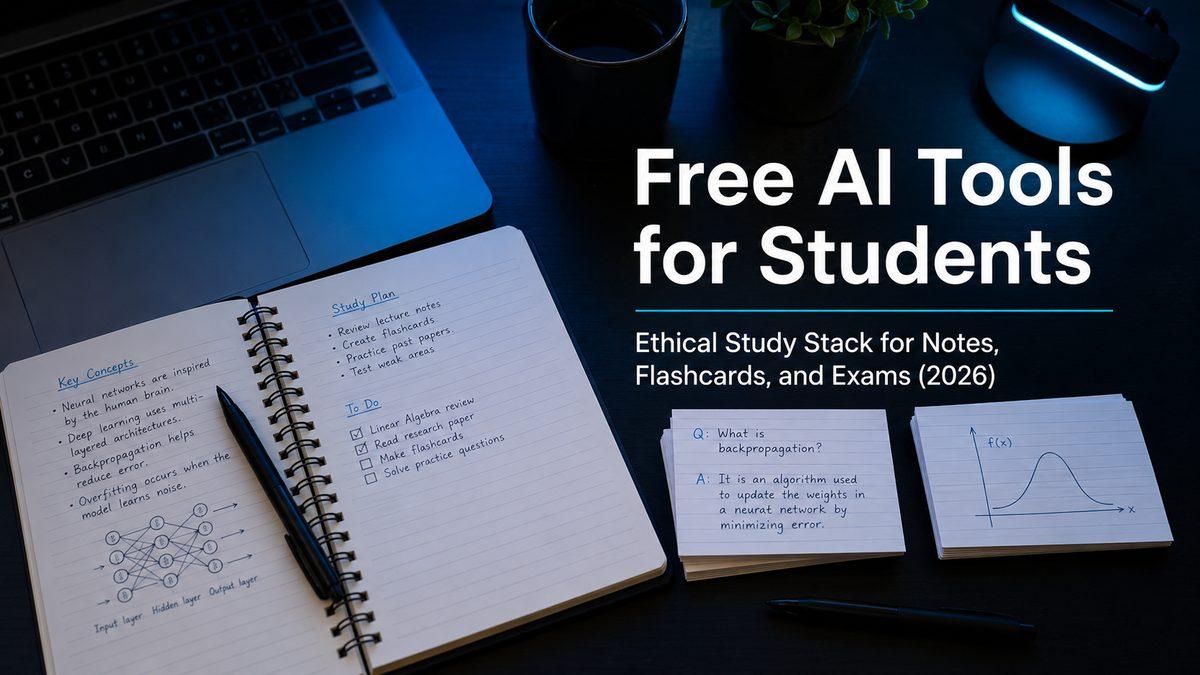
A study stack is a simple routine that moves every topic through four steps: capture it, understand it, practise it and review it on a schedule. You can run the whole system on free tools and about an hour a day, and it works because it is built around recalling information, not rereading it.
Most students who feel stuck are not lazy. They spend hours reading and highlighting, which feels productive, and then find in the exam that very little has stayed. This guide gives you the routine, the prompts and a weekly schedule. If you want to compare individual apps first, our list of the best free AI tools for students covers each one and what its free plan includes.
How the four steps fit together
Think of each topic as moving along a short line:
Capture. Get the lecture, reading or slides into one place in a format you can test yourself on.
Understand. Use an AI tutor to explain the hard parts and question you until the gaps show.
Practise. Turn what you learned into flashcards and practice questions, and answer them without notes.
Review. Come back to the material on a schedule, so it moves from short term to long term memory.
You can swap the tools in and out, but keep the steps the same. Once the routine is set up, you stop rebuilding your study system every time a new topic or exam arrives.
Step one: capture notes you can test yourself on
Notes are not for decoration. Their job is to make self testing easy later. Use whatever you already have, such as a paper notebook, Google Docs or Notion, and give every topic the same one page structure:
The topic name and one paragraph in your own words explaining it.
Five to ten key terms you tend to confuse.
One worked example or real scenario.
Common mistakes and why they happen.
Ten to fifteen questions you could be asked about it.
A line for anything that still feels unclear.
If you have slides or PDFs from your lecturer, upload them to Gemini Notebook (formerly NotebookLM) so you can ask questions that are answered only from those sources. Make one notebook per course so it can connect ideas across the whole term.
Keep capture short. Twenty minutes after a lecture is usually enough. The real learning happens in the next three steps.
Step two: understand with an AI tutor, not a ghostwriter
This is the step most students get wrong. Asking an AI for finished answers feels quick, but you remember almost nothing, and it can break your school's rules. Ask for teaching, questions and feedback instead, so you still do the thinking.
ChatGPT has a study mode, Gemini has Guided Learning and Claude has a Learning style. All three ask you questions rather than handing over answers. Any of them works with this prompt:
Act as a strict tutor.
Topic: [topic]
Level: [secondary school, university, professional exam]
Goal: I want to understand this well enough to answer exam questions.
Rules:
1) Ask me 10 questions, from easy to hard, one at a time.
2) After each answer, correct me briefly, give a hint, then explain.
3) Include one trick question based on a common student mistake.
4) Keep explanations short and use one example.
Do not write an essay or assignment for me.
Answer honestly, even when you are not sure. A wrong answer here costs you nothing and shows you exactly what to fix. When something finally makes sense, add it to the "still unclear" line on your notes page and cross it off.
Our guide to AI tutor modes shows how to get the most from each one for maths and coding.
Step three: practise with flashcards and questions
Practice is where reading turns into memory. Every time you pull an answer out of your head, you make it easier to find again in the exam.
Write small, sharp flashcards
A good flashcard tests one idea, and the answer is short enough to say in one breath.
Weak card: "Explain photosynthesis."
Better card: "What are the two main stages of photosynthesis?"
Best card: "Where in the chloroplast do the light dependent reactions happen?"
You can ask an AI assistant to draft cards from your own notes with this prompt:
Act as an exam preparation coach.
Here are my notes:
[paste your notes]
Task:
1) Create 20 flashcards that each test one idea.
2) Put a question on the front and a short answer on the back.
3) Include 5 cards that target common mistakes.
4) Do not add facts that are not in my notes.
Return each card as:
Front: ...
Back: ...
Read every card before you keep it. Delete anything vague and anything you already know well. Our free flashcard maker is a quick way to tidy the final set, and you can then study it in Anki or Quizlet.
Add past questions
Flashcards build recall of facts. Past questions build the skill of using those facts under exam conditions. Once a topic feels familiar, answer two or three past questions without notes, then mark them against the scheme or ask your AI tutor to mark your answer and explain what an examiner would look for.
A useful rule: only make new cards for what you get wrong. That keeps your deck small and focused on your real weak points.
Step four: review on a schedule
Memory fades quickly unless you return to it. Spaced repetition means reviewing just before you would forget, with the gaps growing longer each time. Anki does this for you automatically. If you use paper or Quizlet, a simple rhythm works well: review a new topic the next day, then after three days, then after a week, then after two weeks.
Reviews should be short. Ten to fifteen minutes of flashcards most days does more than one long session every weekend.
A weekly schedule you can copy
Here is one way to fit the four steps into a normal week of classes. Adjust the days around your timetable, and use the free study planner to turn it into a calendar around your exam dates.
Day | Main session (about 45 minutes) | Daily review (10 to 15 minutes) |
|---|---|---|
Monday | Capture this week's new lectures into your notes pages | Flashcards due today |
Tuesday | Tutor session on the hardest new topic | Flashcards due today |
Wednesday | Write flashcards for Monday and Tuesday topics | Flashcards due today |
Thursday | Tutor session on the second hardest topic | Flashcards due today |
Friday | Past questions on this week's topics, then mark them | Flashcards due today |
Saturday | Fix mistakes: new cards only for what you got wrong | Flashcards due today |
Sunday | Rest, or a light look at next week's readings | Optional |
Work in focused blocks of about 25 minutes with a short break between them. A Pomodoro timer helps you stop checking your phone in the middle of a session.
A seven day plan for the week before an exam
When an exam is close, switch from the weekly routine to a short sprint:
Day one. Map the syllabus and list your three weakest topics.
Day two. Tutor session and flashcards on weak topic one.
Day three. Tutor session and flashcards on weak topic two.
Day four. Mixed practice across all topics, then review every mistake.
Day five. A timed past paper under exam conditions, then mark it.
Day six. Explain the hardest topics out loud, as if teaching a friend.
Day seven. Light flashcard review, prepare your materials and sleep properly.
If your exam is further away, stretch the same pattern over two or three weeks. If you want a ready made version, the AI Study Sprint Kit turns your syllabus into a study plan, with revision prompts, a Notion page and a printable PDF.
Keeping the routine going
The system only works if you keep using it, so make it easy to repeat.
Start small. Run the routine for one course for two weeks before adding the others.
Keep one home for each step. One place for notes, one AI tutor, one flashcard app. Switching tools wastes time.
Track mistakes, not hours. A list of the questions you got wrong tells you far more than the time you spent at your desk.
Protect your data. On a limited bundle, upload your PDFs while you are on campus internet, use text instead of voice and review flashcards offline in AnkiDroid.
Common mistakes to avoid
Letting the AI do the explaining. If you only read its answers, you are back to passive reading. Make it question you.
Making too many flashcards. Hundreds of cards for things you already know turn revision into a chore.
Skipping the review days. Without spaced review, most of what you learned in week one will be gone by exam week.
Trusting every answer. AI tools can be confidently wrong. Check anything important against your lecture notes or textbook.
Breaking the rules by accident. Read your course policy on AI. Using it to learn is usually fine; submitting its writing as yours is not.
Frequently asked questions
Do I need to pay for any of this?
No. Every step can run on free plans, such as Gemini Notebook for notes, ChatGPT or Gemini for tutoring and Anki for flashcards. Free plans do have daily or monthly limits, so spreading your study across the week helps you stay within them.
How long should I study each day with this routine?
About an hour on most days is enough for many students: a 45 minute main session and 10 to 15 minutes of flashcard review. Increase the main session in the weeks before exams.
Which AI tutor should I use?
Use the one you find easiest to open every day. ChatGPT, Gemini and Claude all have a mode that asks you questions instead of giving answers. Our list of the best free AI tools for students compares them in more detail.
Is it cheating to use AI to study?
Using AI to explain topics, quiz you and give feedback on practice answers is generally treated as studying, not cheating. Submitting AI written work as your own usually breaks the rules. Always check your school's policy.
Can I use this routine with paper notes?
Yes. Write your notes by hand using the one page structure, then type the key points into an AI tutor or flashcard app when you reach the practice step.
What if I fall behind on reviews?
Do not try to clear everything in one sitting. Review the oldest cards first, cap the session at 20 minutes and pause new cards for a few days until you catch up.
Comments (0)
Sign in to post a comment.
- Be the first to comment.