AI Project Management: Tools, Uses and How to Start
A practical guide to using AI for planning, estimates, status updates, risk logs and retrospectives, with prompts, a tool overview and a worked example from Abuja.
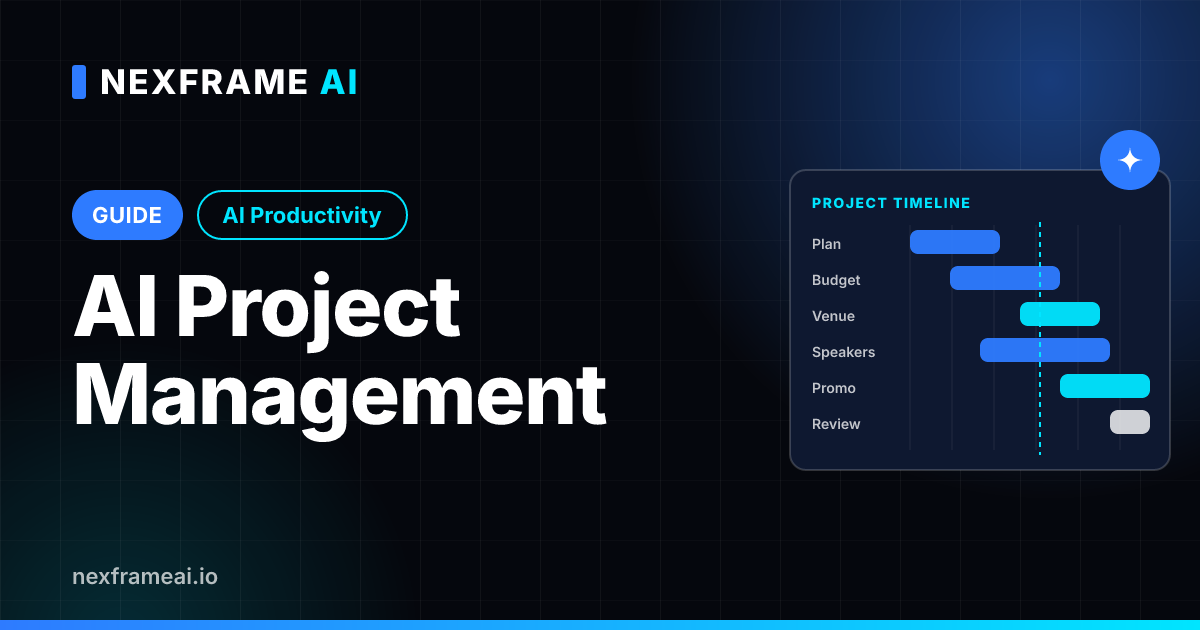
AI project management means using AI tools to do the heavy, repetitive parts of running a project: turning a goal into a task list, drafting estimates, writing status updates, pulling action points out of meeting notes and keeping a risk log current. It does not replace the person in charge. It gives that person a fast first draft of almost every document a project produces, so they can spend their time on decisions, people and problems.
This guide is for individuals and small teams. We cover what AI does well and badly, the main tools, prompts you can copy, a worked example from an events team in Abuja with naira costs, and a simple way to start this week.
What AI Project Management Actually Means
Project management has three layers. The thinking layer: what we are trying to achieve, in what order, and what could stop us. The paperwork layer: plans, trackers, updates, minutes and reports. The people layer: agreeing priorities, chasing work and keeping a client calm.
AI is strongest in the paperwork layer, useful in the thinking layer and weak in the people layer. A chatbot can turn a messy brain dump into a neat work breakdown in seconds, but it cannot tell you that your designer is quietly overwhelmed. For a small team, the paperwork layer is often what kills momentum: nobody writes the weekly update, so stakeholders get nervous. AI makes that layer cheap enough that it actually gets done.
Some project tools now also offer agents that take actions inside the tool, such as creating tasks or sending a scheduled summary. Our guide to what an AI agent is explains how they differ from a chatbot. For most small teams, a chatbot plus a simple tracker is still the right start.
Seven Uses That Save Real Time
1. Planning and Work Breakdown
Give the AI your goal, deadline, budget and team. The first draft will be generic; the value comes when you correct it with local detail. Our project plan template with AI walks through this step by step.
I am planning [PROJECT] with a team of [NUMBER] people: [ROLES]. The deadline is [DATE] and the budget is about [AMOUNT]. Break this into phases, then tasks under each phase. For each task give a suggested owner by role, a dependency if there is one, and a rough effort in days. Flag any task you think is missing information. Present it as a table.
2. Estimates
AI is good at listing what a task involves and poor at knowing how fast your team works. Use it to make estimates more complete, not more accurate.
Here is a task list with my rough estimates in days: [PASTE LIST]. For each task, list the sub-steps people usually forget, then give a best, likely and worst case estimate. Do not change my numbers; show yours alongside them and explain any big gaps in one sentence.
3. Status Updates
Paste what moved this week and ask for a short update in a fixed format, the same every week so readers know where to look.
Write a weekly status update for [AUDIENCE] from these notes: [PASTE NOTES]. Use four headings: Done this week, Next week, Blocked or at risk, Decisions needed from you. Keep it under 200 words, plain English, no jargon. If something in my notes is unclear, list it as a question at the end instead of guessing.
4. Meeting Notes to Actions
This is the quickest win. Our guide to AI meeting notes covers recording tools and consent.
From the meeting notes below, list: 1) decisions made, 2) action items as a table with columns Action, Owner, Due date, 3) open questions. If an action has no owner or date in the notes, write "Not agreed" rather than inventing one. Notes: [PASTE NOTES]
5. Risk Logs
AI is good at brainstorming what could go wrong. Ask for risks by category, then rate them yourself.
For a project to [PROJECT GOAL] in [CITY/COUNTRY], list 12 realistic risks across these categories: people, suppliers, money, technology, timing, external events. For each give a one-line description, an early warning sign, and a possible response. I will rate likelihood and impact myself, so leave those blank.
6. Stakeholder Updates
A client wants outcomes and dates, a sponsor wants budget and risk, and the team wants tasks. AI can rewrite one set of facts for each reader in a minute.
Rewrite this update for three audiences: the client (outcomes and dates, warm and confident tone), the finance lead (budget spent, budget left, any cost risks), and the team (tasks and owners). Use only facts in the text below. Update: [PASTE UPDATE]
7. Retrospectives
After the project, ask the AI to compare the plan with what happened, then turn the lessons into a standard process. Our SOP template with AI shows how to make that stick.
Compare the original plan and the actual outcome below. List where we slipped and the likely cause, then suggest three practices to keep and three to change next time. Be specific and avoid generic advice. Plan: [PASTE] Actual: [PASTE] Team comments: [PASTE]
What AI Does Well and What to Keep Human
| Task | What AI does well | What to keep human |
|---|---|---|
| Planning and breakdown | Fast first draft of phases and tasks, spotting missing steps | Choosing scope, saying no, setting priorities |
| Estimates | Listing hidden sub-steps, giving ranges | Final numbers based on your team's real speed |
| Status updates | Consistent format, clear wording, audience versions | Deciding what to admit, tone with a worried client |
| Meeting actions | Extracting actions, owners and dates from notes | Confirming owners actually agreed |
| Risk logs | Brainstorming risks and warning signs | Rating likelihood and impact, choosing responses |
| Stakeholder updates | Rewriting one set of facts for each reader | Relationships, negotiation, bad news conversations |
| Retrospectives | Comparing plan and reality, spotting patterns | Honest conversation, deciding what changes |
A simple rule: let AI write and suggest, and let people decide and commit.
The Tool Landscape
You have two broad options. Use the AI built into a project management tool, or use a general chatbot alongside a simple tracker. Many teams end up doing both.
AI Built Into Project Tools
Most well-known project apps now include an assistant. Names change, so check the vendor's site before you buy.
- Asana offers AI features and AI Studio, which Asana describes as a way to build AI-powered workflows inside projects.
- ClickUp has ClickUp Brain, which can summarise tasks, write updates and answer questions about your workspace.
- Notion has Notion AI for writing, summarising and searching across pages and databases, which suits teams that keep plans and notes in one place.
- Trello, Jira and Confluence (all Atlassian) use Atlassian's AI, now branded Rovo, for summaries, search and agents across work items.
- Monday.com includes AI features for writing, summarising and filling columns on boards.
- Microsoft Planner works with Microsoft 365 Copilot for organisations that already pay for Microsoft 365 and Copilot.
Built-in AI can see your tasks, comments and dates, so there is no copying and pasting. The downsides are cost, since AI is often limited to higher plans or sold as an add-on, and lock-in.
General Chatbots
ChatGPT, Claude, Gemini and Microsoft Copilot can all do every task in this guide if you paste in the information, and free tiers are enough to start. The trade-off is manual copying, which is usually fine for a freelancer or a team of three.
What It Costs, Roughly
Prices vary by plan, region and billing period, and they change often. As a clearly labelled estimate, paid project tools with AI tend to land somewhere around US$10 to US$30 per user per month once AI is included, which is roughly ₦14,500 to ₦43,500 per person at about ₦1,450 to the dollar. Exchange rates move, and card payments in dollars can attract bank charges, so check the vendor's pricing page and your bank's rate before you commit. A team of five on a mid-range plan could easily spend over ₦150,000 a month, which is why many small Nigerian teams start with free tools.
How to Start in One Week
You do not need a new tool to start.
- Day 1: Pick one live project. Write its goal as a SMART goal; our SMART goals with AI workflow helps here.
- Day 2: Use the planning prompt to create a task list. Edit it until it reflects reality.
- Day 3: Put the tasks in whatever tracker you already have, even a shared spreadsheet.
- Day 4: After your next meeting, run the meeting notes prompt and share the action table.
- Day 5: Write your first AI-assisted status update.
- Weekend: Use AI to plan the coming week. Our guide on how to plan your week with AI and the Eisenhower Matrix with AI workflow both help you decide what matters first.
After two weeks, notice where you still lose time. That tells you whether paying for built-in AI is worth it.
Worked Example: An Events Team in Abuja
Amaka, an invented example, runs a four-person events company in Abuja. A client has asked her to deliver a one-day industry conference for 300 guests in eight weeks, with a budget of about ₦25 million. Her team is Amaka (lead), a logistics coordinator, a marketing officer and a finance assistant who also handles vendors.
Planning. Amaka pastes a brain dump (venue, speakers, sponsors, registration, catering, AV, security, printing, airport transport) into the planning prompt. The AI returns six phases and 48 tasks. She deletes a few, adds two it missed (a generator backup plan and a permit check with the area council) and assigns owners.
Estimates. The AI suggests two days for securing a venue. Amaka knows good Abuja halls book out weeks ahead in conference season, so she moves venue booking to week one.
Risk log. The risk prompt adds items she had not written down: fuel price changes affecting the transport quote, network problems at registration and a sponsor paying late. She rates each one and adds responses, including a fixed-price clause with the bus company and a printed offline guest list.
Meetings and updates. The Monday meeting is recorded with everyone's agreement, and the meetings prompt turns the transcript into an action table posted to the team's WhatsApp group. On Friday, the stakeholder prompt gives the client a short update and the finance lead a spend summary.
Tools and cost. Amaka tests two options.
| Option | What it includes | Estimated monthly cost |
|---|---|---|
| Free chatbot plus Google Sheets and WhatsApp | Planning, updates and meeting actions by copy and paste | ₦0, plus data |
| Paid chatbot for Amaka only | Longer chats, file uploads, better models | About ₦29,000 (assuming about US$20) |
| Project tool with built-in AI for four users | Tasks, AI summaries and updates in one place | About ₦58,000 to ₦174,000 (assuming US$10 to US$30 per user) |
All figures are estimates at about ₦1,450 to US$1; exchange rates move and real prices depend on the plan. Amaka chooses the paid chatbot for herself and keeps the free spreadsheet for the team, a small cost against a ₦25 million project.
Retrospective. After the event, the retrospective prompt shows that every late task depended on a sponsor decision. Next time, sponsor deadlines go into the contract, and the plan becomes a reusable checklist.
Common Mistakes
- Trusting AI estimates as facts. The AI does not know your team, your suppliers or Abuja traffic. Set the number yourself.
- Pasting confidential client data into free tools. Remove names, contract values and personal details unless you know how the tool handles data. Check your client contract too.
- Letting AI assign owners. An action with a name next to it is only real when that person agrees. Confirm in the meeting or in the group chat.
- Buying a tool before fixing the process. If nobody updates the tracker today, a smarter tracker will not change that.
- Sending AI updates without reading them. A confident update with one wrong date damages trust faster than a late update. Read every line before sending.
FAQ
What is AI project management in simple terms?
It is using AI to help with the planning, tracking and communication work in a project. The AI drafts plans, updates and risk lists, and the project lead checks and decides.
Will AI replace project managers?
Not in any way that matters for most teams. AI takes over a lot of the writing and summarising, which changes what the job looks like, but judgement, negotiation and leading people remain human work. If you are thinking about a career that sits close to this, our guide to becoming an AI product manager explains a related role.
Which AI project management tool is best for a small team?
There is no single best tool. If your team already lives in one app, try its built-in AI first. If not, a free chatbot plus a shared spreadsheet is a cheap start; move to a paid tool when manual copying becomes the bottleneck.
Can I use free ChatGPT or Gemini for project management?
Yes. Free tiers handle planning, updates, meeting actions and risk lists if you paste in your notes. The limits are usage caps and, in some countries including Nigeria, ads on certain free plans.
Is it safe to put client information into AI tools?
Treat it with care. Read the tool's data policy, use business plans where data is not used for training if your contract requires it, and remove personal or financially sensitive details when you do not need them. In Nigeria, personal data of clients and guests is covered by the Nigeria Data Protection Act, so think before you paste.
How long does it take to see results?
Most people notice a difference within a week, usually from meeting actions and status updates. Better planning shows up over a full project cycle.
Where to Start
Choose one live project and use AI for just two jobs this week: turning meeting notes into actions and writing the Friday update. Those two habits alone make a small team look organised. Once they feel natural, add planning, risk logs and retrospectives. The goal is less time on paperwork and more time on the decisions only you can make.
Comments (0)
Sign in to post a comment.
- Be the first to comment.