AI Image Prompts: 48 Nano Banana and ChatGPT Prompts
48 copy ready AI image prompts for headshots, product shots, thumbnails, photo edits, social posts and art styles, each with a real Nano Banana sample image and a fill in prompt formula. Works in Nano Banana, ChatGPT and other image tools.
What's inside
- 01How image prompting works
- 02The 48 AI image prompts
- 03Nano Banana, ChatGPT and other image tools
- 04How to get better images
- 05Use AI images responsibly
- 06Keep going
Most AI images look generic because the prompt is generic. "A woman in an office" gives the model nothing to work with, so it fills every gap with the most average choice it knows. The 48 prompts below fill those gaps for you. Each one names the subject, the setting, the style, the light, the framing and the shape of the image, so you get something you can actually use for a profile photo, a product listing, a thumbnail or a post.
They are written for Nano Banana, the image model inside Google Gemini, and for image generation in ChatGPT. They also work in most other image tools that accept a plain text prompt. Replace everything in [SQUARE BRACKETS] with your own details, and upload your photo first whenever a prompt edits an existing image.
How image prompting works
A good image prompt answers the questions a photographer or designer would ask before starting. You do not need every part every time, but each one you leave out is a decision the model makes for you.
- Subject. Who or what is in the image, described specifically. "A young Nigerian software developer with short locs and round glasses" beats "a developer".
- Setting. Where the subject is and what surrounds it. Mention the background you want, even if it is plain.
- Style. A photograph, a 3D render, a watercolour, a flat vector illustration, a comic panel. Say it in the first sentence so it shapes everything else.
- Lighting. Soft window light, golden hour sunlight, bright studio light, moody low light. Light changes the feel of an image more than almost anything else.
- Camera and composition. Close up, waist up, wide shot, overhead, eye level. Say where the subject sits in the frame and how much empty space you need, for example room for a headline on the left.
- Aspect ratio. 1:1 for a profile photo or feed post, 4:5 for an Instagram portrait post, 9:16 for Stories, Reels and Shorts, 16:9 for a YouTube thumbnail or a slide.
- Text in the image. Put the exact words in quotation marks, keep them short and say where they go. Long sentences inside images still come out misspelled more often than short ones.
- What to keep unchanged. When you edit a photo, say what must stay the same: the face, the identity, the pose, the clothes or the background. Models change more than you asked for unless you tell them not to.
Build your own prompt
Fill in the boxes once and both formulas below update. Copy the one you need, paste it into Gemini or ChatGPT, and adjust a single detail at a time until the image is right.
Image prompt formulas
New image from a description
New image
When to use: Use this when you are creating an image from nothing.
Create {style} of {subject}, set in {setting}. The lighting is {lighting}. Frame it as {framing}. Make the image {ratio}. Text in the image: {text}. Keep the details realistic and natural, with no extra text, logos or watermarks.Edit a photo you upload
Edit a photo
When to use: Use this after you upload a photo and want one specific change.
Edit the photo I uploaded. Change only this: {change}. Keep {keep} exactly the same as in the original. Match the lighting, colour and grain of the original photo so the change looks natural. Keep the image {ratio}.The 48 AI image prompts
Search by keyword or filter by use. Prompts marked as edits expect you to upload a photo first. Each edit prompt already says what to keep unchanged, so the person in the photo still looks like themselves.
Every prompt shows a sample image. We ran each one once in Nano Banana 2 (Gemini 3.1 Flash Image) on 26 October 2026, with the brackets filled in as the caption says, and kept the first result, so you see what the prompt really does rather than the best of many tries. The people and products in the samples are made up by AI. Your results will differ each time you run a prompt.
AI image prompt library
Search covers titles, descriptions and the prompt text itself.
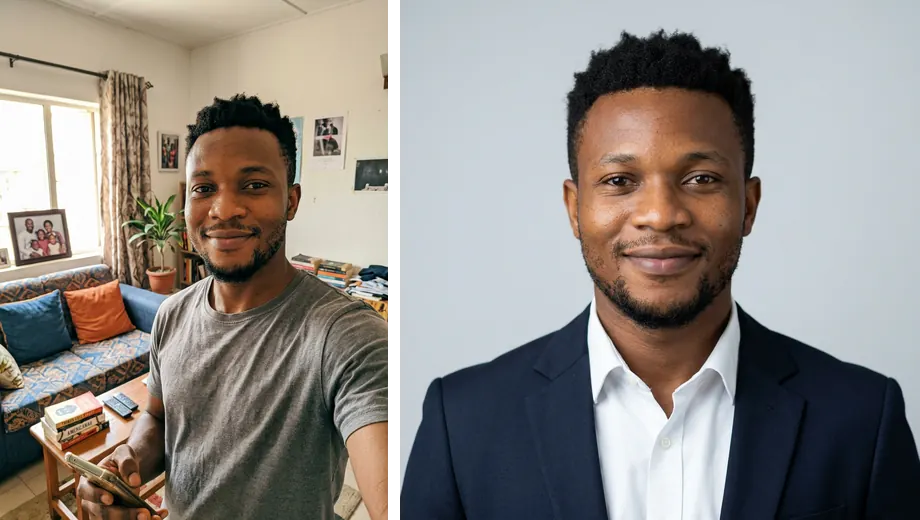
Professional LinkedIn headshot from a selfie
Turn a clear selfie into a clean, professional profile photo.
Headshots
Using the photo I uploaded, create a professional headshot of the same person. Keep their face, facial features, skin tone, hairstyle and identity exactly the same. Dress them in [OUTFIT, for example a navy blazer over a white shirt]. Use a plain [BACKGROUND COLOUR] studio background, soft and even studio lighting, and a head and shoulders crop at eye level. The expression should be a relaxed, natural smile. Square 1:1 image, sharp focus on the eyes, no filters and no retouching that changes their features.Corporate headshot in an office setting
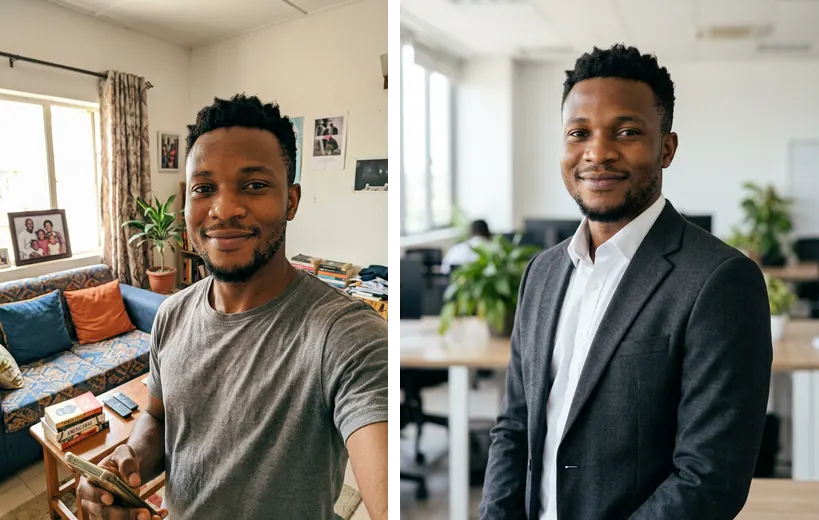
A headshot for a company website or speaker profile.
Headshots
Using the photo I uploaded, create a corporate portrait of the same person, keeping their face, identity and natural features unchanged. Place them in a bright modern office with a softly blurred background of desks and plants. They are wearing [OUTFIT] and are turned slightly to one side, looking at the camera. Soft window light from the left, shallow depth of field, framed from the chest up. Portrait 4:5 image with a realistic photographic finish.Outdoor natural light portrait
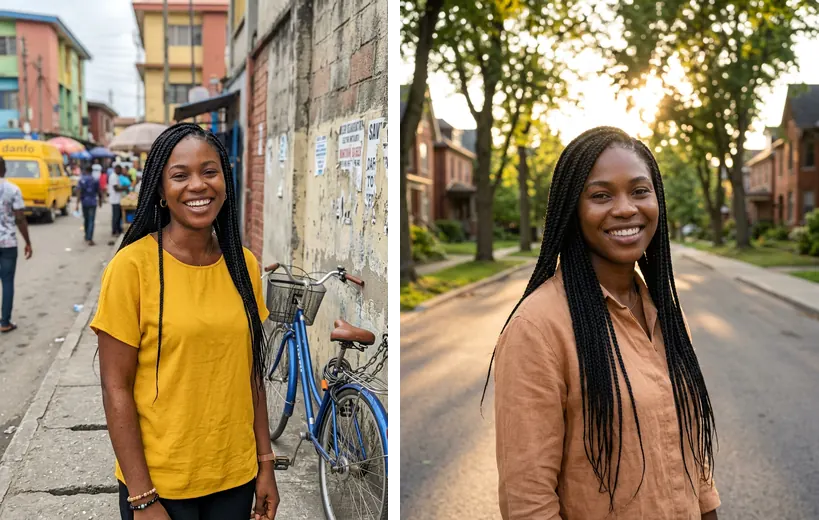
A warmer, friendlier profile photo for personal brands and creators.
Headshots
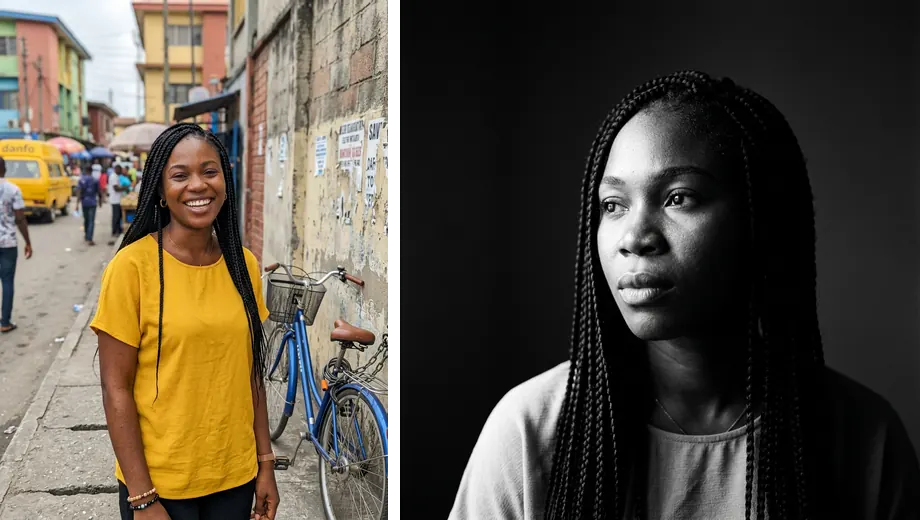
Using the photo I uploaded, create an outdoor portrait of the same person, keeping their face, skin tone, hair and identity exactly as they are. Place them in [LOCATION, for example a quiet tree lined street]. Golden hour sunlight from behind them, with gentle light on their face. Framed from the waist up, background softly blurred. Relaxed, confident expression. Portrait 4:5 image, natural colours, realistic photograph.Black and white editorial portrait
A striking portrait for an author bio, a feature article or a speaker card.
Headshots
Using the photo I uploaded, create a black and white editorial portrait of the same person. Keep their face, features and identity unchanged. Use dramatic side lighting from one window, deep shadows on one side of the face and a plain dark background. Close up framing from the shoulders up, the person looking slightly away from the camera. Fine film grain, high contrast, square 1:1 image.Fix the background of an existing headshot
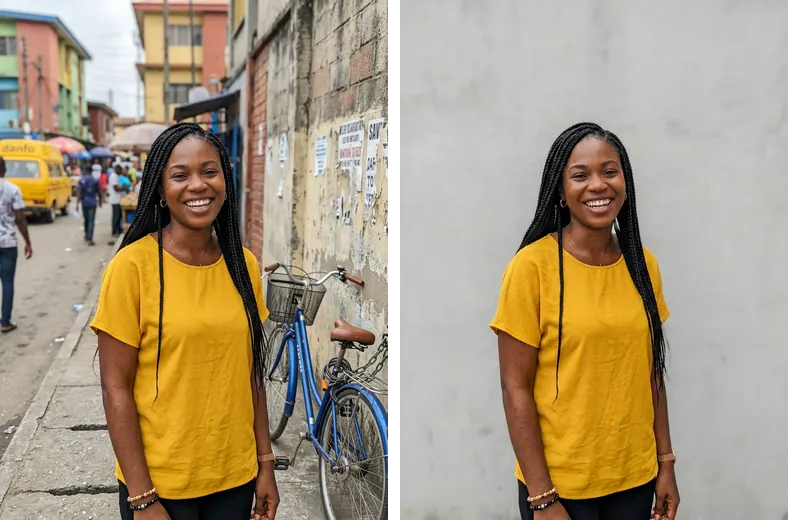
Keep your photo but replace a messy room behind you.
Headshots
Edit the photo I uploaded. Replace only the background with [NEW BACKGROUND, for example a plain light grey wall]. Keep the person, their face, hair, clothes, pose and lighting exactly the same. Make the edges around the hair look natural, and match the light on the new background to the light on the person.Change the outfit only
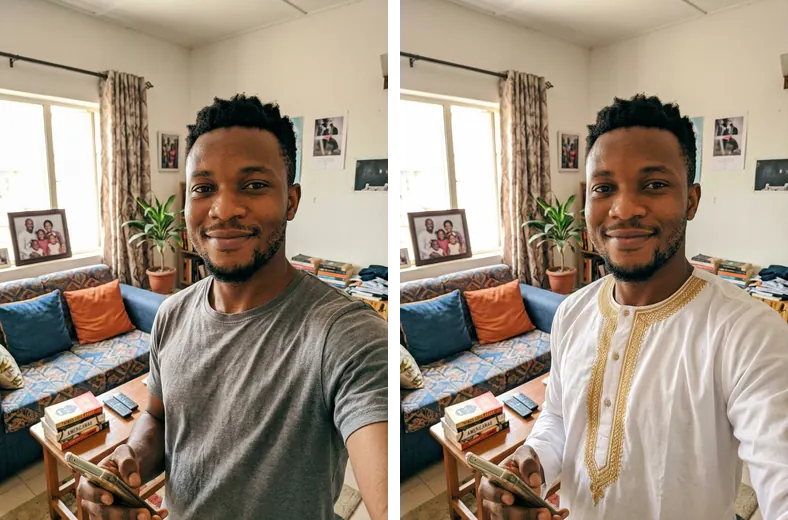
Try a more formal or more relaxed look without a new photo shoot.
Headshots
Edit the photo I uploaded. Change only the clothing to [NEW OUTFIT]. Keep the face, identity, hairstyle, pose, expression, background and lighting exactly the same. The new clothes should fit naturally, with realistic folds and shadows.Team headshots that match
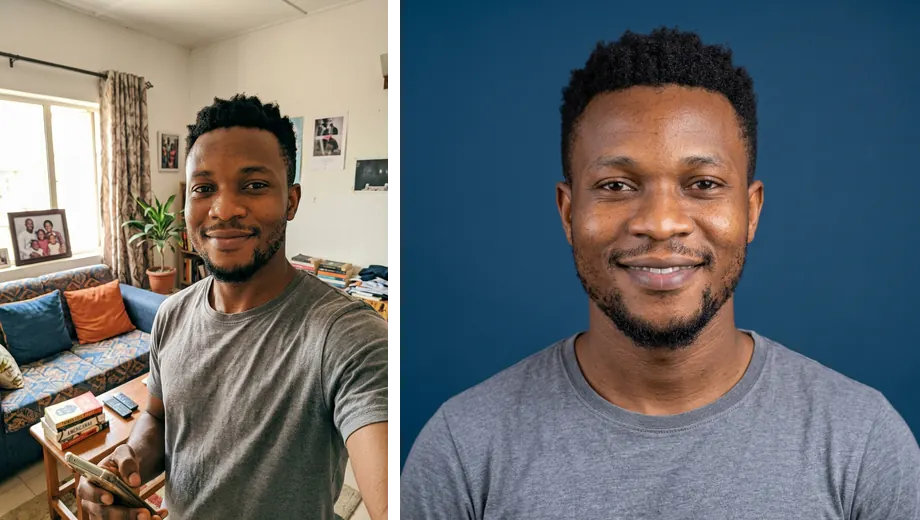
Give several team members the same style, so the team page looks consistent.
Headshots
Using the photo I uploaded, create a headshot of the same person in a consistent team style. Keep their face, identity and features unchanged. Use a solid [BRAND COLOUR] background, soft front lighting, a head and shoulders crop with the top of the head near the top of the frame, and the person facing the camera. Square 1:1 image. I will use this exact style for every person on the team, so keep the background colour, lighting and crop simple and repeatable.Illustrated avatar from a photo
A friendly illustrated profile picture that still looks like you.
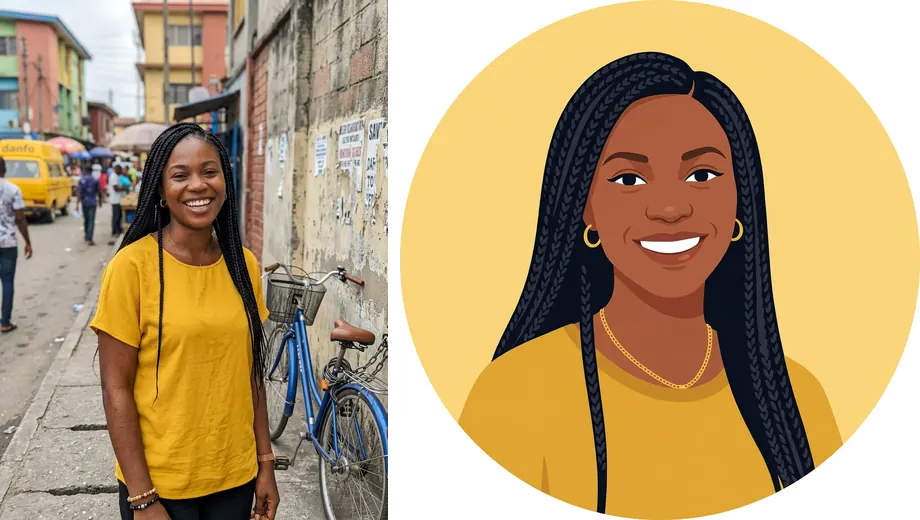
Headshots
Using the photo I uploaded, create an illustrated avatar of the same person in a [STYLE, for example flat vector or soft 3D] style. Keep their recognisable features: face shape, skin tone, hairstyle, glasses and any facial hair. Head and shoulders only, centred, on a plain [COLOUR] circle background. Clean shapes, friendly expression, square 1:1 image, no text.Clean product shot on white
A marketplace style product photo for a listing or online store.
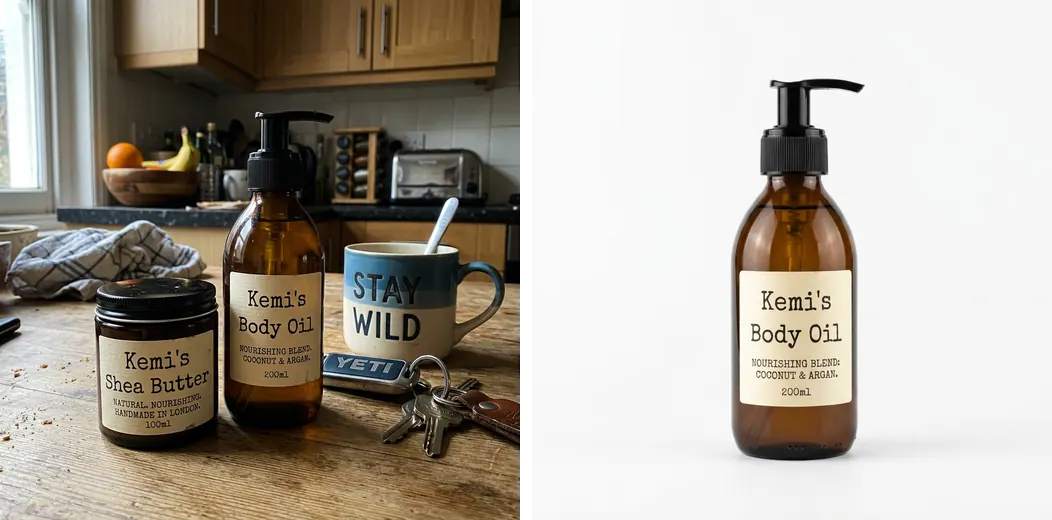
Product
Using the product photo I uploaded, create a clean studio product shot of the same product. Keep its shape, colours, label, logo and every printed word exactly as they are. Place it on a pure white background with a soft natural shadow underneath. Bright, even studio lighting, the product centred and filling about two thirds of the frame. Square 1:1 image, sharp focus, no extra props.Lifestyle product scene
Show the product in use, for ads and social posts.
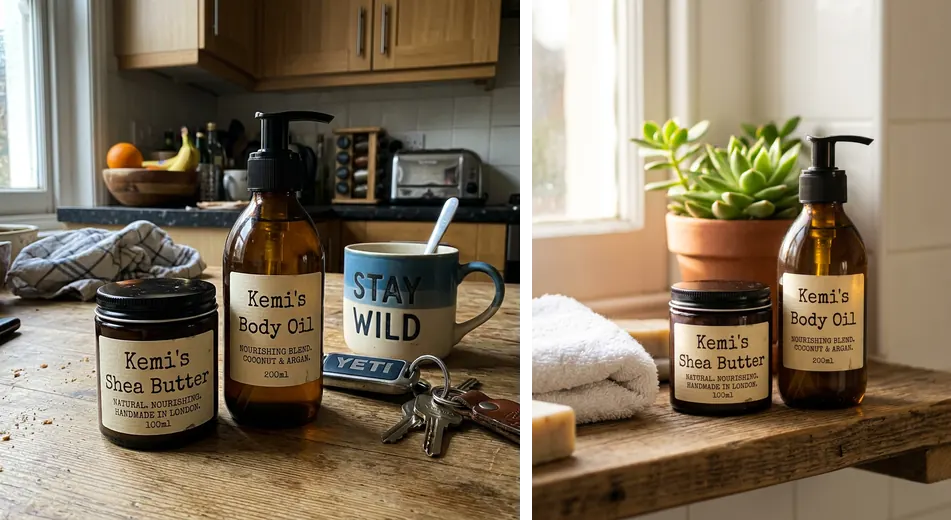
Product
Using the product photo I uploaded, place the same product in a lifestyle scene: [SCENE, for example on a wooden kitchen counter next to fresh fruit in morning light]. Keep the product's shape, colours, label and logo unchanged. Natural light from a window, shallow depth of field so the product is sharp and the background is soft. Portrait 4:5 image with a warm, realistic look.Flat lay from above
An overhead arrangement for skincare, stationery, food or fashion.
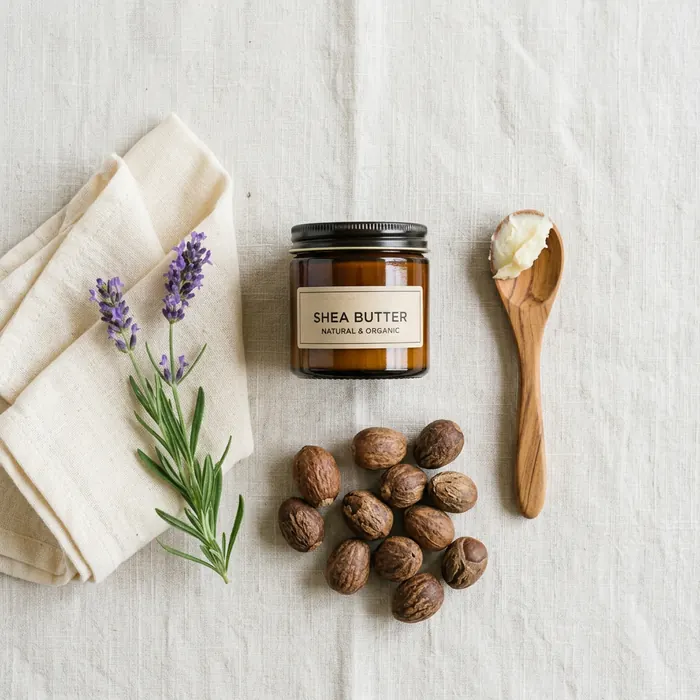
Product
Create an overhead flat lay photograph of [PRODUCT] arranged with [3 TO 5 RELATED ITEMS] on a [SURFACE, for example light linen or pale marble] surface. Neat, balanced arrangement with space between items. Soft, even daylight from above, gentle shadows. Square 1:1 image, realistic photograph, no text.Product on a coloured backdrop
A bold, brand coloured image that stands out in a feed.
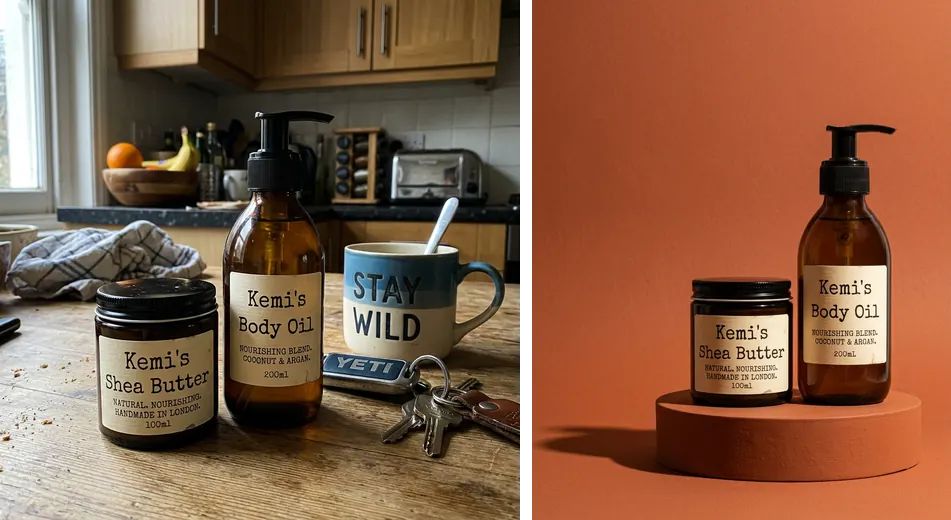
Product
Using the product photo I uploaded, create a bold studio shot of the same product on a seamless [COLOUR] background, with a matching coloured podium. Keep the product's design, label and colours exactly the same. Hard studio light from one side for a crisp shadow. Leave empty space on the [LEFT OR RIGHT] for text. Portrait 4:5 image.Food photo for a menu or delivery app
Make a dish look appetising and true to life.
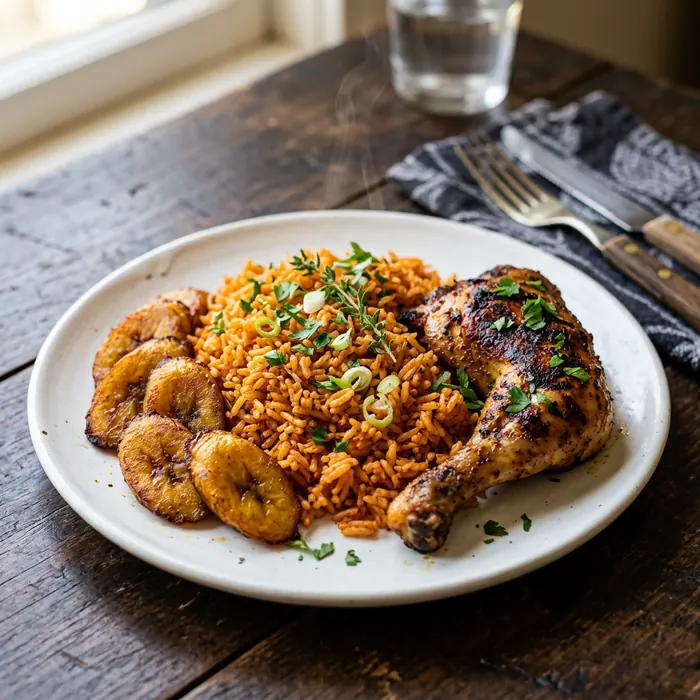
Product
Create a realistic food photograph of [DISH, for example a plate of jollof rice with fried plantain and grilled chicken] served on a [PLATE STYLE] on a [TABLE SURFACE]. Shot from a 45 degree angle, soft side light from a window, a little steam rising, garnish placed neatly. Background softly blurred. Square 1:1 image. The food should look fresh and real, not plastic or overly glossy.Packaging mockup
See a design idea on a box, bag or bottle before you print it.
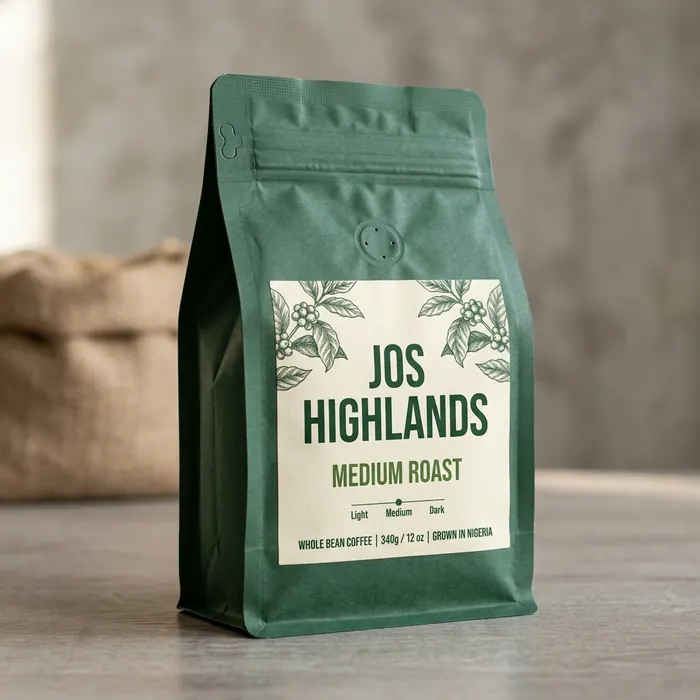
Product
Create a realistic product packaging mockup of a [PACKAGE TYPE, for example a matte paper coffee bag] for a brand called "[BRAND NAME]". The label shows the brand name in clear [FONT STYLE] lettering and the words "[SHORT PRODUCT NAME]". Colour scheme: [COLOURS]. Studio lighting on a neutral background, three quarter view. Square 1:1 image. Spell every word exactly as written.Clothing on a model
Show a garment on a person for a fashion listing.
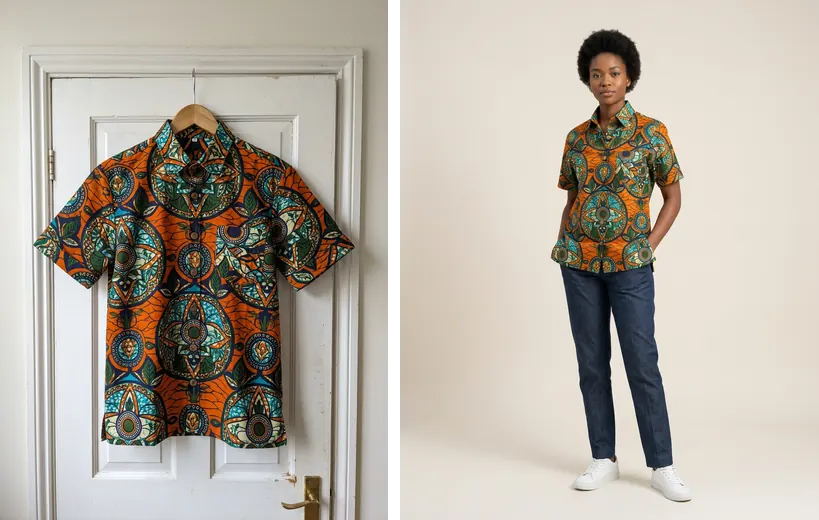
Product
Using the clothing photo I uploaded, show the same garment worn by a [MODEL DESCRIPTION] standing in a bright, minimal studio. Keep the garment's colour, fabric, pattern, cut and details exactly the same. Full body shot, relaxed pose, plain light background, soft even lighting. Portrait 4:5 image, realistic fashion photograph.Product range group shot
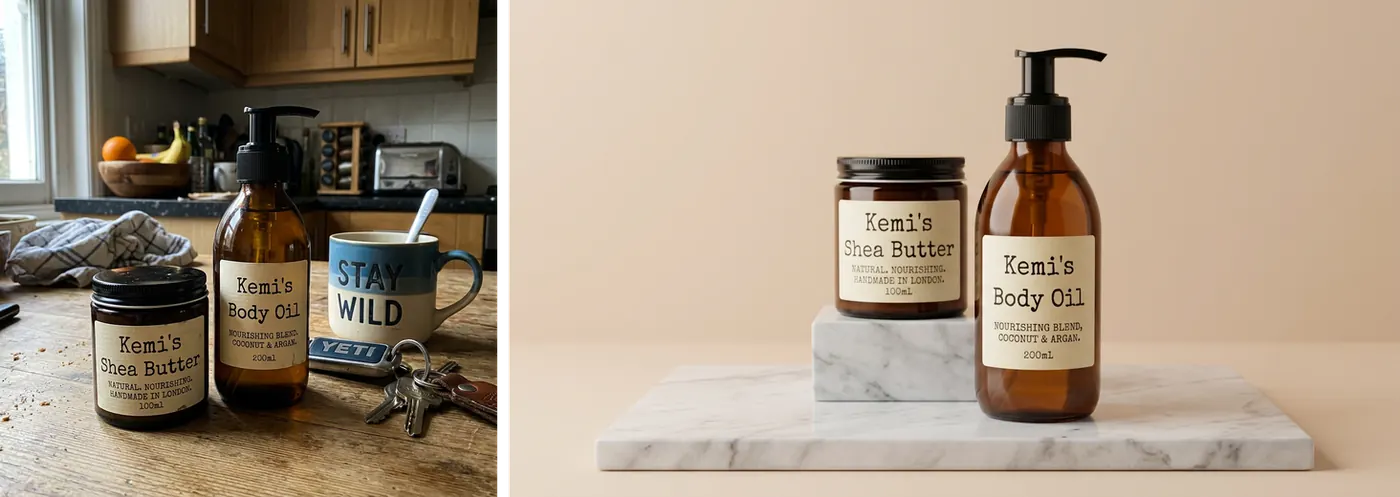
Show several products together for a launch or bundle.
Product
Using the product photos I uploaded, create one group shot with all [NUMBER] products arranged together on a [SURFACE] against a [BACKGROUND]. Keep each product's design, label and colours exactly as in its photo. Arrange them at slightly different heights, with the main product in front. Soft studio lighting, landscape 16:9 image, no extra text.YouTube thumbnail with a reaction
A clear, high contrast thumbnail with your face and one short phrase.

Thumbnails
Using the photo of me I uploaded, create a YouTube thumbnail. Keep my face and identity exactly the same, with a [EXPRESSION, for example surprised] expression. Place me on the right third of the frame, from the chest up. On the left, show [MAIN VISUAL, for example a laptop with a glowing chart]. Add the words "[2 TO 4 WORDS]" in large, bold white letters with a dark outline, top left. Bright, saturated colours and a simple background. Landscape 16:9 image. Spell the words exactly as written.Before and after thumbnail
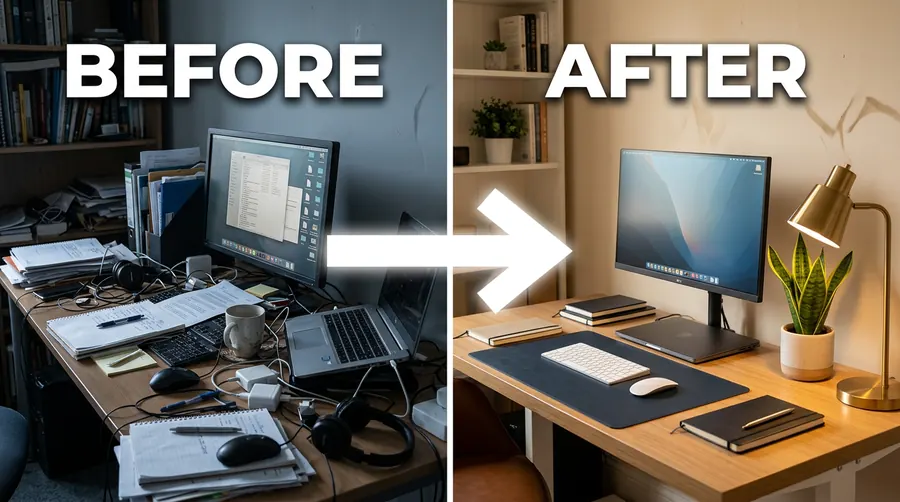
A split screen layout for transformation videos.
Thumbnails
Create a YouTube thumbnail split into two halves. Left half: [BEFORE SCENE] in dull, cooler colours, labelled "BEFORE". Right half: [AFTER SCENE] in bright, warm colours, labelled "AFTER". A thick white arrow points from left to right across the middle. Labels in bold white capital letters. Landscape 16:9 image, clean and easy to read at a small size.Faceless tutorial thumbnail
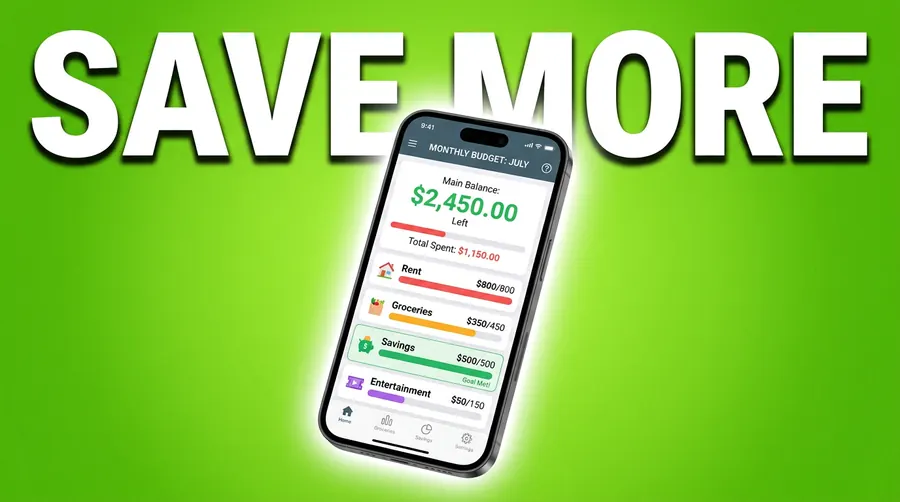
For channels that do not show a presenter.
Thumbnails
Create a YouTube thumbnail for a tutorial about [TOPIC]. Show [OBJECT OR SCREEN, for example a phone showing a budgeting app] large in the centre, slightly tilted, with a soft glow behind it. Solid [COLOUR] background. Add the words "[SHORT TITLE, 3 WORDS MAX]" in big bold letters across the top. No people. Landscape 16:9 image with strong contrast so it reads well at a small size.Podcast episode cover
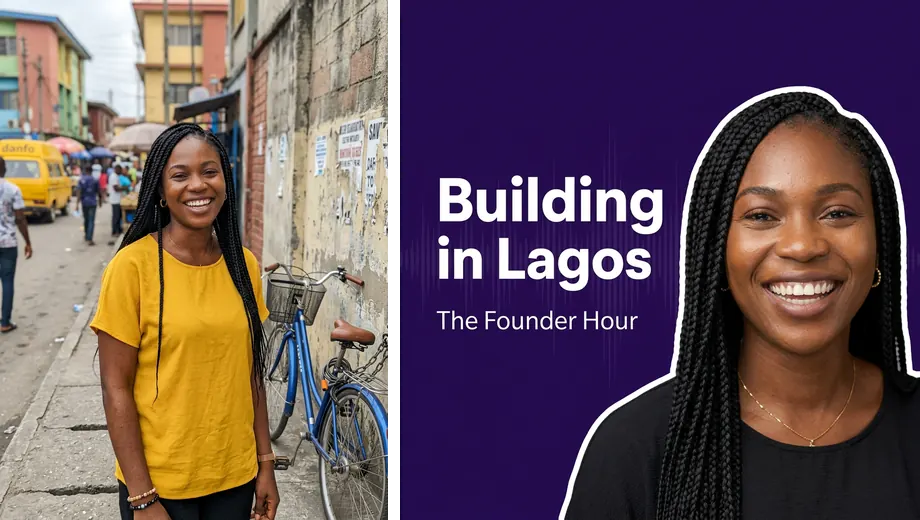
A square cover for a podcast episode or audio clip.
Thumbnails
Using the photo I uploaded, create a podcast episode cover. Keep the guest's face and identity exactly the same, cut out from the shoulders up and placed on the right. Background: [BRAND COLOUR] with a subtle sound wave pattern. On the left, the episode title "[TITLE]" in bold white letters and the show name "[SHOW NAME]" in smaller letters below it. Square 1:1 image. Spell every word exactly as written.Thumbnail background only
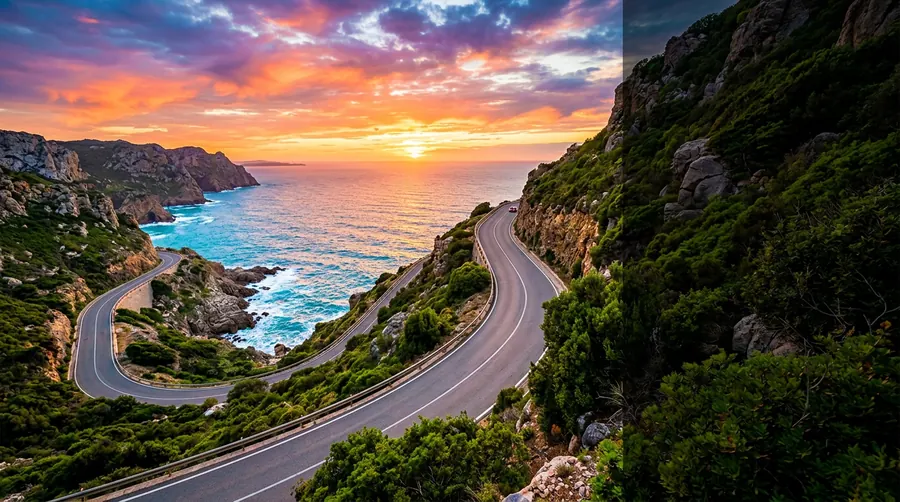
A background plate you can add your own photo and text to later.
Thumbnails
Create a background image for a YouTube thumbnail about [TOPIC]. Show [SCENE] with strong depth and bright, saturated colours. Keep the right third of the image simple and slightly darker so a person can be placed there later, and keep the top left clear for text. No people and no text. Landscape 16:9 image.Blog post header image
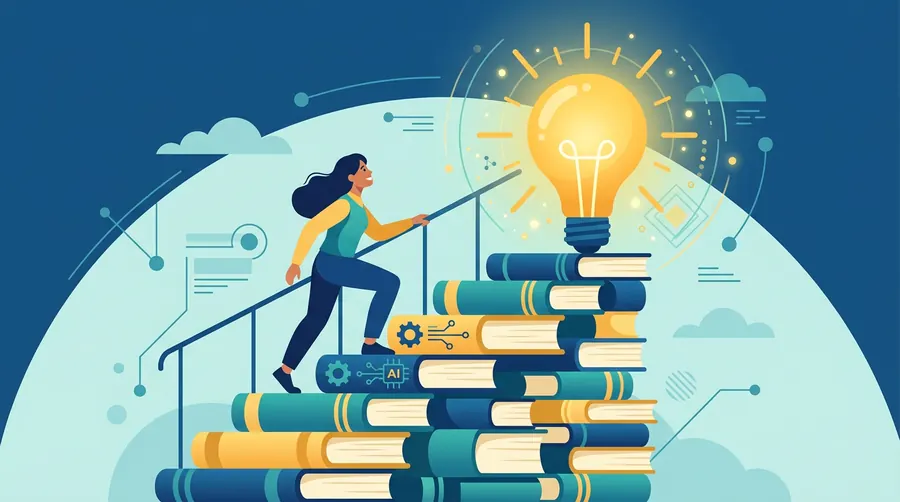
A wide header that matches the topic of an article.
Thumbnails
Create a wide header image for a blog post titled "[POST TITLE]". Show [VISUAL IDEA THAT REPRESENTS THE TOPIC] in a [STYLE, for example clean flat illustration] style using the colours [COLOURS]. Simple composition with one clear focal point. No text in the image. Landscape 16:9 image.Restore an old damaged photo
Repair scratches, creases and fading in an old family photo.
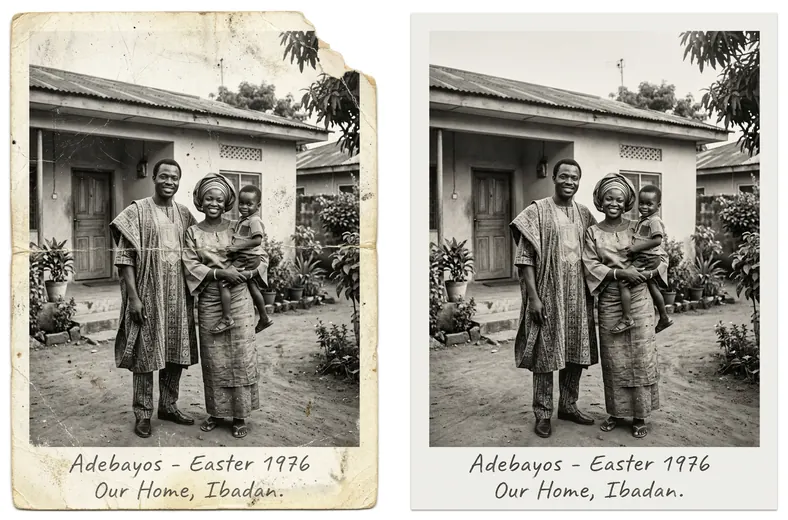
Photo edits
Restore the old photo I uploaded. Remove the scratches, creases, dust spots and stains, and repair any torn areas. Keep every person's face, expression, features, clothing and pose exactly as they are in the original. Do not add or remove people or objects. Improve sharpness and contrast gently, and keep the original black and white tones and the feel of the period.Remove an object or person
Clear a distraction from the background of a photo.
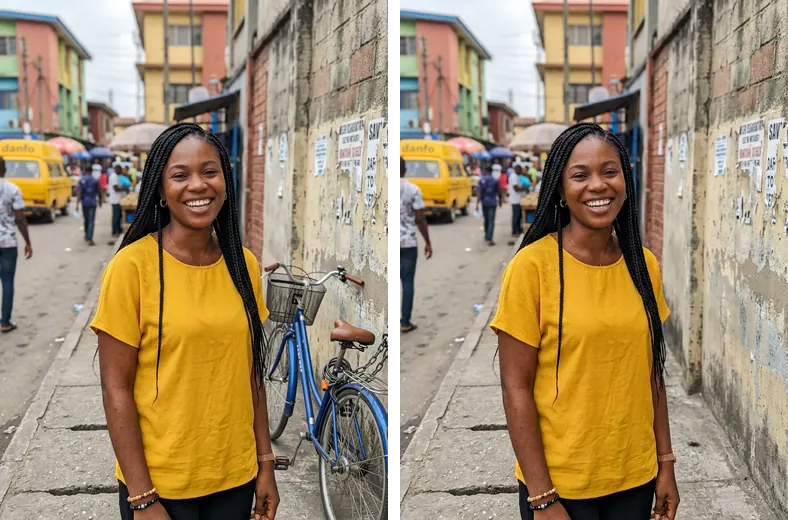
Photo edits
Edit the photo I uploaded. Remove [OBJECT OR PERSON TO REMOVE] and fill the space with background that matches the surroundings naturally. Keep everything else exactly the same, including the main subject's face, pose, clothes, the lighting and the colours.Change the background scene
Move the subject to a new place while keeping them unchanged.
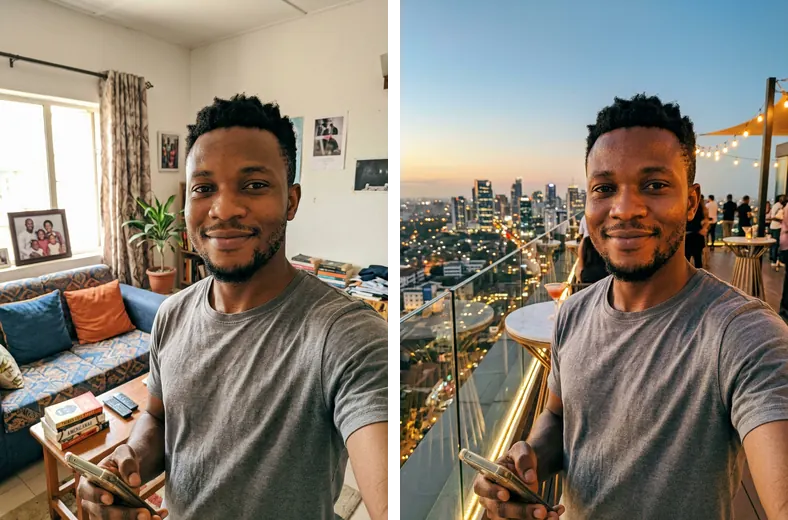
Photo edits
Edit the photo I uploaded. Place the person in [NEW LOCATION]. Keep their face, identity, body, pose, clothing and expression exactly the same. Match the new background's lighting direction, colour temperature and perspective to the person so it looks like one real photograph.Fix the lighting of a dark photo
Rescue a photo taken in poor light.
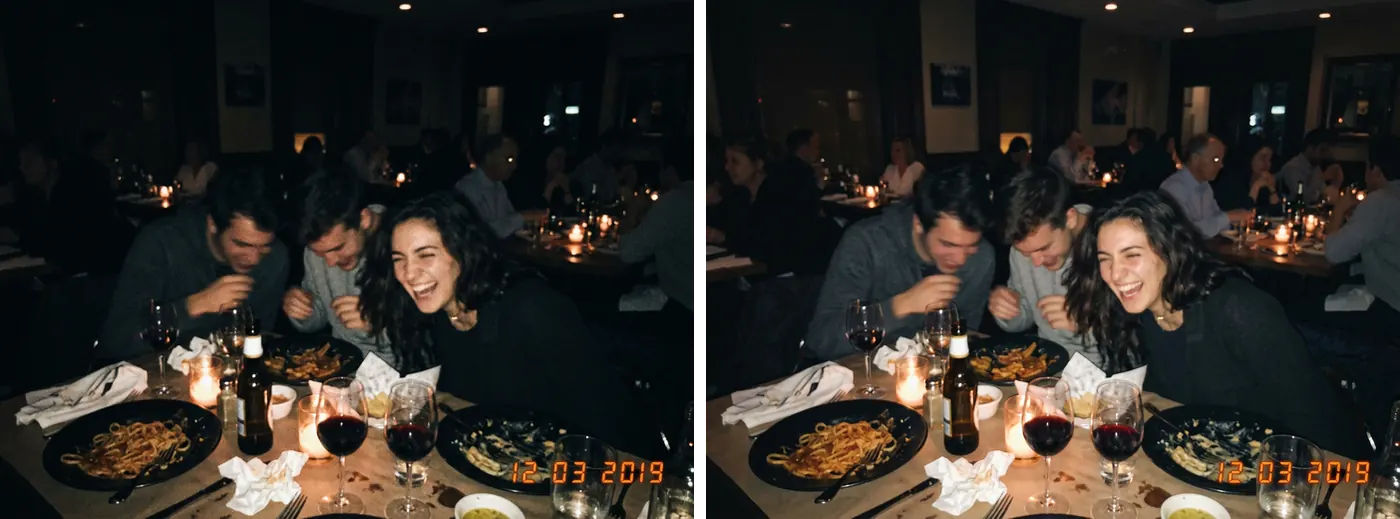
Photo edits
Edit the photo I uploaded. Brighten it and balance the lighting so faces are clearly visible and the colours look natural. Reduce the grain from low light. Keep everything else exactly the same: faces, features, expressions, poses, clothing and the scene. Do not add or remove anything.Extend a photo to a new shape
Turn a portrait photo into a landscape image without cropping the subject.
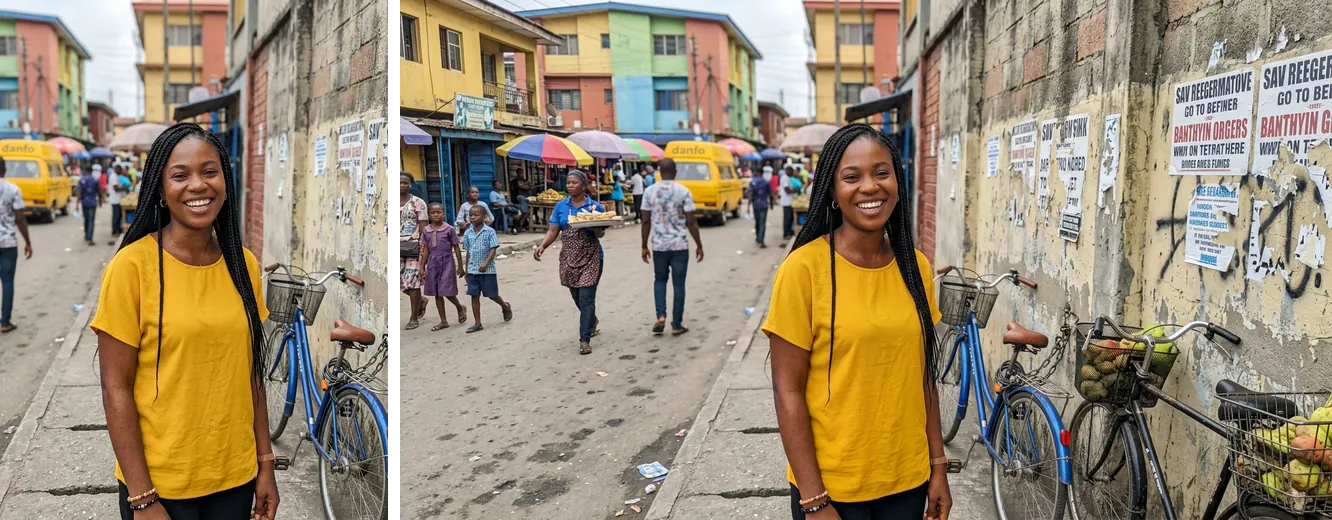
Photo edits
Extend the photo I uploaded to a [NEW RATIO, for example 16:9] image by continuing the scene naturally on both sides. Keep the original part of the photo, including the people and their faces, exactly as it is. The new areas should match the lighting, perspective and style of the original.Combine two photos into one
Put two people, or a person and a product, in one natural scene.
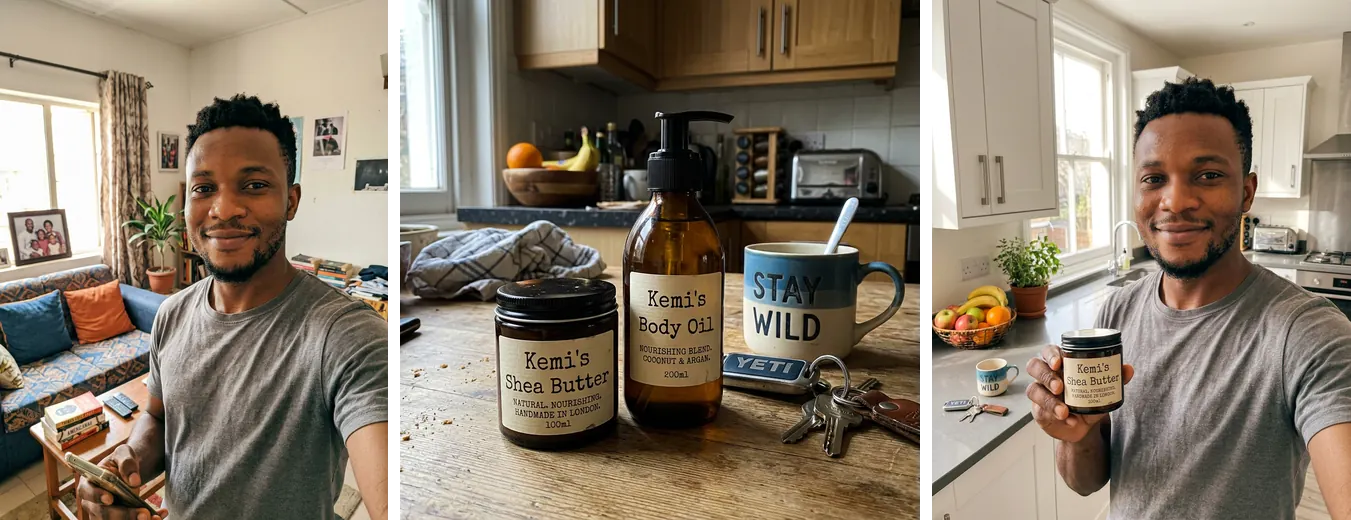
Photo edits
Combine the two photos I uploaded into one realistic image. Place [SUBJECT FROM PHOTO 1] and [SUBJECT FROM PHOTO 2] together in [SETTING]. Keep each person's face, identity and features exactly as in their own photo, and keep any product's design unchanged. Match the lighting, scale and colour so they look like they were photographed together.Character reference sheet
Create one sheet you can upload later to keep a character consistent.
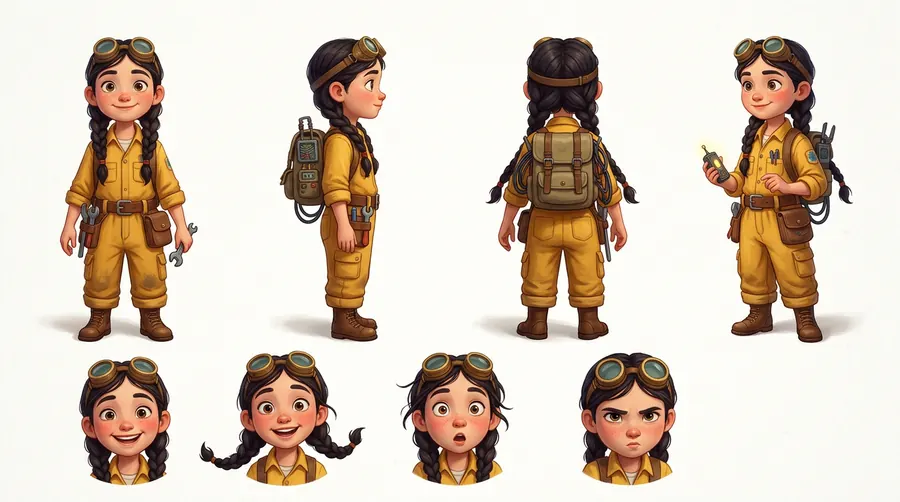
Photo edits
Create a character reference sheet for [CHARACTER DESCRIPTION] in a [STYLE] style. Show the same character four times on a plain white background: from the front, from the side, from behind and in a three quarter view, all in the same outfit and at the same size. Add a row of three facial expressions: happy, surprised and serious. Landscape 16:9 image, no text.Remove a watermark of your own
Clean up your own photo that has an old date stamp or your own logo on it.
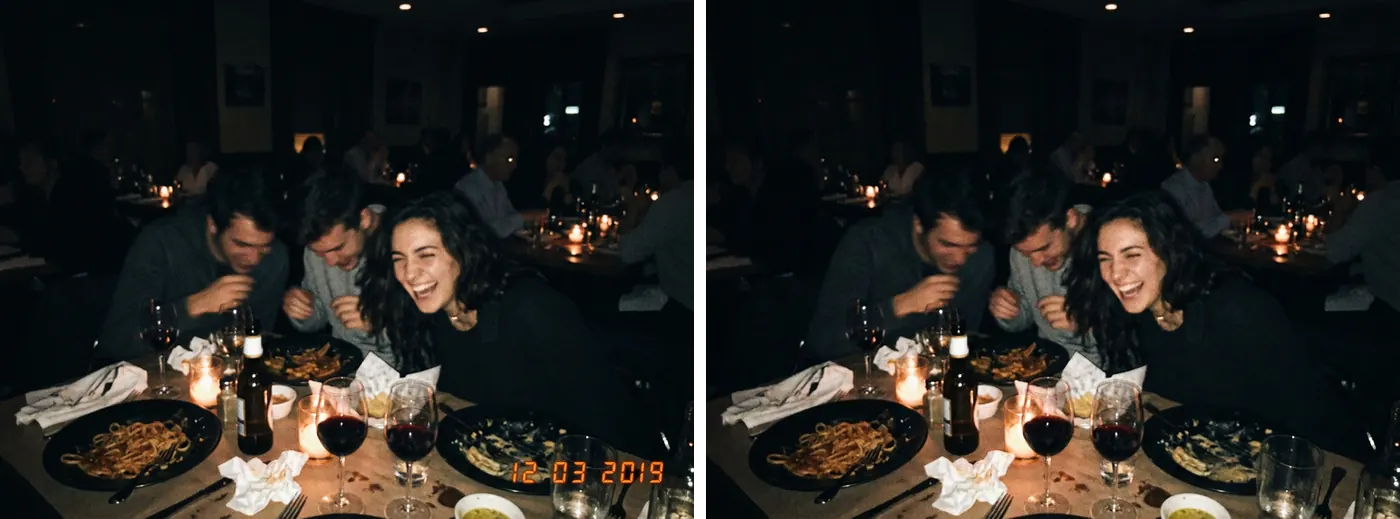
Photo edits
Edit the photo I uploaded, which is my own photo. Remove the [DATE STAMP OR MY OLD LOGO] in the [POSITION] corner and fill the area so it matches the surrounding image. Keep everything else exactly the same.Quote card
A clean post with a short quote or tip.
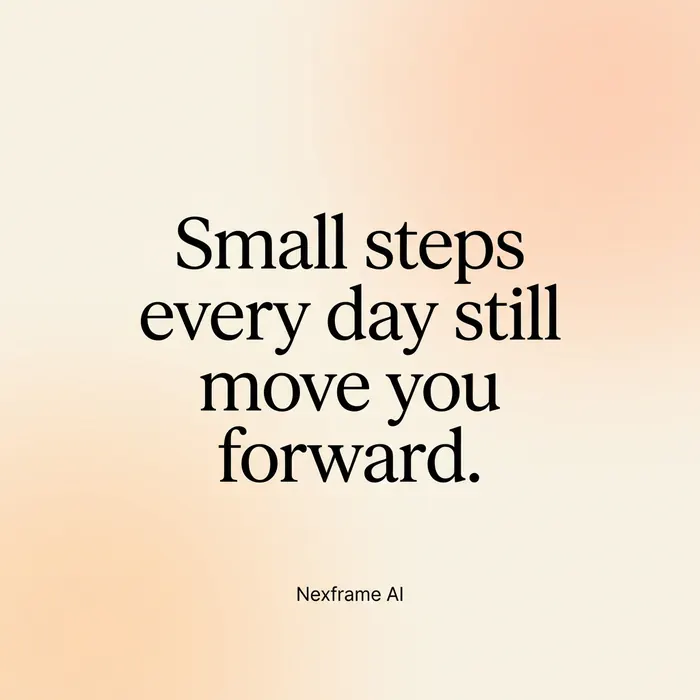
Social
Create a square social media quote card. Background: [BACKGROUND, for example a soft gradient from cream to light peach]. In the centre, the quote "[SHORT QUOTE, UNDER 15 WORDS]" in large, elegant [SERIF OR SANS SERIF] letters, and below it "[NAME OR HANDLE]" in small letters. Plenty of empty space around the text. Square 1:1 image. Spell every word exactly as written.Event flyer
A simple flyer for a meetup, class, church event or launch.
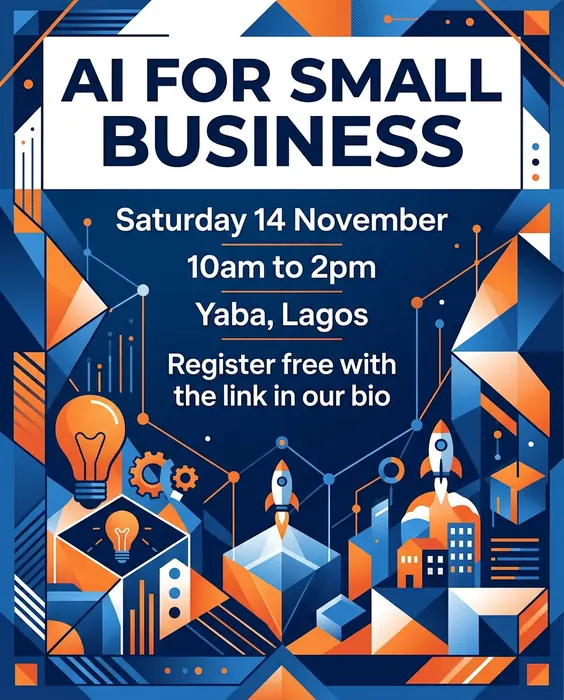
Social
Create a modern event flyer for "[EVENT NAME]". Include these lines exactly: "[DATE]", "[TIME]", "[VENUE]" and "[ONE LINE CALL TO ACTION]". Visual style: [STYLE] with the colours [COLOURS]. Clear layout with the event name largest at the top and the details below. Portrait 4:5 image. Spell every word and number exactly as written, and add no other text.Instagram carousel cover
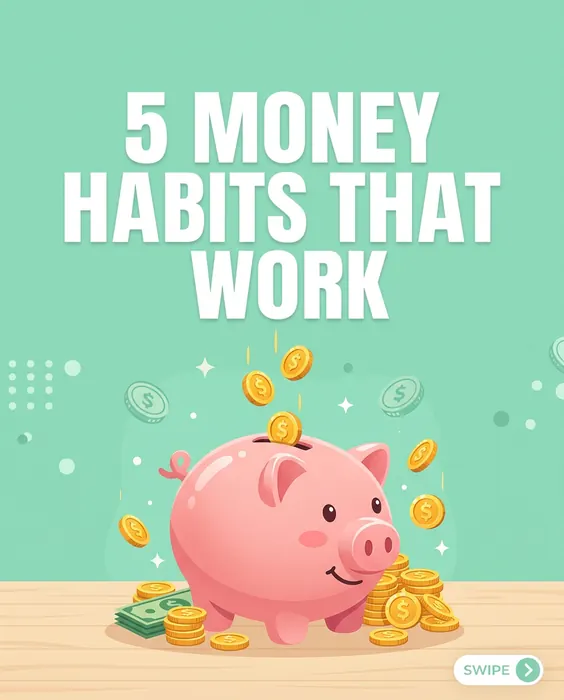
The first slide of a carousel that makes people swipe.
Social
Create the cover slide of an Instagram carousel about [TOPIC]. Large bold headline "[HEADLINE, UNDER 8 WORDS]" in the upper half. In the lower half, a simple illustration of [VISUAL]. Background colour [COLOUR], with a small arrow in the bottom right corner suggesting a swipe. Portrait 4:5 image. Spell the headline exactly as written.Story or Reel background
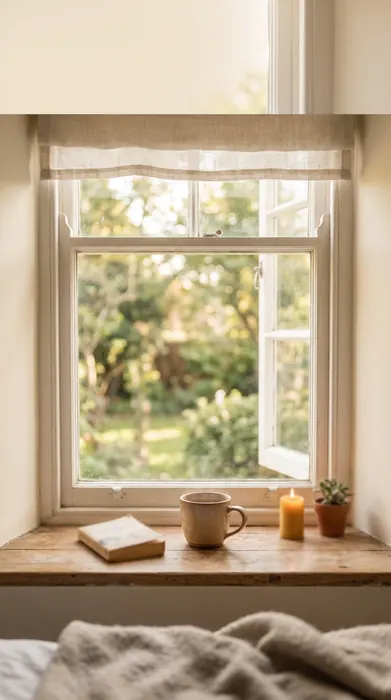
A vertical background with room for captions or stickers.
Social
Create a vertical background image for an Instagram Story about [TOPIC]. Show [SCENE] in soft, slightly blurred focus so text on top stays readable. Keep the top quarter and bottom quarter simple and uncluttered. Colour mood: [MOOD, for example calm and warm]. Portrait 9:16 image, no text.Infographic style tip post
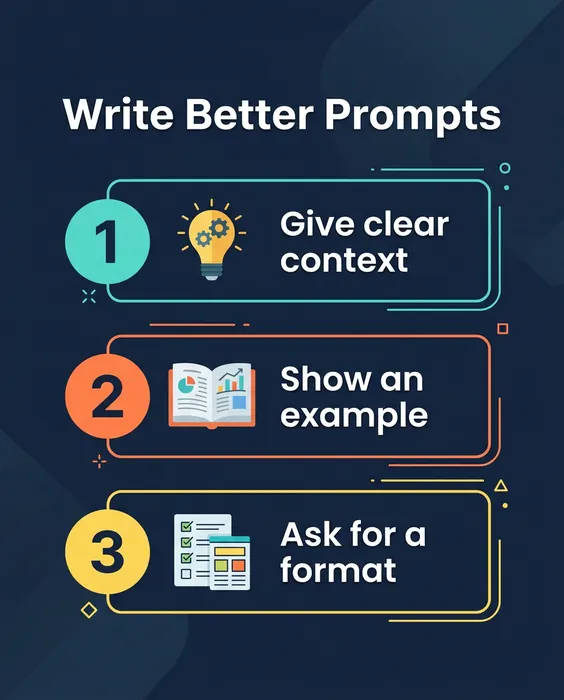
A post that explains three steps or tips at a glance.
Social
Create a simple infographic style social post titled "[TITLE]". Show three numbered steps, each with a small flat icon and a short label: 1. "[STEP 1, 2 TO 4 WORDS]", 2. "[STEP 2, 2 TO 4 WORDS]", 3. "[STEP 3, 2 TO 4 WORDS]". Clean flat design on a [COLOUR] background with high contrast text. Portrait 4:5 image. Spell every word exactly as written.Meme style reaction image
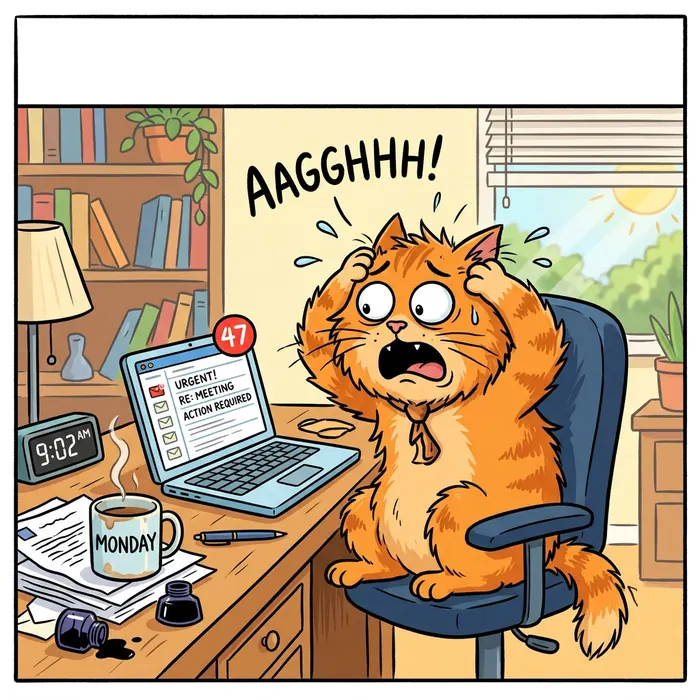
A light, relatable image for engagement posts. No real people.
Social
Create a funny, relatable image of [ORIGINAL CHARACTER, for example a cartoon cat at a desk] reacting to [SITUATION, for example a laptop showing 47 unread emails on a Monday]. Expressive face, simple cartoon style, bright colours. Leave a clear band at the top for a caption I will add myself. Square 1:1 image, no text.Greeting card for a holiday or celebration
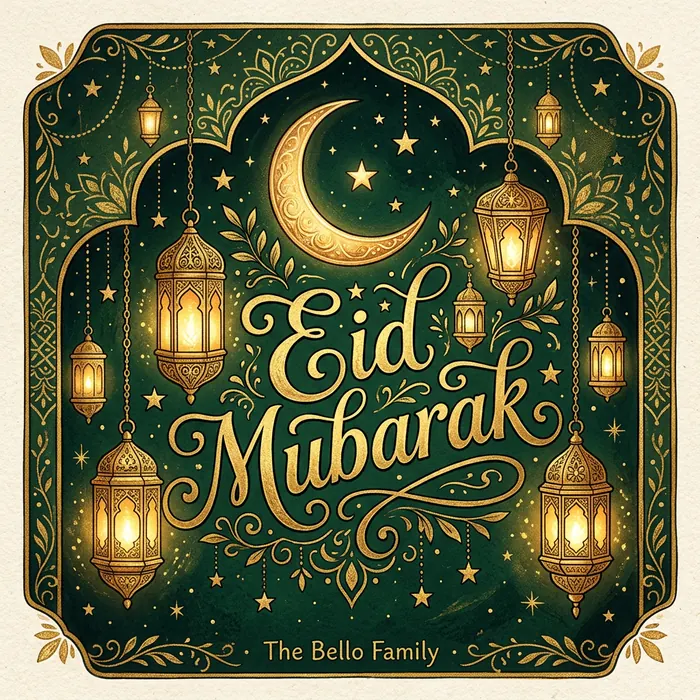
A warm image for holidays, birthdays and milestones.
Social
Create a warm greeting image for [OCCASION, for example Eid, Christmas or a company anniversary]. Show [VISUAL ELEMENTS] in a [STYLE] style using [COLOURS]. Add the words "[GREETING]" in elegant lettering, and "[BRAND OR NAME]" small at the bottom. Square 1:1 image. Spell every word exactly as written.Watercolour illustration
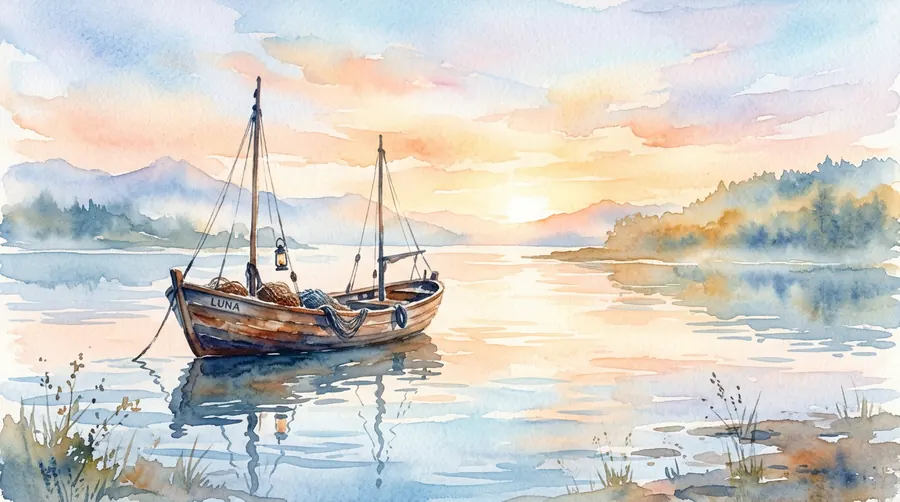
A soft, hand painted look for posts, cards and book covers.
Art styles
Create a watercolour illustration of [SUBJECT] in [SETTING]. Loose brush strokes, soft colour bleeds at the edges and visible paper texture. Palette of [COLOURS]. Gentle, calm mood. [RATIO] image, no text.Soft 3D render
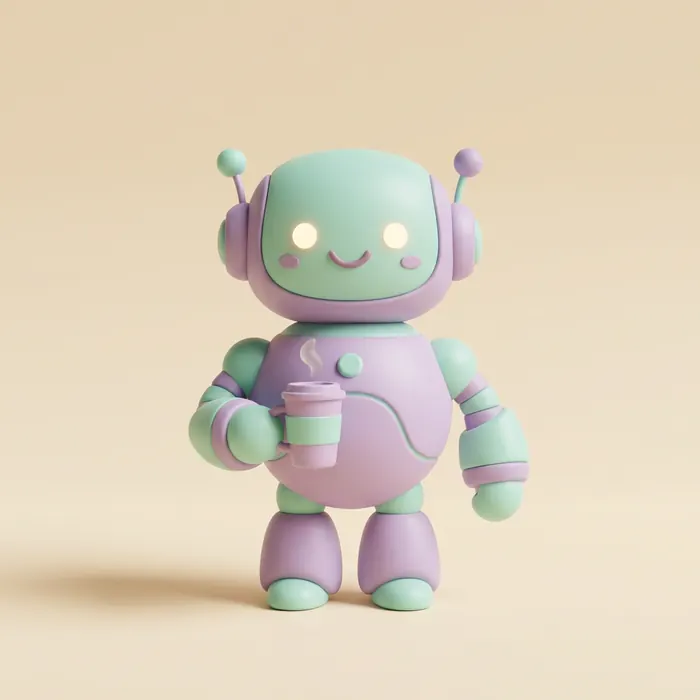
Rounded, toy like 3D shapes for icons, mascots and app visuals.
Art styles
Create a soft 3D render of [SUBJECT] with rounded shapes, smooth matte materials and pastel [COLOURS]. Soft studio lighting with gentle shadows on a plain [COLOUR] background. Centred composition, playful and friendly feel. Square 1:1 image, no text.Flat vector illustration
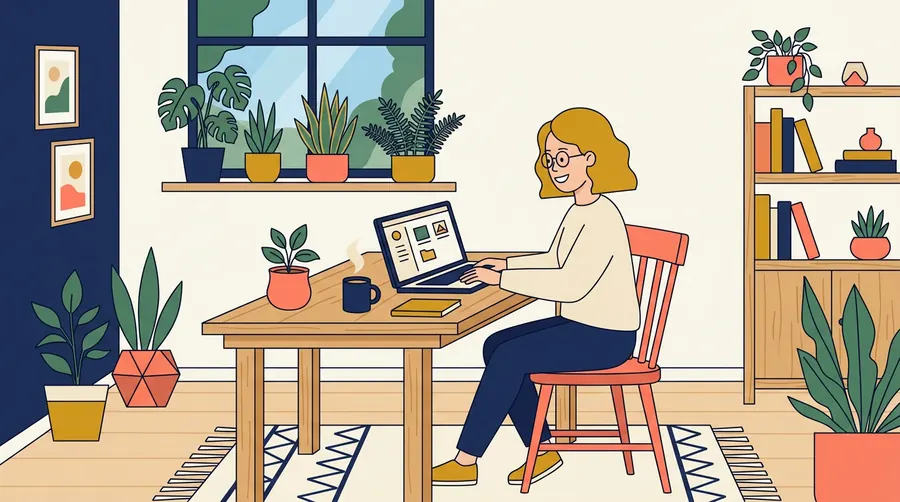
Clean, simple shapes for websites, slides and explainer graphics.
Art styles
Create a flat vector illustration of [SCENE]. Simple geometric shapes, no gradients, a limited palette of [3 TO 4 COLOURS], thin consistent outlines or none. Friendly, modern look with plenty of empty space. Landscape 16:9 image, no text.Comic book panel
A dramatic panel for storytelling posts or short comics.
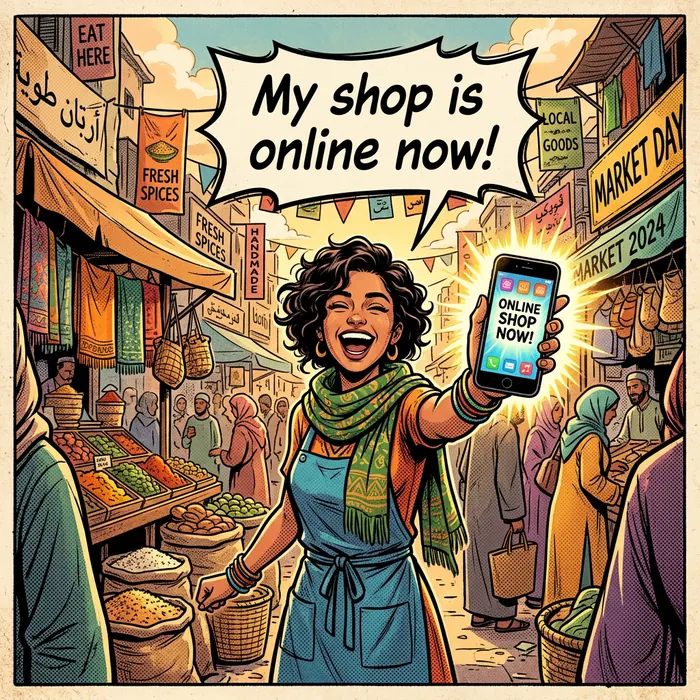
Art styles
Create a single comic book panel showing [CHARACTER] [ACTION] in [SETTING]. Bold ink outlines, halftone dot shading and strong, saturated colours. Dynamic camera angle from [ANGLE, for example slightly below]. Add one speech bubble with the words "[SHORT LINE]". [RATIO] image. Spell the words exactly as written.Cinematic film still
A moody, movie like frame for storytelling and covers.
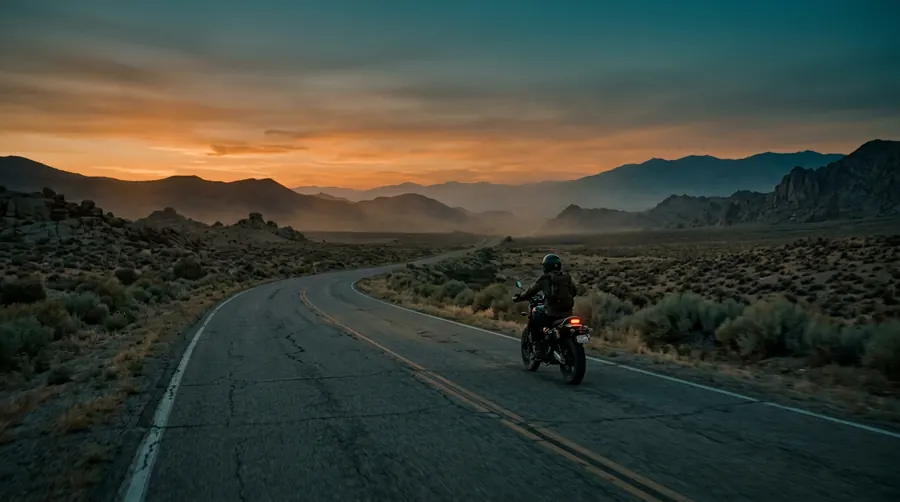
Art styles
Create a cinematic film still of [SUBJECT] in [SETTING] at [TIME OF DAY]. Wide shot, anamorphic look, subtle film grain, colour graded in [COLOUR MOOD, for example teal and orange]. Atmospheric light with [ELEMENT, for example light rain or haze]. Landscape 16:9 image, no text.Line art colouring page
Clean outlines for a printable colouring page or activity sheet.
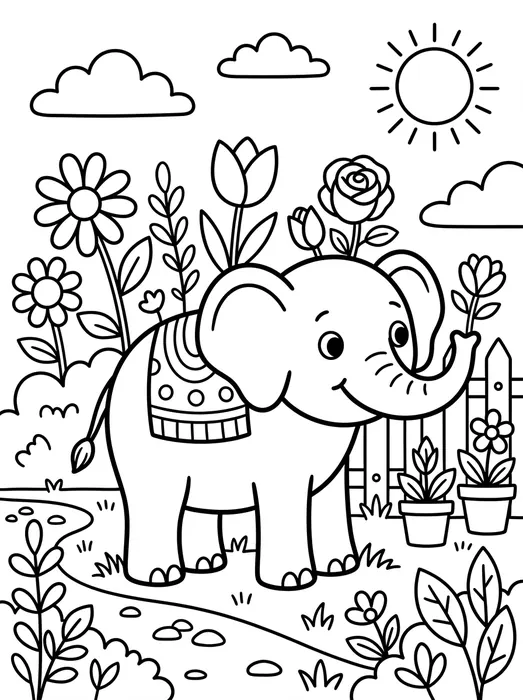
Art styles
Create a black and white line art colouring page of [SUBJECT] for [AGE GROUP]. Clean, closed outlines, no shading, no grey tones and a plain white background. Simple enough to colour with crayons, with a few larger areas and some small details. Portrait 3:4 image, no text.Logo concept sketch
Explore logo ideas before you brief a designer.
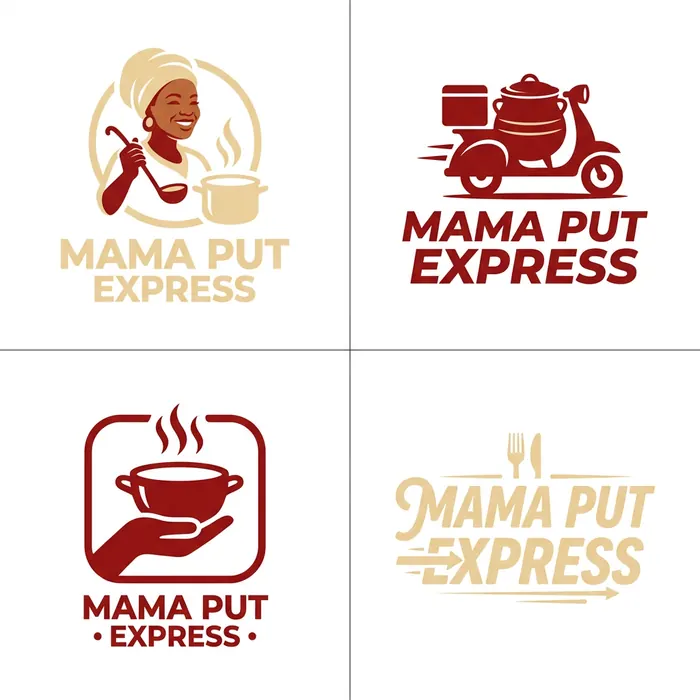
Business
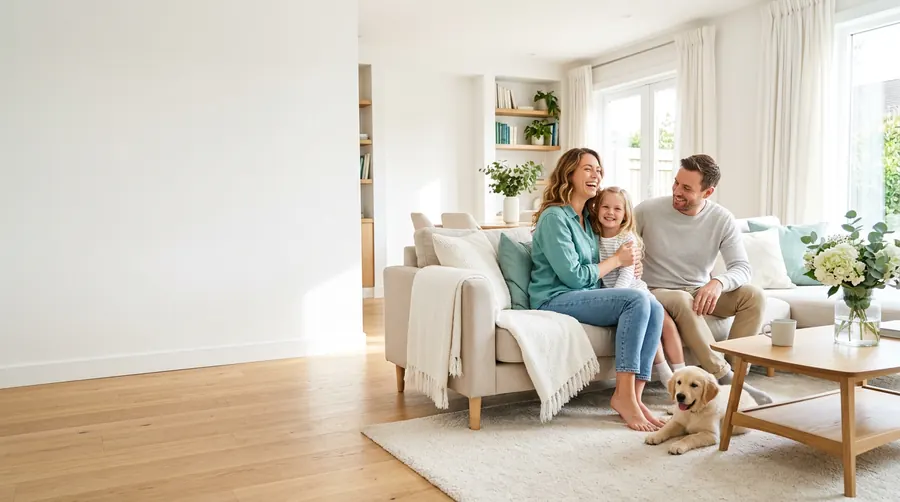
Create four simple logo concepts for a business called "[BUSINESS NAME]" that [WHAT THE BUSINESS DOES]. Flat, minimal designs that work in one colour, using [COLOURS]. Show the four concepts in a 2 by 2 grid on a white background, each with the business name spelled exactly as written. Square 1:1 image.Website hero image
A wide image for the top of a landing page.
Business
Create a wide hero image for the website of [BUSINESS TYPE]. Show [SCENE THAT SHOWS THE CUSTOMER BENEFIT]. Keep the left half calm and uncluttered so a headline and button can sit on top. Bright, natural lighting and a colour palette that suits [BRAND COLOURS]. Landscape 16:9 image, no text.Presentation slide visual
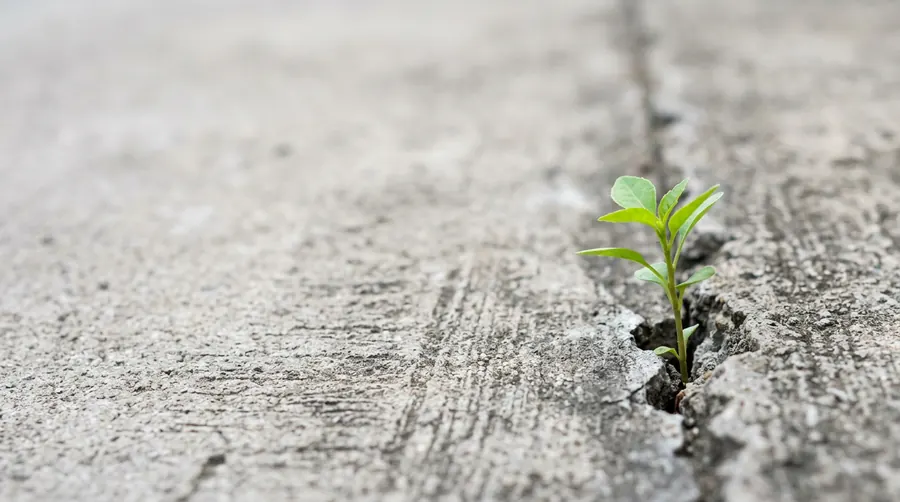
One clear image that supports a key point in a deck.
Business
Create an image for a presentation slide about [KEY POINT]. Show it as a simple visual metaphor: [METAPHOR, for example a small plant growing through a crack in concrete]. Clean, uncluttered composition with the subject on the right and empty space on the left for text. Landscape 16:9 image, no text.Diverse team at work
A realistic team photo for an About page or recruitment post.

Business
Create a realistic photograph of a small, diverse team of [NUMBER] colleagues working together in [WORKPLACE]. They are [ACTIVITY, for example discussing a plan around a laptop]. Natural expressions, candid moment, nobody looking at the camera. Bright, natural daylight, shallow depth of field. Landscape 16:9 image, no text or logos on screens.App or website mockup on a device
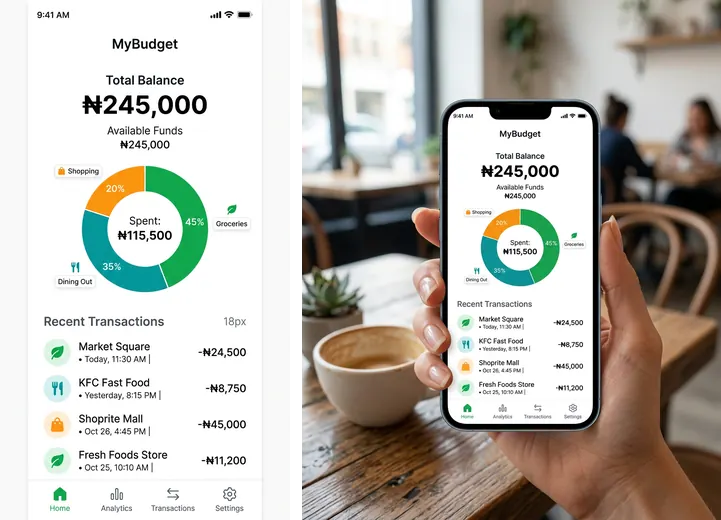
Show your product screen on a phone or laptop in a real setting.
Business
Using the screenshot I uploaded, show it on the screen of a [DEVICE, for example modern smartphone] held in a hand in [SETTING]. Keep the screenshot's content, layout and text exactly as it is, with no changes. Natural light, slight angle, background softly blurred. Portrait 4:5 image.Nano Banana, ChatGPT and other image tools
Every prompt above is plain English, so you can paste it into any image tool that takes a text prompt. A few practical notes help you get more from each one.
- Nano Banana in Google Gemini. Nano Banana is the nickname for Google's Gemini image model. Open the Gemini app or gemini.google.com, upload a photo if the prompt edits one, and paste the prompt. It is especially good for editing a photo you upload while keeping the person recognisable, and for combining more than one uploaded image into one scene.
- ChatGPT. Paste the prompt into a chat and ChatGPT creates the image. Upload a photo first for any edit prompt. It is usually strong at putting short, exact words into an image, which helps with thumbnails, flyers and quote cards.
- Other tools. Canva, Adobe Firefly, Microsoft Copilot, Midjourney and others accept the same kind of prompt. Some set the aspect ratio with a button or setting rather than in the text, so set it there as well.
Plans, limits and features change often, so check each tool's own help pages for what your plan includes.
How to get better images
- Change one thing at a time. If the image is close, reply with a single change, such as "make the background lighter" or "move the text to the top". Rewriting the whole prompt often loses what was already working.
- Repeat what must stay the same. When a follow up edit starts changing a face or a product label, say again that the face, identity and label must stay exactly as they are.
- Keep text short. Use a few words in quotation marks and ask for them to be spelled exactly as written. Add longer text afterwards in a design tool or in the Thumbnail Text Maker.
- Start from a good photo. For headshots and edits, a sharp, well lit photo facing the camera gives far better results than a dark or blurry one.
- Check details before you post. Look closely at hands, teeth, jewellery, text and logos. These are the places where AI images most often go wrong.
Use AI images responsibly
- Get consent. Only edit photos of real people when they have agreed, and never edit someone's photo in a way that embarrasses or misrepresents them.
- Do not mislead. Do not create realistic images that show real people saying or doing things they did not do, or that could be mistaken for real news.
- Be honest about AI headshots. An AI headshot should still look like you. Recruiters and clients expect to recognise you when they meet you.
- Respect other people's work. Do not copy another brand's logo or packaging, and only remove watermarks from photos you own.
- Know the marks. Images made with these tools may carry an invisible watermark, such as Google's SynthID, or content credentials such as C2PA data that identify them as AI generated. Read how to tell if an image is AI generated to learn more.
- Check the rules. Each platform has its own usage policy, and some uses, such as ads or official documents, have extra rules. Read them before you publish.
Keep going
- Compare AI image generators to choose the right one for your work.
- Make YouTube thumbnails and titles with AI, step by step.
- Estimate what your videos could earn with the free YouTube Money Calculator.
- Build a text prompt step by step with the free AI Prompt Builder.
- Browse 27 copy ready text prompts for writing, coding, research and business.
Newsletter
Get new free resources every two weeks
Join 500+ people getting AI tips, prompts, and templates.