7 AI Careers Without Coding (and How to Switch)
Explore 7 AI careers without coding, what each role involves and who it suits, plus a practical 90-day plan to build proof and switch into AI from any field.
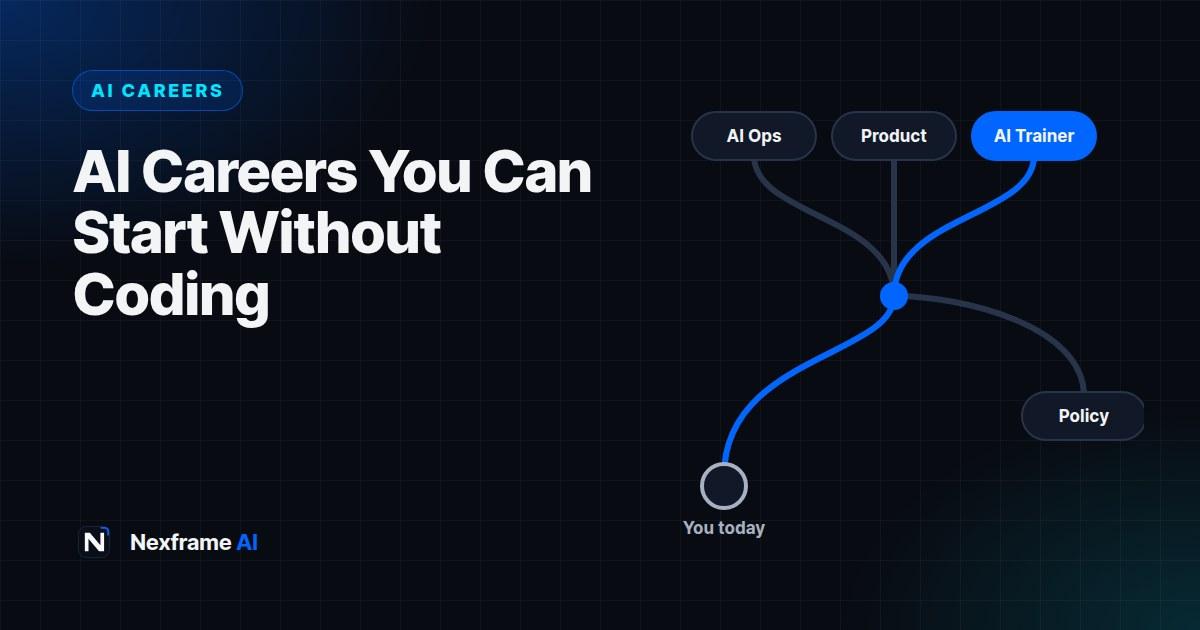
When people hear "AI career", they picture someone writing complex code or training neural networks. Those jobs exist, but they're a small part of the picture.
Every company adopting AI also needs people who can choose the right tools, design how teams use them, check the output, explain it to customers and keep it safe and legal. Most of that work doesn't need a single line of code. It needs domain knowledge, clear thinking and hands-on AI skills.
This guide covers seven AI careers without coding that you can move into from a non-technical background, what each one involves, and a 90-day plan to build proof and make the switch.
Why Non-Technical AI Roles Are Growing
The World Economic Forum's Future of Jobs Report 2025 expects 170 million new jobs and 92 million displaced by 2030, and lists AI and big data as the fastest-growing skills employers want.
Much of that demand isn't for engineers. As AI tools become easier to use, the bottleneck shifts from building them to using them well inside real businesses. That's where people who understand customers, operations, content or regulation have an edge: they know what good work looks like in their field.
7 AI Careers That Don't Require Coding
1. AI Operations or Automation Specialist
What you do: Find repetitive work in a business and redesign it with AI tools, from email triage to report drafting and meeting summaries.
Good fit if you've worked in: admin, operations, project coordination or customer service.
Skills to show: process mapping, no-code automation tools such as Zapier or Make, and prompt writing. The Business Workflows show the kind of repeatable systems this role builds.
2. AI Product Manager or Product Owner
What you do: Decide what an AI feature should do, for whom, and how to measure whether it works. You sit between users, designers and engineers.
Good fit if you've worked in: product, business analysis, consulting or marketing.
Skills to show: writing clear requirements, user research, and knowing what AI can and can't do reliably. Our AI for Business guides cover where AI fits across operations, marketing and growth.
3. AI Trainer or Evaluator
What you do: Rate, correct and test AI outputs so models improve. Specialists check answers in their own field.
Good fit if you've worked in: teaching, writing, research, law, healthcare or any expert field.
Skills to show: precise writing, fact-checking and following detailed guidelines. Our guide to AI training jobs covers pay and platforms.
4. AI Governance, Risk or Compliance Specialist
What you do: Make sure a company's AI use is safe, fair and legal. That includes data privacy, bias checks, policies and regulations like the EU AI Act.
Good fit if you've worked in: law, compliance, audit, HR or policy.
Skills to show: understanding of data protection rules, writing policies, and assessing risk.
5. AI-Assisted Content or Marketing Specialist
What you do: Produce more and better content using AI for research, drafts, images and video, while keeping quality and brand voice high.
Good fit if you've worked in: marketing, social media, journalism or communications.
Skills to show: an editorial eye, AI writing and design tools, and results such as reach or conversions. See how to create 30 days of content in one weekend using AI, then build your own system with the Content Creation Workflows.
6. AI Solutions Consultant or Customer Success Manager
What you do: Help customers adopt an AI product, from onboarding and training to solving problems and spotting new uses.
Good fit if you've worked in: sales, account management, customer support or training.
Skills to show: explaining technical ideas simply, running demos and building relationships.
7. AI Trainer for Teams (Enablement Lead)
What you do: Teach staff to use AI tools well, build prompt libraries and set up good habits across a company or school.
Good fit if you've worked in: teaching, learning and development, or HR.
Skills to show: designing workshops, writing guides, and measuring adoption. Our AI Productivity guides and these hidden ChatGPT features make good material for your first sessions.
How to Choose Your Path
The fastest switch is the one closest to what you already do. Your existing experience is your advantage, not something to leave behind.
Ask yourself three questions:
What problems do I already understand well? A nurse understands patient workflows; a marketer understands campaigns.
Which AI role solves those problems? Match your field to the roles above.
What's the smallest proof I can build? One project that shows you using AI on a real problem from your field.
If you're not sure where your skills stand, the free Skills Gap Checker compares your experience with a target role and shows what's missing.
A 90-Day Plan to Make the Switch
Days 1 to 30: Learn by doing
Pick one AI assistant, such as ChatGPT, Claude or Gemini, and use it every day on real work. Not sure which? Take the free 5-question AI tool quiz or read our GPT-5 vs Claude vs Gemini decision guide. Learn the basics of good prompting: give context, a role, the format you want and an example.
Add one tool specific to your target role, such as a no-code automation tool for AI ops, or an AI design tool for marketing. Test your understanding with the free AI Knowledge Quiz.
Days 31 to 60: Build three proof projects
Employers trust what they can see. Build three small projects that solve real problems from your field, and write up each one in a page or a short post.
Examples:
AI ops: an automation that sorts and drafts replies to customer emails, with the time saved per week.
Product: a one-page spec for an AI feature, including how you'd measure success and what could go wrong.
Governance: an AI use policy for a small business, covering data privacy and approved tools.
Content: a month of social posts produced with AI, with your editing process and results.
For each project, note the problem, what you did, the tools you used and the result. That becomes your interview story.
Days 61 to 90: Package and apply
Update your CV and LinkedIn to lead with your new AI skills and projects, using the language from job adverts in your target role. Our guide on getting found by LinkedIn's AI recruiter search shows how to make your profile surface.
Then apply to roles that combine your old field with AI, such as "AI operations analyst" or "marketing automation specialist". Nexframe Resume can tailor your CV to each one, and Nexframe Opportunities lists checked roles and fellowships.
If you'd rather start earning before you switch fully, freelancing is a good bridge. See our list of no-code AI services you can sell this month.
Common Mistakes to Avoid
Collecting certificates instead of proof. A certificate shows you watched a course; a project shows you can do the work. Do both, but prioritise projects.
Starting from zero. Abandoning your field throws away your biggest advantage. Combine it with AI instead.
Overclaiming. Don't call yourself an "AI expert" after a month. "Uses AI to automate reporting, saving 6 hours a week" is more convincing.
Ignoring the basics of AI risk. Know that AI can make things up, that you shouldn't paste confidential data into public tools, and that output needs checking. Employers test for this.
Waiting until you feel ready. Start applying by day 60. Interviews teach you what employers actually want faster than any course.
What a Week Looks Like in Three of These Roles
Job titles can be vague. Here's what three of these roles involve in a typical week.
AI operations specialist at a logistics company. Monday, you map how the customer service team handles delivery complaints and find that agents spend an hour a day writing the same five replies. Midweek, you build an AI-assisted template system and a simple automation that tags incoming emails by issue. On Friday, you check a sample of AI-drafted replies for accuracy and report time saved to your manager.
AI governance assistant at a bank. You review a request from the marketing team to use a new AI writing tool, check what customer data it would touch, and update the bank's list of approved tools. You draft a one-page guide for staff on what not to paste into public chatbots, then join a call about upcoming regulation.
AI-assisted content specialist at an e-commerce brand. You use AI to research product angles and draft 20 product descriptions, then edit each one for accuracy, tone and local language. You generate image variations for a campaign, test two versions of an ad and report which performed better.
Notice the pattern: AI does the first draft or the repetitive work, and you bring judgement, checking and knowledge of the business.
How to Describe AI Skills on Your CV
Most people undersell their AI skills with vague lines. Recruiters and applicant tracking systems look for specific tools, tasks and results.
Weak:
-Good with AI tools
-Familiar with prompt engineering
-Interested in AI ethics
-Created content with AI
Strong:
-Used ChatGPT and Zapier to automate weekly sales reports, saving 5 hours a week
-Built a library of 40 tested prompts for customer support replies, adopted by a team of 8
-Drafted an AI use policy for a 30-person company covering data privacy and approved tools
-Produced 60 social posts a month with AI drafting and human editing; engagement rose 25% in a quarter
Each strong line names a tool, a task and a measurable result. If you don't have workplace results yet, use your proof projects and say so honestly, for example "Personal project: …".
Before you apply, run your CV against the job advert with the free ATS checker to see which skills from the role are missing.
Interview Questions to Expect
Interviews for non-technical AI roles focus on judgement as much as tools. Prepare a real answer for each of these.
Which AI tools do you use, and for what? Name specific tools and tasks, not just "ChatGPT for everything".
Tell me about a time AI got something wrong. What did you do? Show that you check outputs.
How would you decide whether a task should use AI? Talk about time saved, risk, data sensitivity and the need for human review.
How would you get a reluctant team to adopt an AI tool? Show change management: start small, show results, train people.
What data should never go into a public AI tool? Mention personal data, confidential business information and anything covered by privacy rules.
Walk me through one of your projects. Use your write-ups: problem, approach, tools and result.
If part of the process uses an AI interviewer, our guide on how to pass an AI job interview shows how to prepare.
Building Proof When You Have No Experience
No AI job yet? You can still build credible evidence.
Solve a problem at your current job. Even in a non-AI role, automating one report or building a prompt library for your team counts as real experience.
Volunteer for a small organisation. Churches, NGOs, student groups and small businesses often need help with content, admin or customer messages. Offer to set up an AI-assisted process for free and document the result.
Freelance small projects. Short paid gigs give you real clients and testimonials. Our list of no-code AI services you can sell has ideas that need no technical background.
Write about what you learn. A short LinkedIn post about each project shows your thinking and helps recruiters find you.
Final Thoughts
You don't need to become a programmer to build a career in AI. The roles growing fastest reward people who understand a field deeply and can apply AI to it responsibly.
Pick the role closest to your experience, build three projects that prove it, and start applying within 90 days. If you later decide to go technical, our explainer on agentic coding is a good next step.
Frequently Asked Questions
Can I really get an AI job without coding?
Yes. Many AI roles focus on operations, product, content, training, governance and customer success. They need AI skills and domain knowledge, not programming.
What's the easiest AI career to start without experience?
AI training and evaluation work is often the easiest entry point, since many platforms accept generalists. AI-assisted content roles are also accessible if you can show strong writing.
Do I need an AI certificate?
It can help, especially for governance roles, but it's rarely enough on its own. Employers care more about projects that show you using AI on real problems.
How long does it take to switch into AI?
With focused effort, many people can build proof and start interviewing in about three months. The full switch depends on your field, the job market and how closely your experience matches.
Will AI replace these non-technical AI jobs?
Any job can change, but roles that combine judgement, domain expertise and responsibility for AI outcomes are harder to automate. Keep learning as the tools change.
Which AI tools should I learn first?
Start with one general assistant, such as ChatGPT, Claude or Gemini, and learn to prompt it well. Then add one tool specific to your target role.
What salary can I expect in a non-technical AI role?
It depends heavily on the role, your experience, the company and the country. Roles that combine AI skills with an existing specialism, such as compliance or product management, usually pay in line with that specialism, sometimes with a premium. Research current adverts in your market for realistic figures.
Can I switch into AI from a completely unrelated field?
Yes. Start with the role closest to your current skills; there usually is one. Teachers move into AI enablement, writers into AI content or evaluation, and administrators into AI operations.
Should I learn to code eventually?
It's optional. Basic coding helps in some roles, such as automation, but many AI careers never require it. Learn it if it interests you or your target role asks for it.
Comments (0)
Sign in to post a comment.
- Be the first to comment.