Open-Source vs Closed AI Models: Which Should You Use?
Open-source vs closed AI models explained: Llama, DeepSeek, Qwen and Mistral versus ChatGPT, Claude and Gemini. Compare cost, privacy, control and quality.
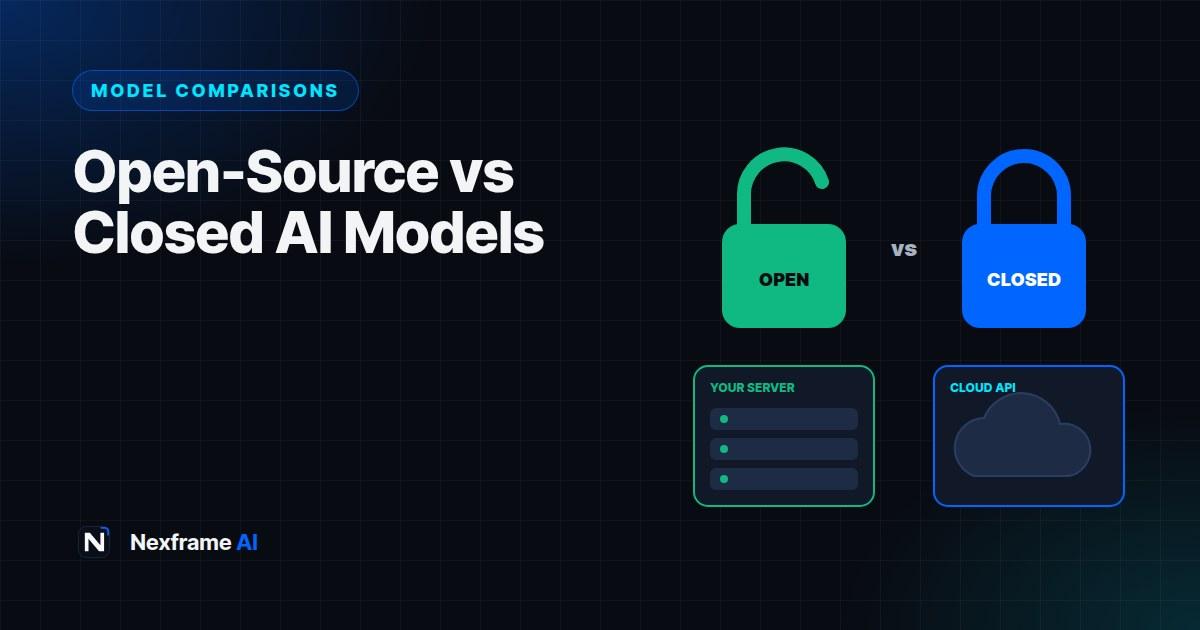
When most people think of AI, they think of ChatGPT, Claude or Gemini: powerful tools you access through an app or an API, run by large companies on their own servers. But there's a whole second world of AI models you can download, run on your own computer or servers, customise and build into products without depending on a single company.
These are open-weight models, often called open-source models, such as Meta's Llama, DeepSeek, Alibaba's Qwen, Mistral and Google's Gemma. Nigeria's own N-ATLAS model is built on one of them. For some uses they're a better choice than closed models; for others, they're more trouble than they're worth.
This guide explains open-source vs closed AI models in plain English: what the difference really is, the main options, how they compare on quality, cost, privacy and control, and how to decide which approach suits you, whether you're an individual, a business or a developer.
What "Open" and "Closed" Mean
Closed models are run by the company that made them. You use them through their apps or APIs, but you can't download or change the model itself. Examples include the models behind ChatGPT, Claude and Gemini.
Open-weight models release the model's weights, the trained numbers that make the model work, so anyone can download and run them. You can host them on your own hardware or with a cloud provider, and often fine-tune them for your needs.
Open-source, strictly speaking, means more than open weights: it would include the training code and data, and a licence allowing broad use. Many "open" models release weights but not training data, and some licences include restrictions. In everyday conversation, people use "open-source" loosely for all of these. Always check the specific licence.
The Main Open-Weight Models
The landscape changes quickly, but these families are widely used:
Llama (Meta). One of the most popular open-weight families, with many sizes. Many other models, including Nigeria's N-ATLAS, are built on Llama.
DeepSeek. A Chinese lab whose open-weight models drew global attention for strong reasoning at low cost.
Qwen (Alibaba). A large family of open-weight models with strong multilingual and coding abilities.
Mistral. A French company offering both open-weight and commercial models, popular in Europe.
Gemma (Google). Smaller open-weight models from Google, designed to run efficiently on modest hardware.
OpenAI's open-weight models. OpenAI has also released open-weight models alongside its closed ones.
Specialised models. Open models exist for images (such as FLUX), speech recognition, translation and specific languages. Our guide to using AI in Yoruba, Igbo, Hausa and Pidgin explains N-ATLAS, Nigeria's open model for local languages. For a recent example of a strong open-weight release, see our AI News coverage of Moonshot AI's Kimi K3.
How They Compare
Quality
The most capable closed models usually lead on the hardest tasks: complex reasoning, long agentic work and top-tier coding. But the gap has narrowed. Good open-weight models now handle many everyday tasks, such as summarising, classification, drafting and question answering, very well, and some come close to closed models on many benchmarks.
Cost
Closed models: You pay per use through subscriptions or API tokens. No hardware costs, and you only pay for what you use, but costs grow with volume.
Open-weight models: The model itself is free, but running it isn't. You pay for hardware (powerful GPUs for larger models) or cloud hosting, plus the engineering time to set it up and maintain it. Many providers also host open models and charge per token, often cheaply.
For small or irregular usage, closed APIs are usually cheaper and simpler. At very high, steady volumes, self-hosting open models can become cheaper.
Privacy and Data Control
Closed models: Your data goes to the provider. Business and API terms usually include data protections and often exclude training on your data, but the data still leaves your systems.
Open-weight models: If you host them yourself, data never has to leave your infrastructure. This matters for sensitive data, strict regulations or organisations that must keep data in a specific country. In Nigeria, data protection rules under the Nigeria Data Protection Act can make data location and control important considerations.
Control and Customisation
Open-weight models can be fine-tuned on your data, modified, run offline and kept stable: the model won't suddenly change because a provider updated it.
Closed models change when providers update them, which brings improvements but can alter behaviour. Customisation is limited to prompts, tools and whatever fine-tuning options the provider offers.
Ease of Use
Closed models are far easier: sign up, get an API key or open the app, and start. Updates, scaling and safety features are handled for you.
Open-weight models need technical skill to run well, especially at scale: choosing models, managing hardware, optimising speed and adding your own safety controls.
Who Should Use Which?
Individuals and casual users: Closed apps like ChatGPT, Claude and Gemini are the practical choice. You can experiment with open models on a laptop using friendly tools like Ollama or LM Studio, but it's mostly for curiosity or privacy.
Students and learners: Closed apps for everyday learning. If you're studying AI or computer science, running small open models locally is an excellent way to learn how they work.
Small businesses: Usually closed models through apps or APIs, because they're simpler and cheaper at small scale. Our guide to writing an AI policy for your small business helps you choose approved tools.
Developers building products: Often start with closed APIs to move fast, then consider open models for specific tasks where cost, privacy or control matter, such as high-volume classification. Our guide to building your first app with an AI API covers the closed-API route.
Organisations with sensitive data: Banks, hospitals, government agencies and others with strict data rules often consider self-hosted open models, or closed models with strong enterprise data agreements.
Local-language and research projects: Open models are valuable for building tools in underserved languages, adapting models to local needs and research, as N-ATLAS shows.
Many Teams Use Both
It's rarely all or nothing. A common pattern is a hybrid:
A closed frontier model for complex reasoning, writing and agentic tasks
A smaller open model for simple, high-volume tasks such as tagging, classification or redacting personal data before anything leaves your systems
Open models for offline or on-device features
Designing your app so you can switch models easily, for example by keeping model calls behind a single function in your code, gives you flexibility as prices and capabilities change.
A Worked Example: A Health-Tech Start-Up
A Nigerian health-tech start-up builds an app that helps clinics summarise patient intake notes and answer staff questions about clinic procedures.
The concern: Patient notes are highly sensitive, and the clinics want data to stay under tight control.
The approach: The team self-hosts an open-weight model on secure cloud servers to summarise patient notes, so identifiable patient data never goes to an outside AI provider. For the staff Q&A assistant, which only uses non-sensitive procedure documents, they use a closed model through an API with RAG, because it gives better answers and needs less maintenance. Our guide to RAG for beginners explains the approach.
The trade-offs: The self-hosted model needs an engineer to maintain it and isn't quite as fluent, but it meets the privacy requirements. The closed model handles the less sensitive task more simply.
Result: A hybrid system that balances quality, cost and data protection, with clinicians reviewing all AI summaries before they're used.
Safety and Responsibility
Closed models come with the provider's safety systems and usage policies built in.
Open models put more responsibility on you. If you deploy them in a product, you need your own safeguards: content filtering, monitoring, rate limiting and protections against misuse. Our guide to securing AI features in your app covers the essentials.
Also check each model's licence for commercial use, user limits and acceptable use rules, and consider where the model comes from if your organisation has supply-chain or compliance requirements.
How to Try Open Models Yourself
If you're curious, it's easy to experiment:
Install a local runner such as Ollama or LM Studio on a reasonably modern laptop.
Download a small model, often a few gigabytes, such as a small Llama, Gemma, Qwen or Mistral variant.
Chat offline and compare answers with ChatGPT or Claude on the same questions.
Notice the trade-offs: speed on your hardware, quality on hard questions and how it handles your language and local context.
It's a good way to understand what open models can and can't do before considering them for real work.
Common Mistakes to Avoid
Assuming open means free. Hosting, hardware and engineering time cost money.
Assuming closed means unsafe for data. Business and API terms often include strong protections. Read them.
Ignoring licences. Some open models restrict commercial use or large-scale deployment.
Choosing on benchmarks alone. Test models on your own tasks and languages.
Locking yourself in. Design systems so you can switch models later.
A Decision Checklist
When choosing between open and closed models for a project, answer these questions honestly.
1. How sensitive is the data? If it includes personal health, financial or confidential business information, data control matters a lot. Self-hosted open models or closed models with strong enterprise agreements are the options to compare.
2. How much quality do you need? For the hardest reasoning, writing or coding tasks, top closed models often perform best. For simpler tasks, open models may be more than enough.
3. What volume do you expect? A few thousand requests a month usually favours closed APIs. Millions of simple requests can make open models cheaper.
4. Do you have the skills? Running open models in production needs engineering time for hosting, scaling, monitoring and security. If you don't have that capacity, closed APIs or hosted open models are safer.
5. Do you need customisation? Fine-tuning on your own data, special languages or offline use point towards open models.
6. How important is stability? If your product must behave exactly the same for months, a model version you control can help.
7. What do the licences allow? Check commercial use, user limits and acceptable use policies.
If most answers point one way, follow them. If they're mixed, a hybrid approach is often best.
What Self-Hosting Really Involves
It's easy to underestimate what running your own model takes. Typical work includes:
Choosing a model size that balances quality with the hardware you can afford. Larger models need expensive GPUs.
Setting up serving software that handles requests efficiently and scales with demand.
Monitoring and maintenance: uptime, speed, errors and updates to newer model versions.
Security: protecting the servers, the model and the data passing through it.
Safety controls: filters and monitoring that closed providers usually supply for you.
A middle path is using cloud platforms that host open models for you and charge per token. You get many of the cost and flexibility benefits of open models without managing hardware, though your data then goes to that hosting provider, so read their terms.
For developers starting out, building your first feature with a closed API, then experimenting with an open model for one specific task, is a practical way to learn both. Our guide to choosing an AI coding agent can also speed up that experimentation.
Final Thoughts
Open-source vs closed AI models isn't a battle with one winner. Closed models offer the best convenience and often the best quality on the hardest tasks. Open-weight models offer control, privacy, customisation and potentially lower costs at scale, with more responsibility and technical effort.
For most individuals and small businesses, closed tools are the right starting point. For developers and organisations with specific privacy, cost or customisation needs, open models, or a hybrid of both, can be the better choice.
For more comparisons, see our GPT-5 vs Claude vs Gemini decision guide and our guide to free vs paid AI plans. And for the wider picture of where AI is heading, browse our AI News coverage.
Frequently Asked Questions
What is the difference between open-source and closed AI models?
Closed models are run by their makers and accessed through apps or APIs. Open-weight models release the model weights so anyone can download, run and often customise them.
Are open-source AI models free?
The models are usually free to download, but running them costs money for hardware or hosting, plus setup and maintenance time. Check each licence for commercial use.
Are open models as good as ChatGPT or Claude?
For many everyday tasks, good open models perform well. The most capable closed models still tend to lead on the hardest reasoning and coding tasks. Test on your own work.
Is DeepSeek safe to use?
As with any model, consider data and compliance. Using a hosted service sends data to that provider, while self-hosting the open weights keeps data on your own infrastructure. Check your organisation's requirements.
Can I run an AI model on my laptop?
Yes. Tools like Ollama and LM Studio make it easy to run smaller open models locally, though large models need powerful hardware.
What is an open-weight model?
A model whose trained weights are published so others can run it. It may not include training data or code, so it isn't always fully open-source.
Why would a business choose an open model?
For data privacy and control, customisation, predictable behaviour, offline use or lower costs at high volume.
Is N-ATLAS open source?
N-ATLAS is Nigeria's open multilingual model, built on Meta's Llama 3 and released for researchers, developers and organisations to use and build on, subject to its licence.
Comments (0)
Sign in to post a comment.
- Be the first to comment.